Editing Rule Script
Read this topic to know how to define a rule logic.
Follow the steps below to edit a rule script.
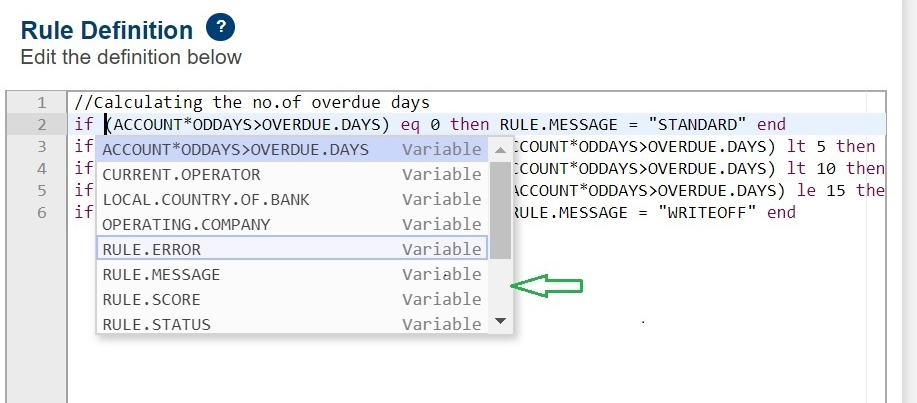
- Use the content assist feature to define the rule logic. When you add a rule variable or context, the content assist feature automatically shows you the possible suggestions as shown in the screen below.
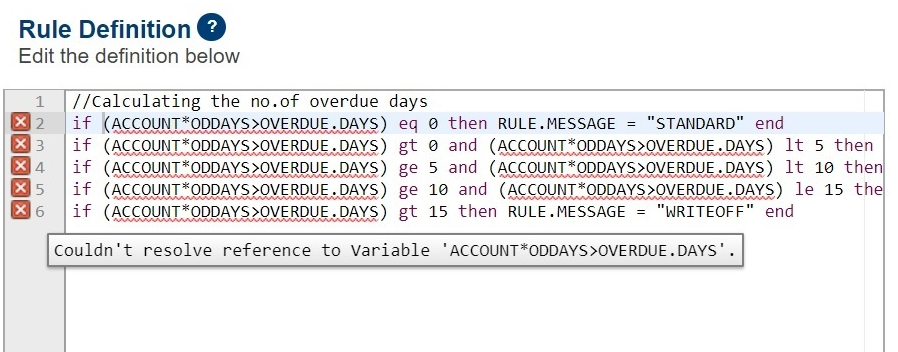
- Use the live validation with error markers feature to fix any syntax errors or missing variables in the rule script. The example below shows a missing context.
- Validate the rule script. For more information, see Validating Rule.
Field Name
|
Application/Table name
In this topic