Validating Rule
This section shows how to validate a rule so that you can publish that rule into Temenos Transact. Follow the steps below to validate a rule.
- Click the Validate icon in the upper right corner of the rules editor screen to validate a rule.
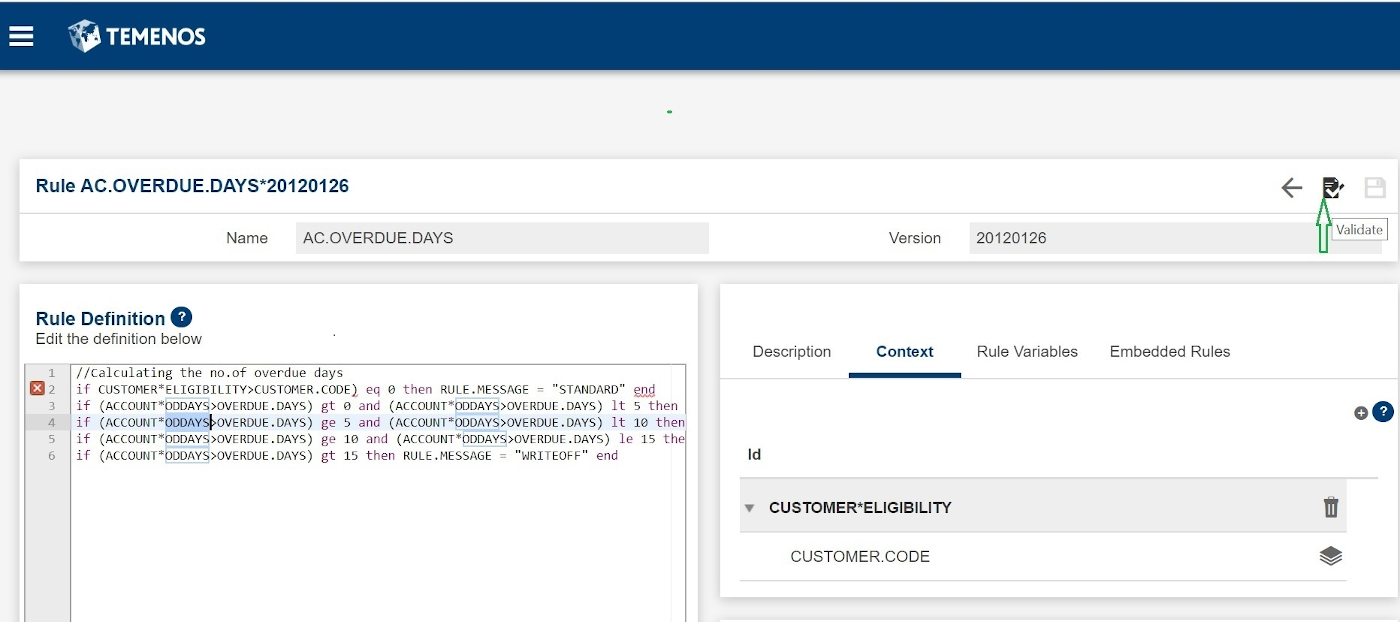
A validation message appears in a collapsible banner at the top of the screen.
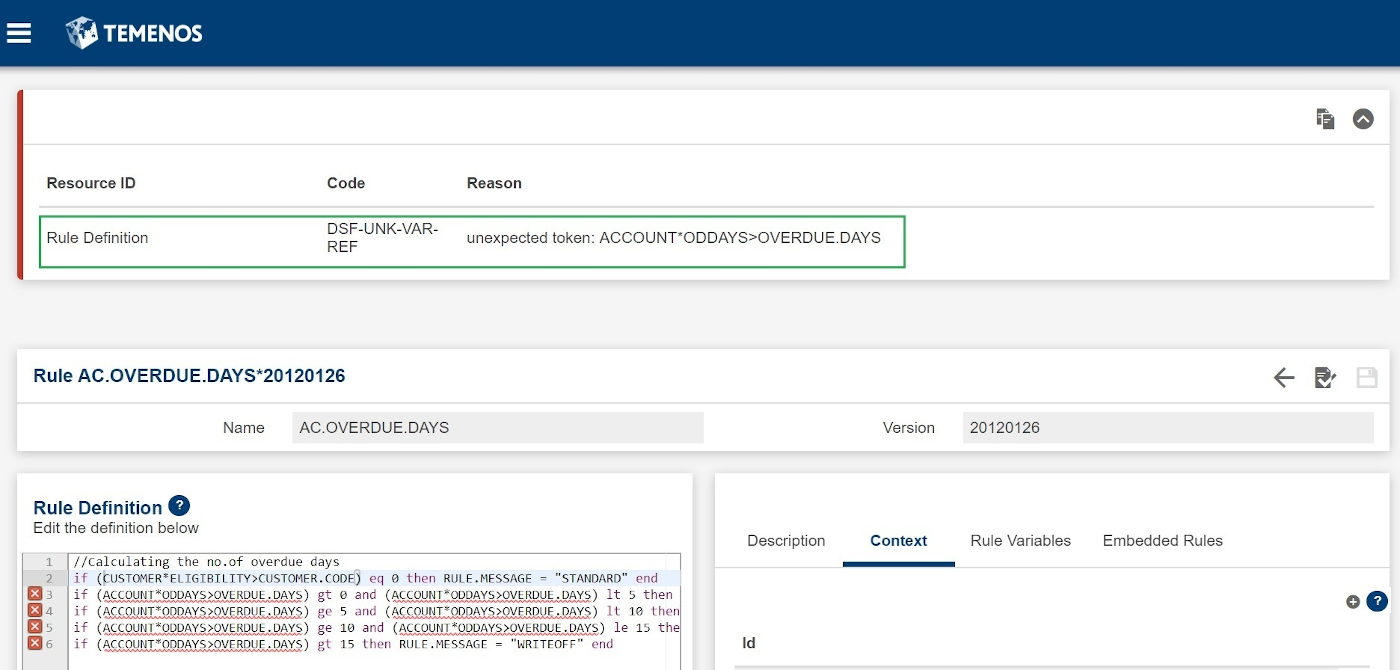
- Fix the validation error and click the validate action button to validate the rule again.
- Click the Save icon. Only a valid rule is allowed to be saved.
Field Name
|
Application/Table name
In this topic