Extracting and Loading Data in Database
This section shows you how to extract and load the content of a data file into a database.
Extracting Data
You can extract the data using the following procedure.
- Right-click the data file and click Extract from the database.
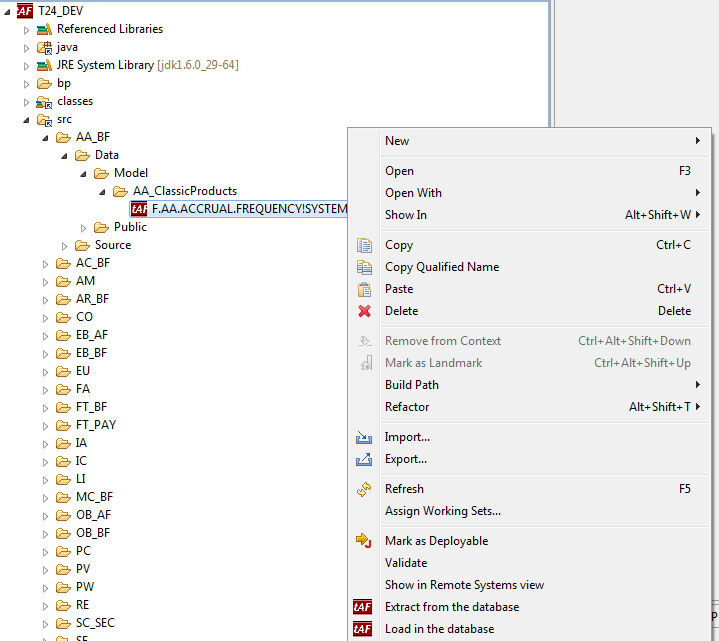
The following wizard is displayed:
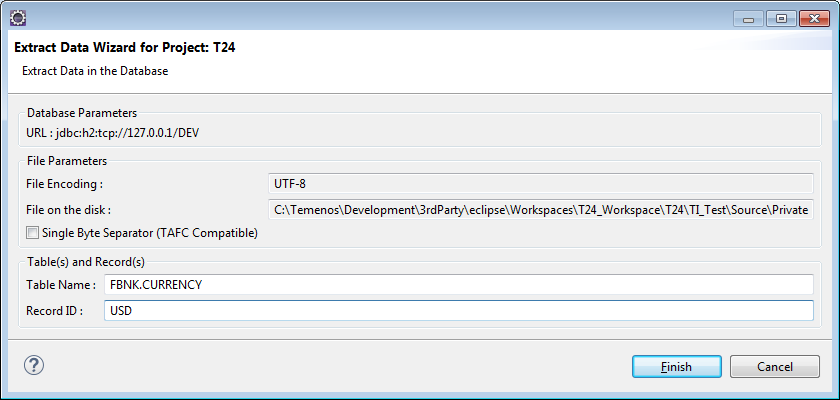
- Specify Table Name and Record ID. Click Finish.
The following output is generated.

Loading Data
You can load the data using the following procedure.
- Right-click the data file and click Load in the database.
The following wizard is displayed:
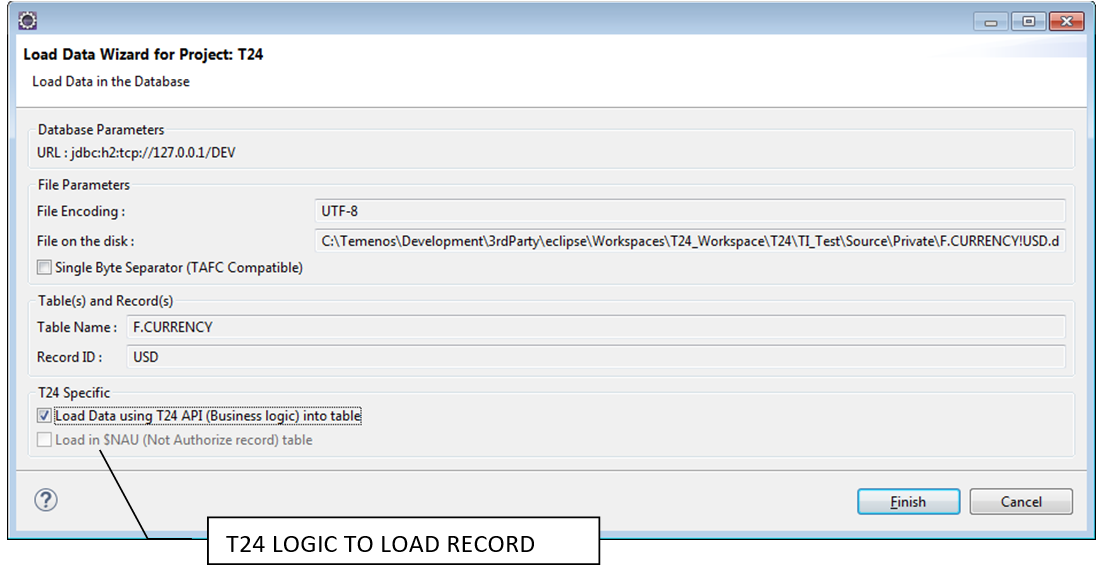
By default a record loaded in Temenos Transact requires a manual authorisation, thus it will be uploaded in the corresponding $NAU table. In some cases, it is directly loaded into a live file.
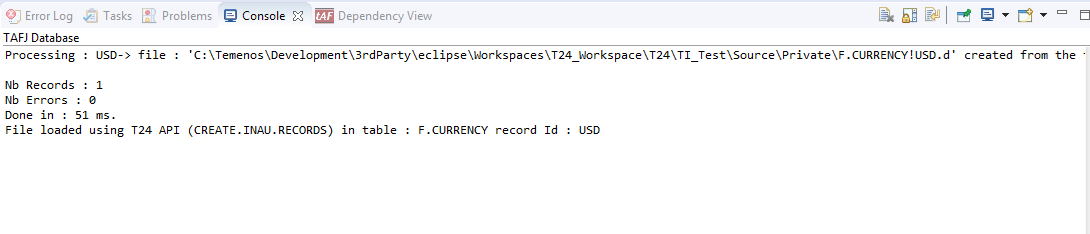
- Select the Load Data using T24 API (Business logic) into table check box and click Finish.
The following output is generated.
Field Name
|
Application/Table name
In this topic