Editing a Basic File in the BASIC Editor
This section shows the Basic file editing in the BASIC editor and details the features of outline view in Eclipse.
When you edit a basic file with the BASIC editor, the outline view is automatically activated.
Procedure
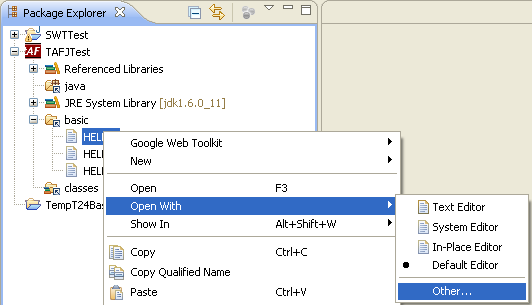
- Right-click the basic file and click Open With > Other....
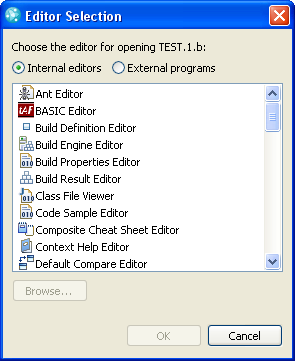
- In the Editor Selection screen, select Basic Editor and click OK.
Your basic file is edited in eclipse with the Basic editor.
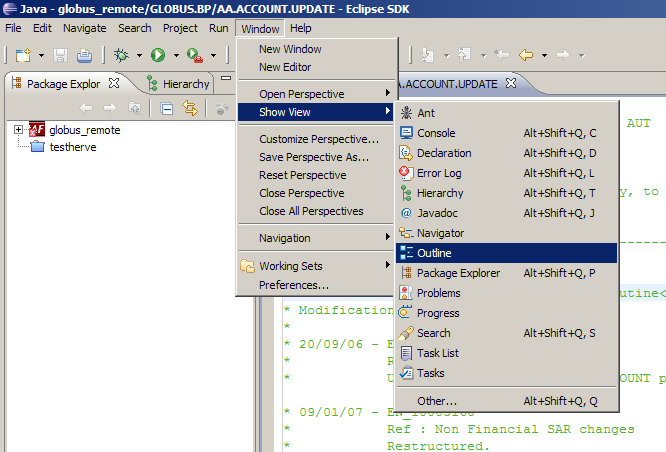
- Optional: If the outline view is not in your workspace, then to activate it, from the menu, click Window > Show View > Outline.
Outline View
The Outline view is a tree with nine different branches.
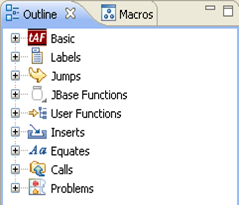
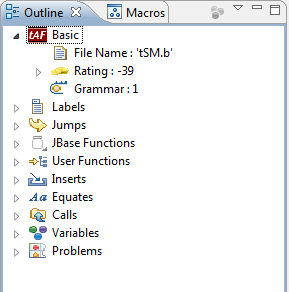
 Basic Branch
This shows the information about a basic routine like routine name, rating and grammar level.
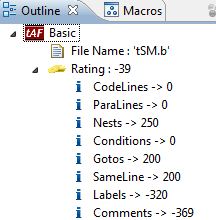
Rating Branch
This shows the rating details.
Labels Branch
All labels of the code are listed in the Labels branch with information about where they are and where they are used.
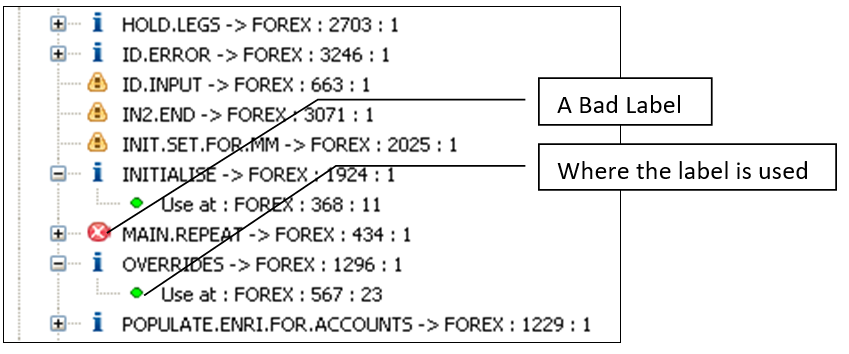
The labels are marked with an icon. Each of the icon defines a status. The following icons are used:
- Blue (information): This is a good label.
- Yellow (warning): This label is not used in the code. The compiler avoids it.
- Red (bad): This label is in a loop and make the compiler drop-down to level 0 (see the chapter Compiler).
If the labels are in current routine, then click the label name to highlight it in the editor. If the label is in other file, then you can double-click it to open the Basic file in the basic editor.
Jumps Branch
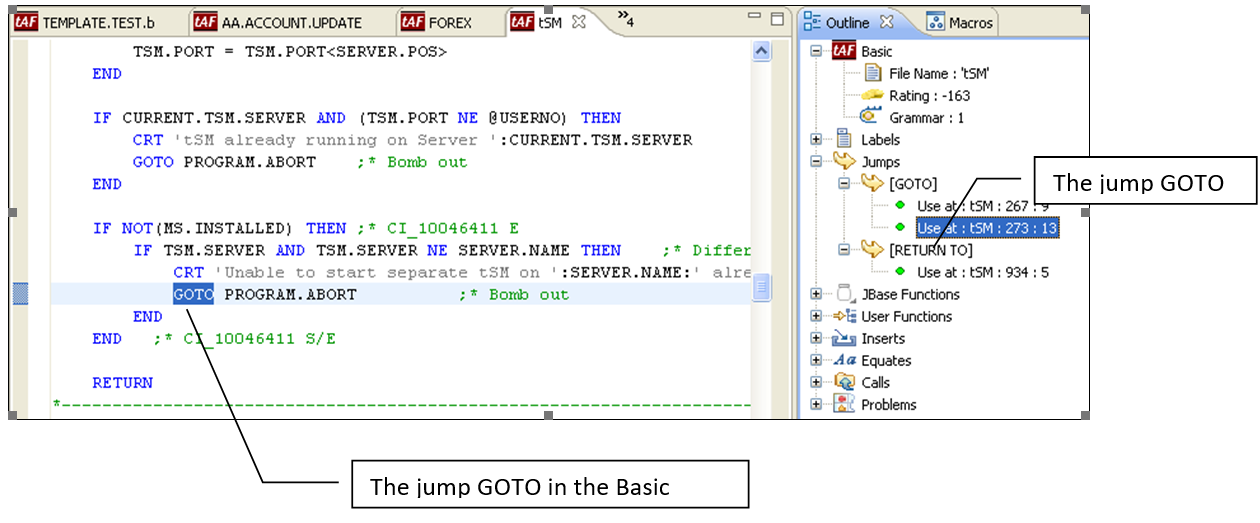
All Jumps (GOTO, ON...GOTO, RETURN TO) in the code are listed in the Jumps branch with their details. The jump detail is important because this branch statement will downgrade the compiler level to 1.
Clicking on a jump will select the corresponding statement in the editor. For example, Use at: tSM: 273:13.
JBase Functions Branch
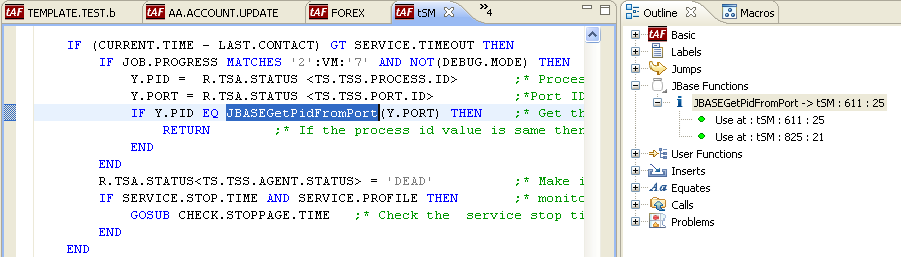
This branch lists the JBase Functions that are in hold in the routine. Clicking on the JBase function will select the corresponding statement in the editor.
Users Functions Branch
This branch lists the user defined functions used in the code. Clicking the function name will select the corresponding statement in the editor.
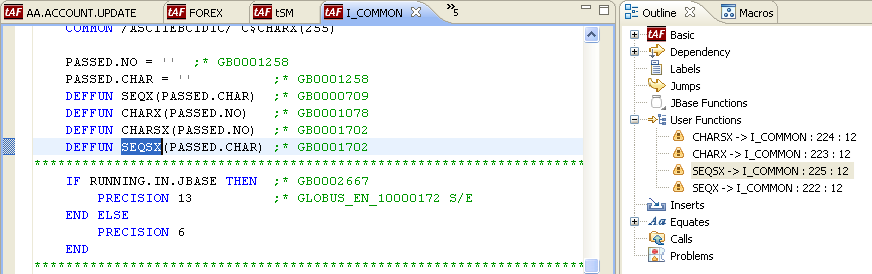
An icon in front of it indicates its status.
- Blue (information): This function is used.
- Yellow (warning): This function is not used.
Inserts Branch
This branch lists the $INSERT files in the code.
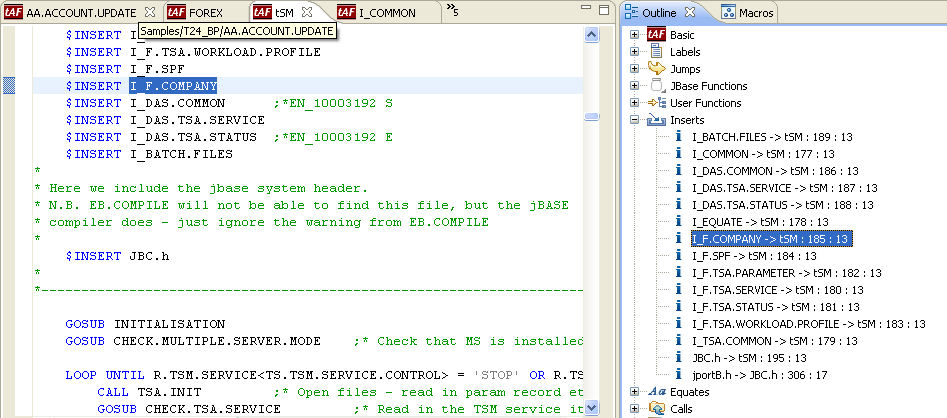
Clicking the name will select the corresponding statement in the editor and double-clicking the name will open the INSERT file in the basic editor.
Equate Branch
This branch lists all defined EQUATE TO or LIT in the code.
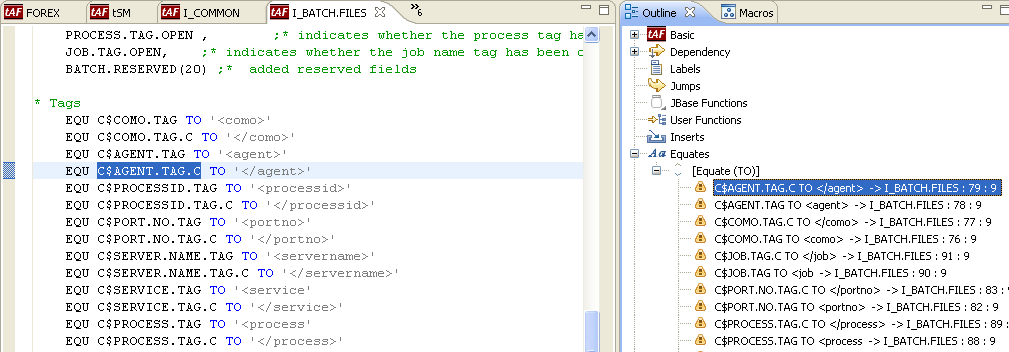
An icon front of it indicates its status.
- Blue (information): This equate is used.
- Yellow (warning): This equate is not used.
Calls Branch
This branch lists the defined calls in the code.
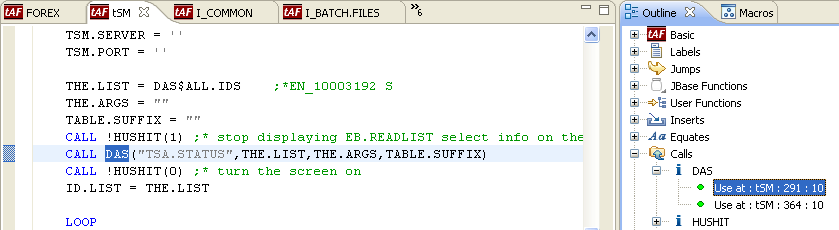
An icon front of it indicates its status.
- Blue (information): This subroutine exists.
- Yellow (warning): This equate does not exist.
Clicking on Use at... will select the corresponding statement in the editor and double-clicking on the same will open the subroutine file in the basic editor.
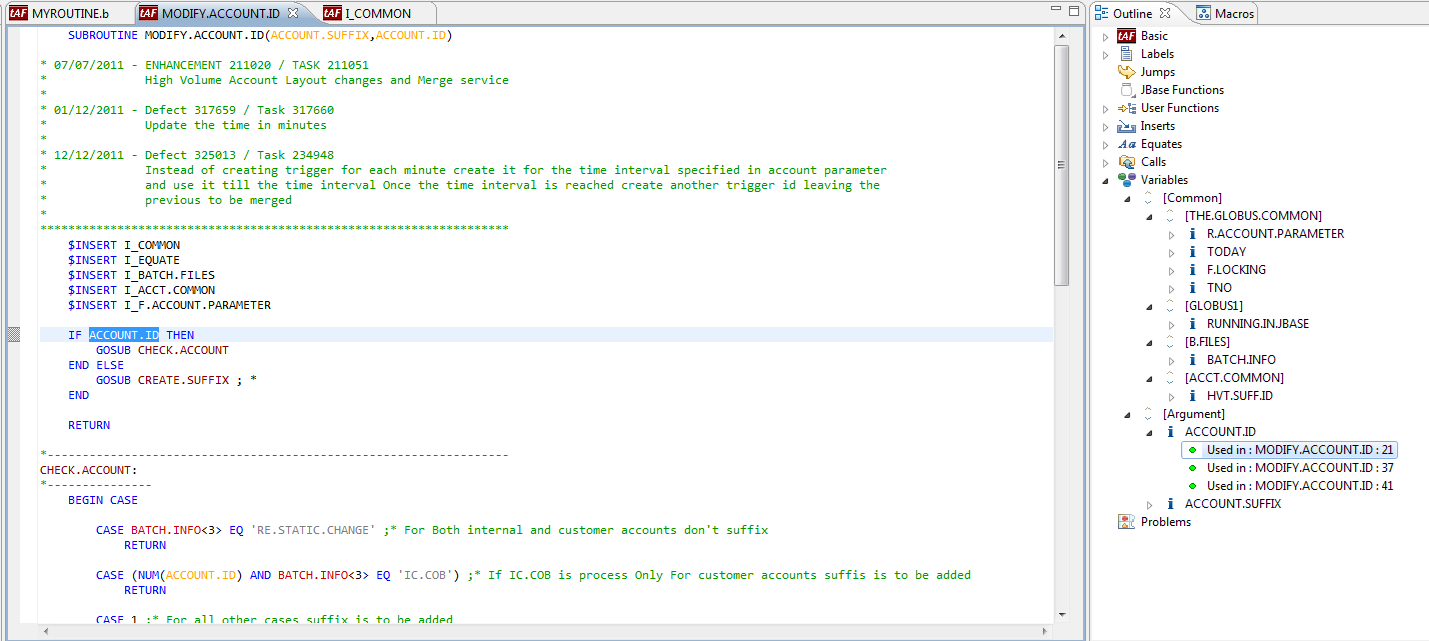
Variables Branch
This branch lists the common and internal routine variables.
Clicking on a variable will open the corresponding I_COMMON file and display the variable. If it is a common or an internal variable, you will be redirected where it is used in the editor.
Problems Branch
This branch lists the errors and warnings that are reported from a compilation.
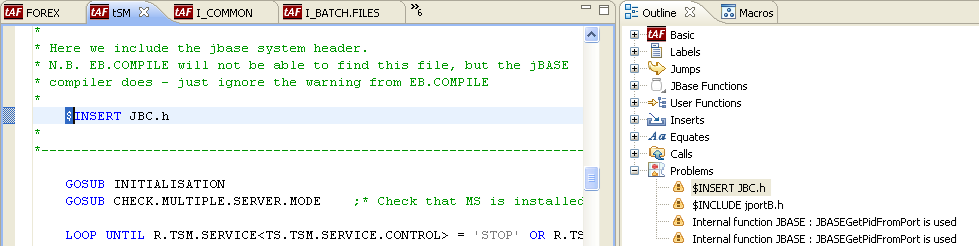
An icon in front of it indicates its status.
- Blue (information): Information about the compilation.
- Orange (warning): A warning about the compilation.
- Red (error): An error about the compilation.
Clicking the problem will redirect you to the corresponding statement in the editor.
Outline View Refresh
When an open or a save action is triggered, the outline view is automatically refreshed.
In this topic