Adding a Basic File
You can add a Basic file in your TAFJ project using the following procedure.
- Right-click the folder in which you want to add the Basic file and click New > T24 routine/ component.
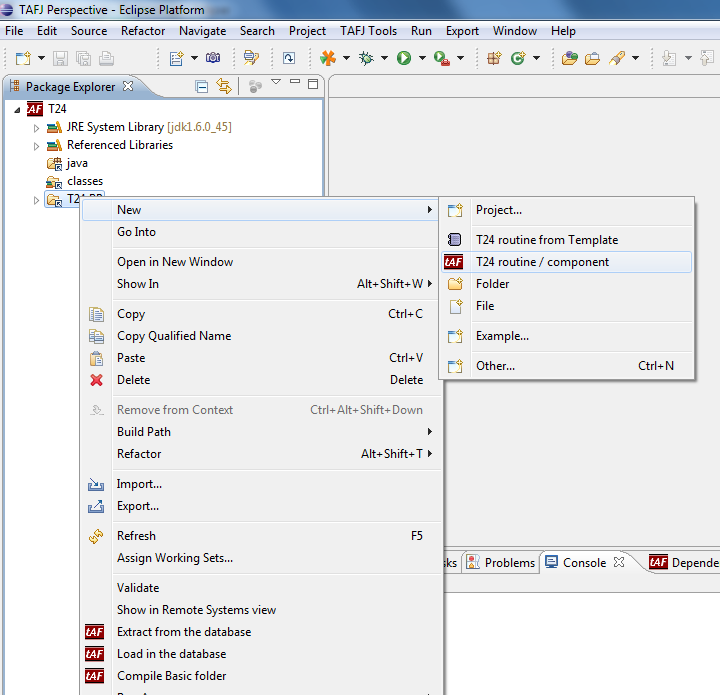
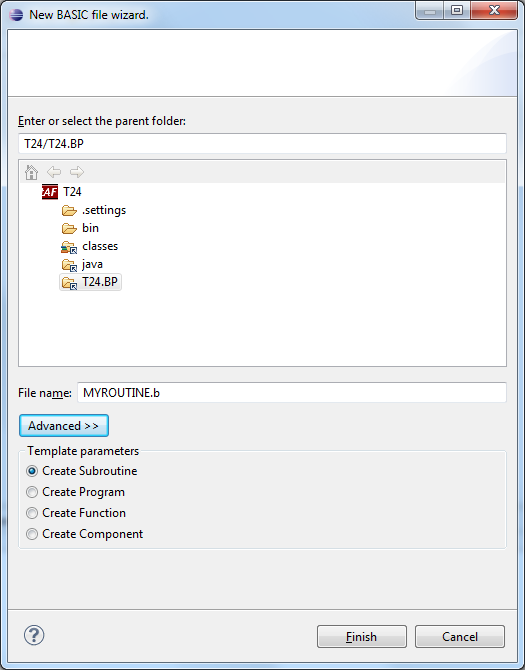
By default, it will create a subroutine but you have an option to select a different template.
- Specify the Basic file name and click Finish.
- Double-click the Basic file that you added to open in the editor and write a basic code and save.
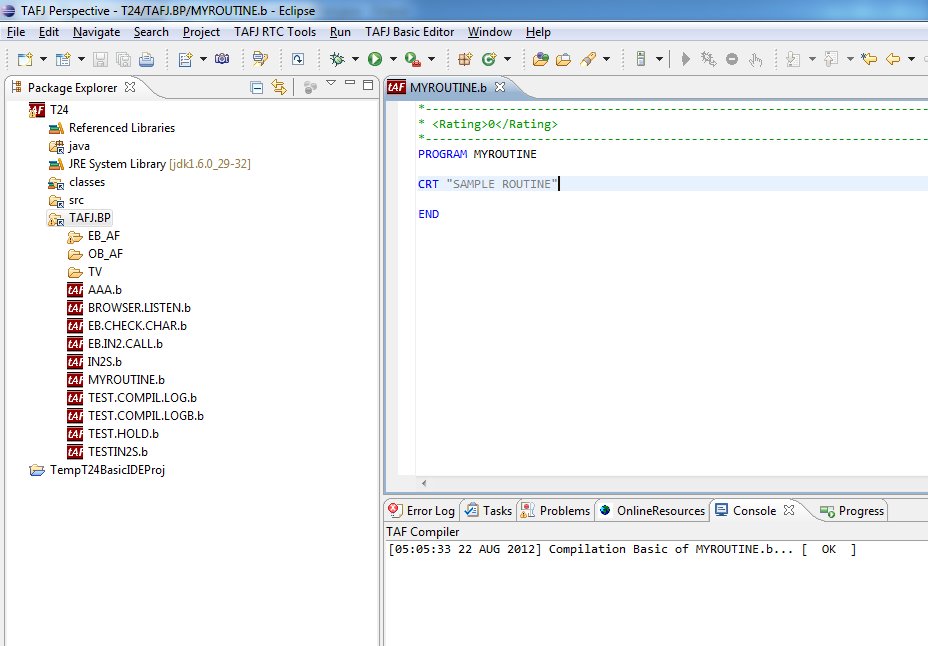
Automatically the compiler compiles the Basic file. You cannot see the java files of the new Basic file in the java folder.
Field Name
|
Application/Table name
In this topic