Creating JMS Connection Factories
A JMS connection factory is used to create connections to JMS destinations. The associated JMS provider creates the JMS connection factory.
You can create JMS destinations using the following procedure.
- In the WebSphere admin console, click Resources > JMS > Connection factories > Scope > Server > New.
- Select Default messaging provider.
- Click OK.
- Specify the properties below:
- Name as T24 Connection Factory.
- JNDI Name as jms/t24ConnectionFactory.
- Bus Name as T24Bus.
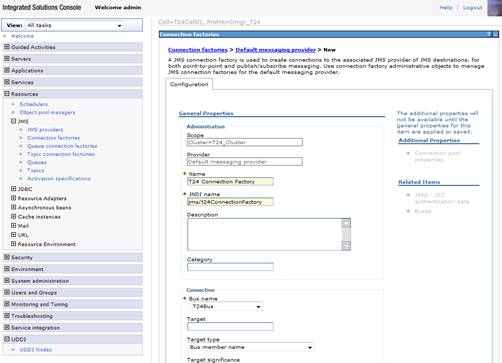
- Click OK and save settings to master configuration.


Field Name
|
Application/Table name
In this topic