Workbench UI
The workbench UI provides the web user interface to configure Temenos Products. The following are the three panels in the workbench.
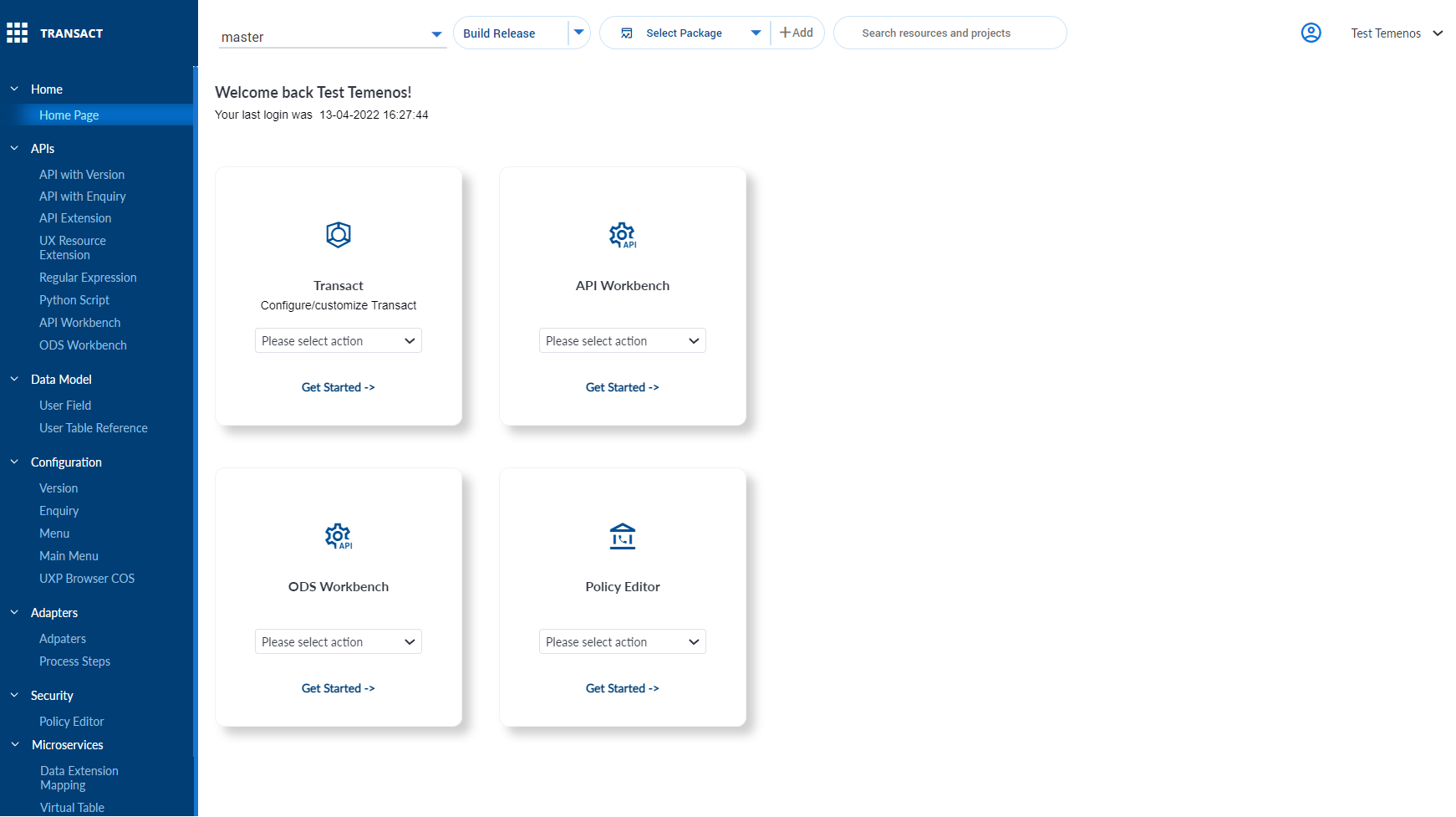
App Bar
The app bar allows to manage the SDLC with Global Information Tracker (Git) operations and the package management. The following are the sections in the app Bar.
 Git
Git
The Git is one of the most popular open-source Version Control System (VCS) that enable multiple team members to work concurrently on the same project. Each developer gets their local repository with a complete history of commits.
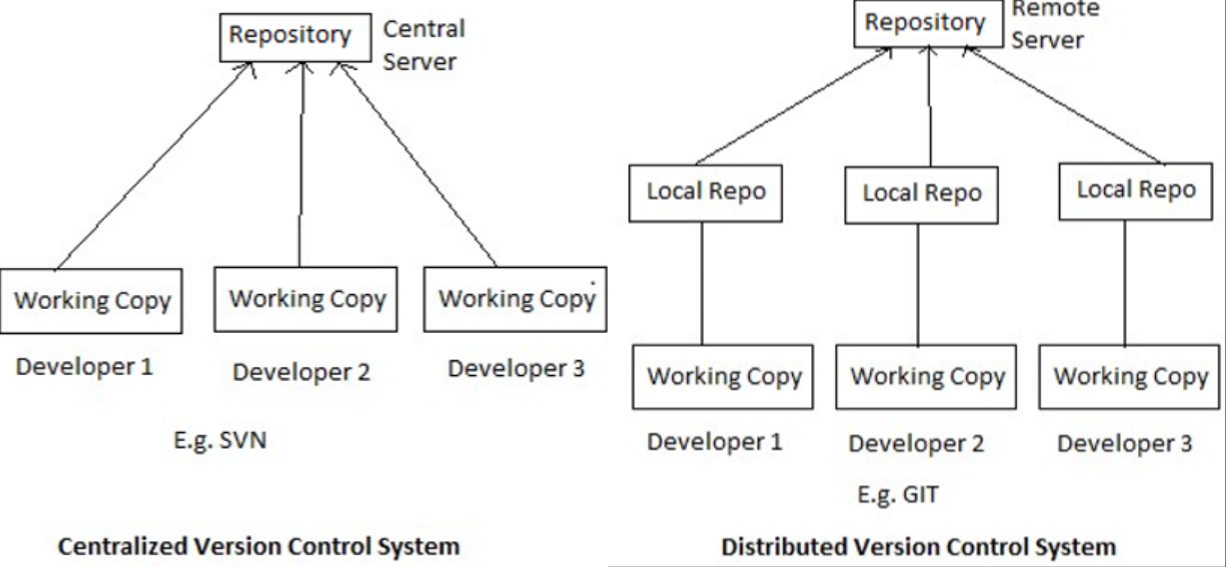
If you log in with a Git mode, a new branch selector drop-down is displayed with the Git actions.
|
Git mode |
Non-Git mode |
|---|---|
|
|
|

 Package Management
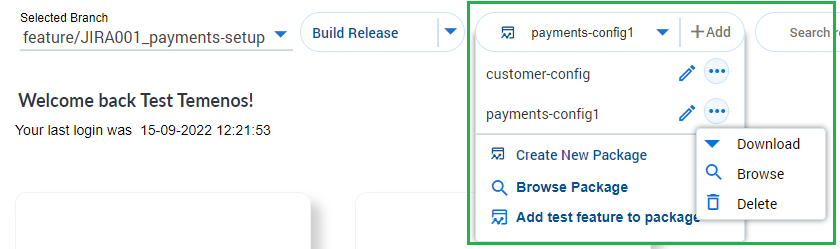
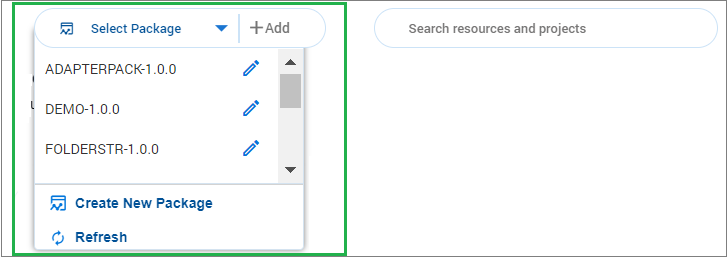
The package management includes creating or editing a new or existing packages. The following packager capabilities can be selected from the Select Package drop-down.
- Creating a new package
- Editing existing packages
- Adding records to the package
- Package download
- Delete
- Browse
|
Git mode |
Non-Git mode |
|---|---|
|
|
|
 Quick links
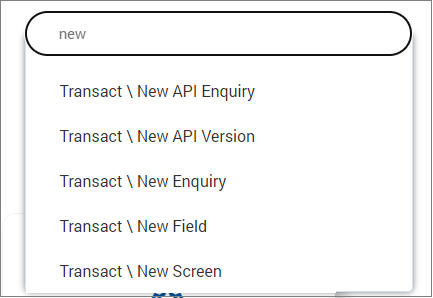
The quick link is a shortcut to create or view any model.
Settings
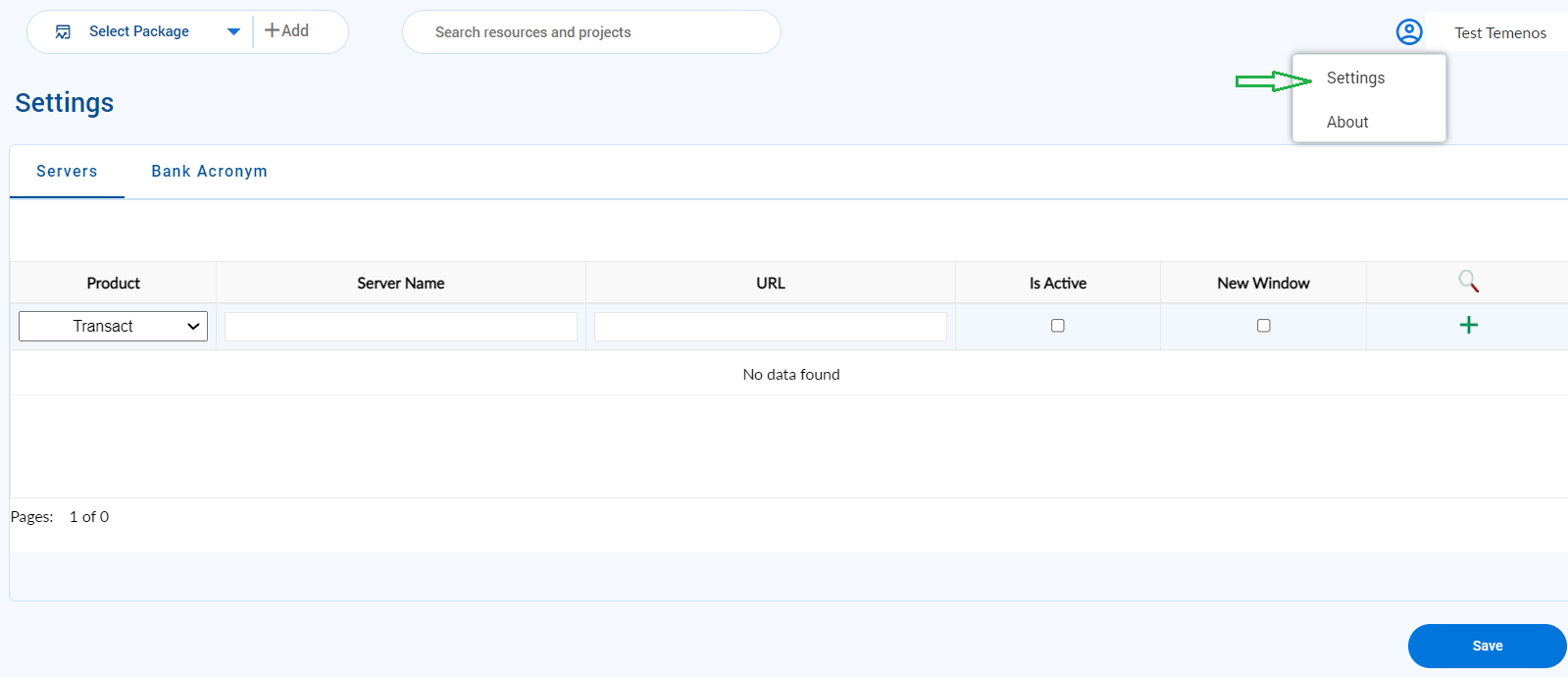
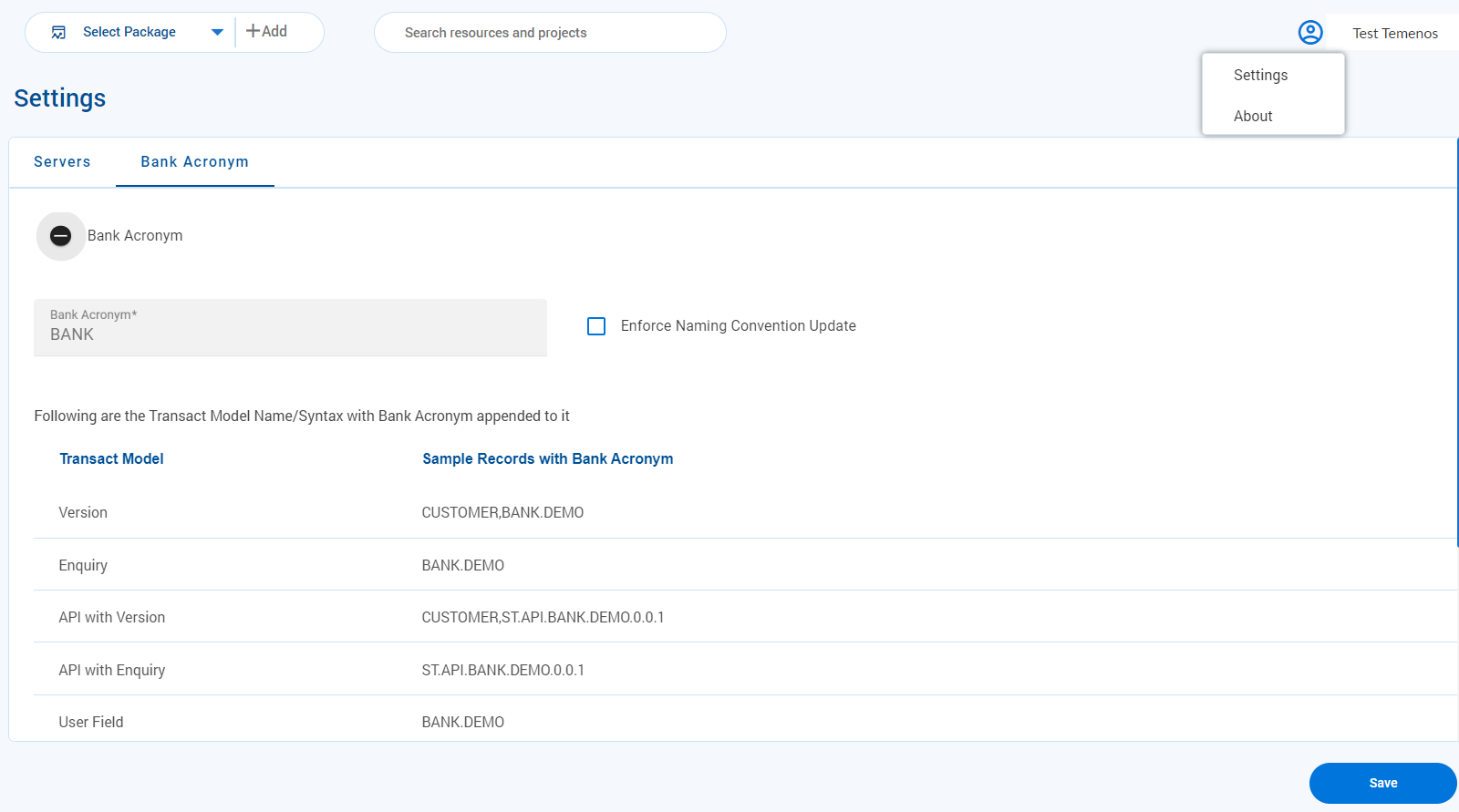
The settings page allows you to set the workbench configurations at the system level. The following are the two tabs in settings.
- Server – Allows users to provide the server details against each product.
- Bank acronym – Allows users to set a standard naming convention for each configuration item created.
About
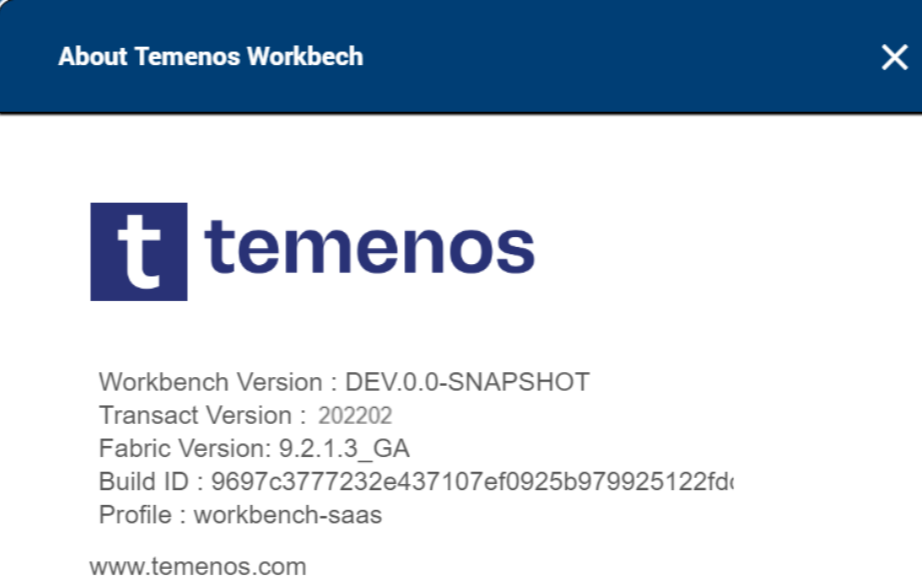
About provides the version and profile information about Temenos Workbench.
Menu Panel
The menu panel is driven through profiles and is configurable. The following are the sections in the menu panel.
Workbench Profiles
Temenos Workbench provides all the configuration features with extensibility capabilities simultaneously controlling the customizations through best practices.
To support standard and cloud based implementations, Temenos Workbench provides a profile mechanism that allows to select the preferred mode to operate any non-Temenos managed SaaS client.
While installing Temenos Workbench, you can select the required profile from the following:
- Transact Standard (or)
- Transact SaaS
Both the modes expose a slightly different configuration capabilities for Temenos Transact. By default, Workbench uses a SaaS profile that enforces all principles of extensibility .
Transact Standard
Transact Standard exposes all standard configurations including allowing injection of codes in VERSION, ENQUIRY and so on. For example, in VERSION.DSF.DESIGNER/CUSTOMER.ACTIVATE, you can see Validation Fld and Validation Rtn fields. The following screen capture shows the Field Properties and API tab in Transact Standard mode.
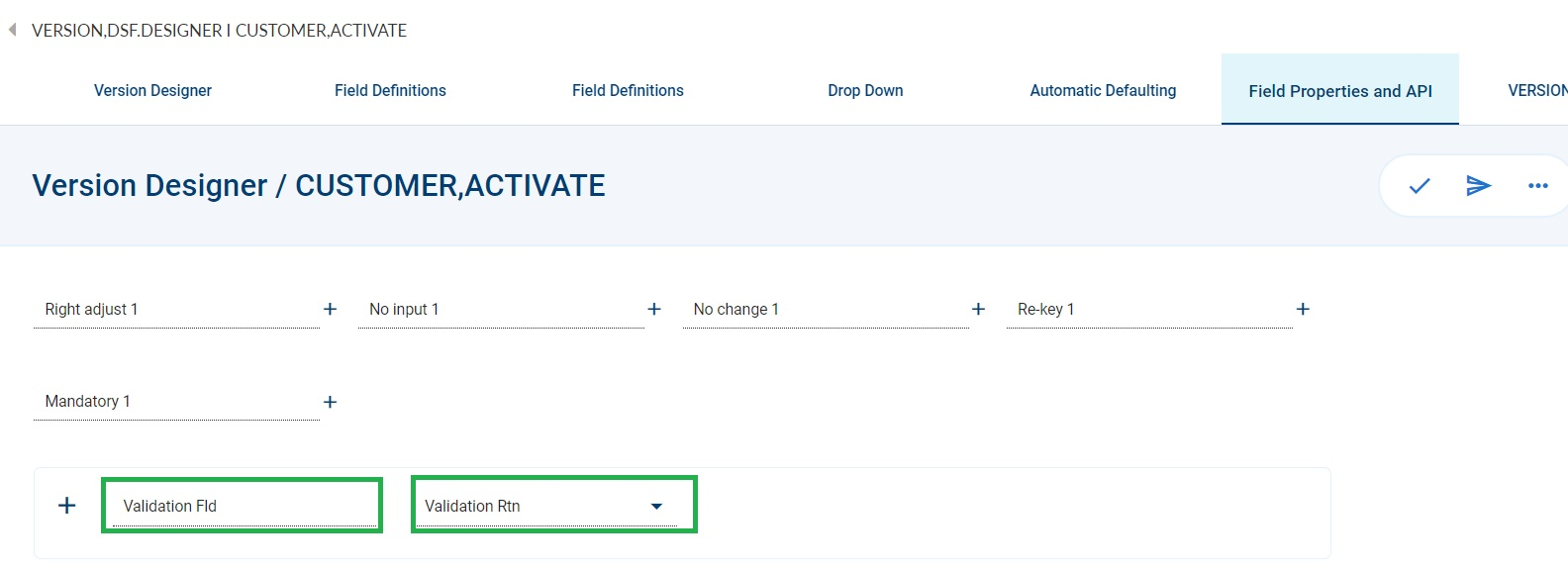
Transact Standard mode also supports the Composite and Tabbed Screens for old browser.
Transact SaaS
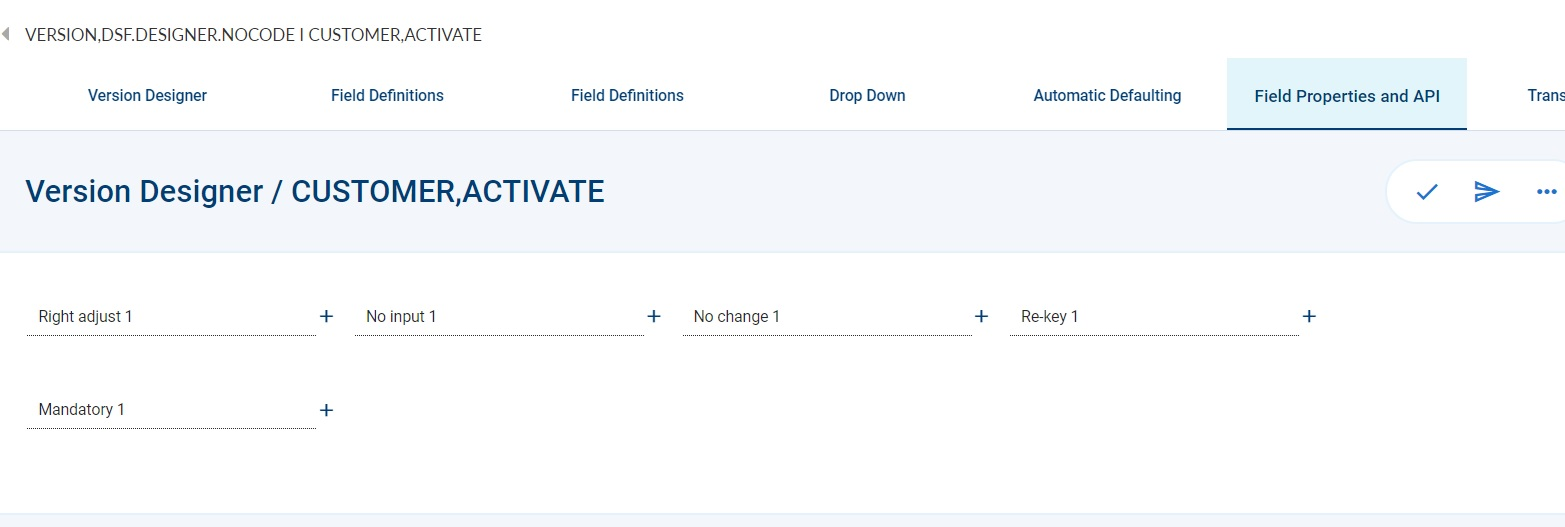
Transact SaaS reduces the scope of Transact Standard mode to the Transact best practice architecture. In SaaS mode, all the input fields are removed and it does not involve code injection. For example, Input Rtn.
In SaaS implementation, for the banks that use API, all the input validations are replaced by checking through drools rule at the API level. The following screen capture shows the Field Properties and API tab in Transact SaaS mode.
Loading New Profile
The following pre-requisites are performed before loading a new profile.
Set the configuration below during the start-up of the application server.
-Ddsf.package.configService.twb.description="Workbench Configuration"
-Ddsf.package.configService.twb.groupIdPrefix=com.temenos.dsf.workbench
-Ddsf.package.configService.twb.types="profile,swagger"
To load any other profile manually:
- Deploy as a json record in the active environment.
- Sample: twb.profile!SAAS.json, where twb is the component, profile is the type and SAAS is the Record id. Click here for the json file.
- Sample: twb.profile!SAAS.json, where twb is the component, profile is the type and SAAS is the Record id. Click here for the json file.
- From postman, execute the API, example SaaS.
- URI: POST http://[ip-address]:[port]/ms-genericconfig-api/api/v2.0.0/system/configurationGroups/com.temenos.dsf.workbench.profile/configuration/SAAS
- Path Variables:
- configGroup: com.temenos.dsf.workbench
- configType: profile
- configName: SAAS
- Click here for the body of the json file.
Content Panel
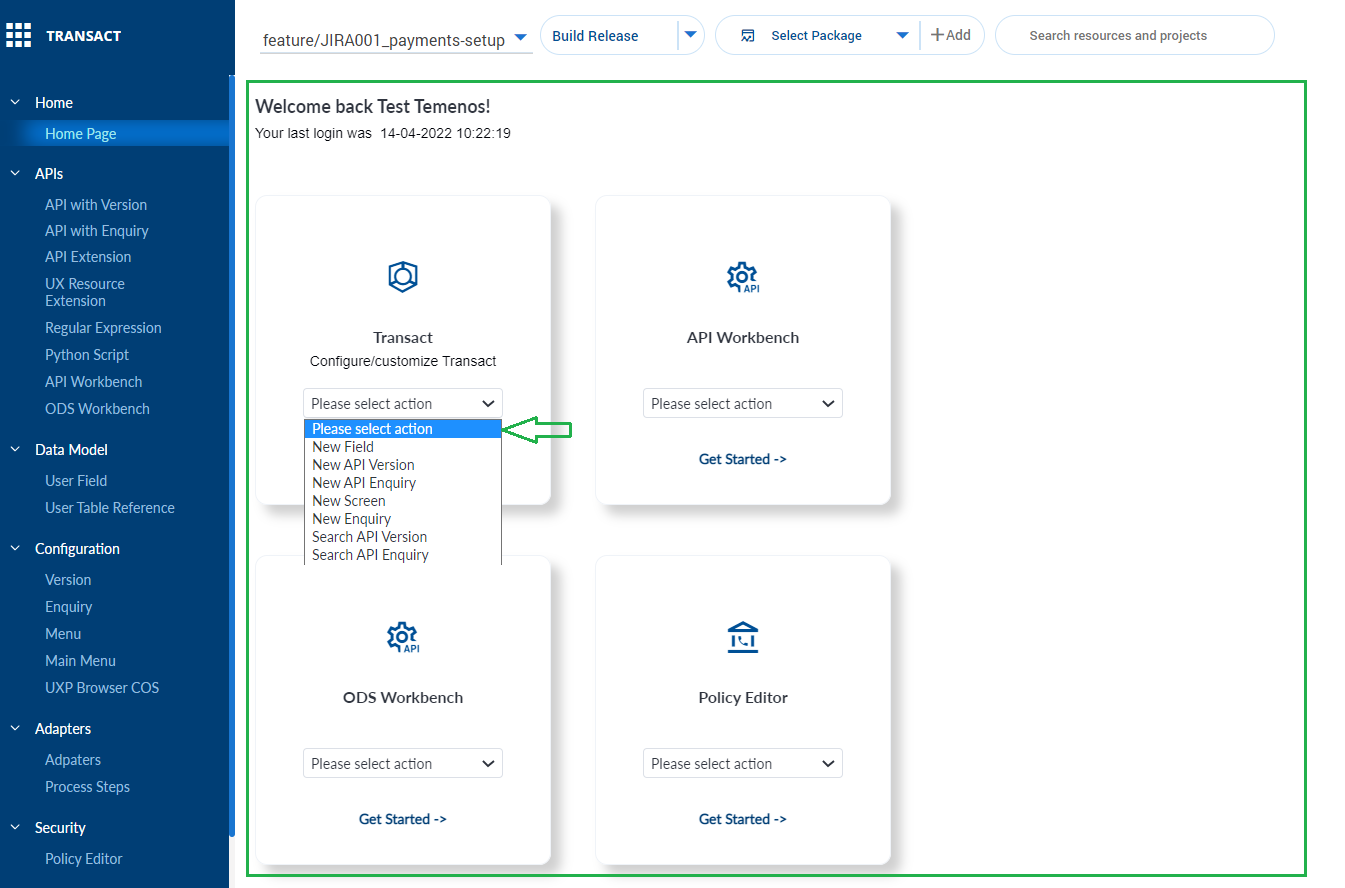
The content panel is a detailed view of each menu item in the profile. By default, the home page dashboard with different cards for each product is displayed. The following options are available in the content panel.
- Quick action against each card.
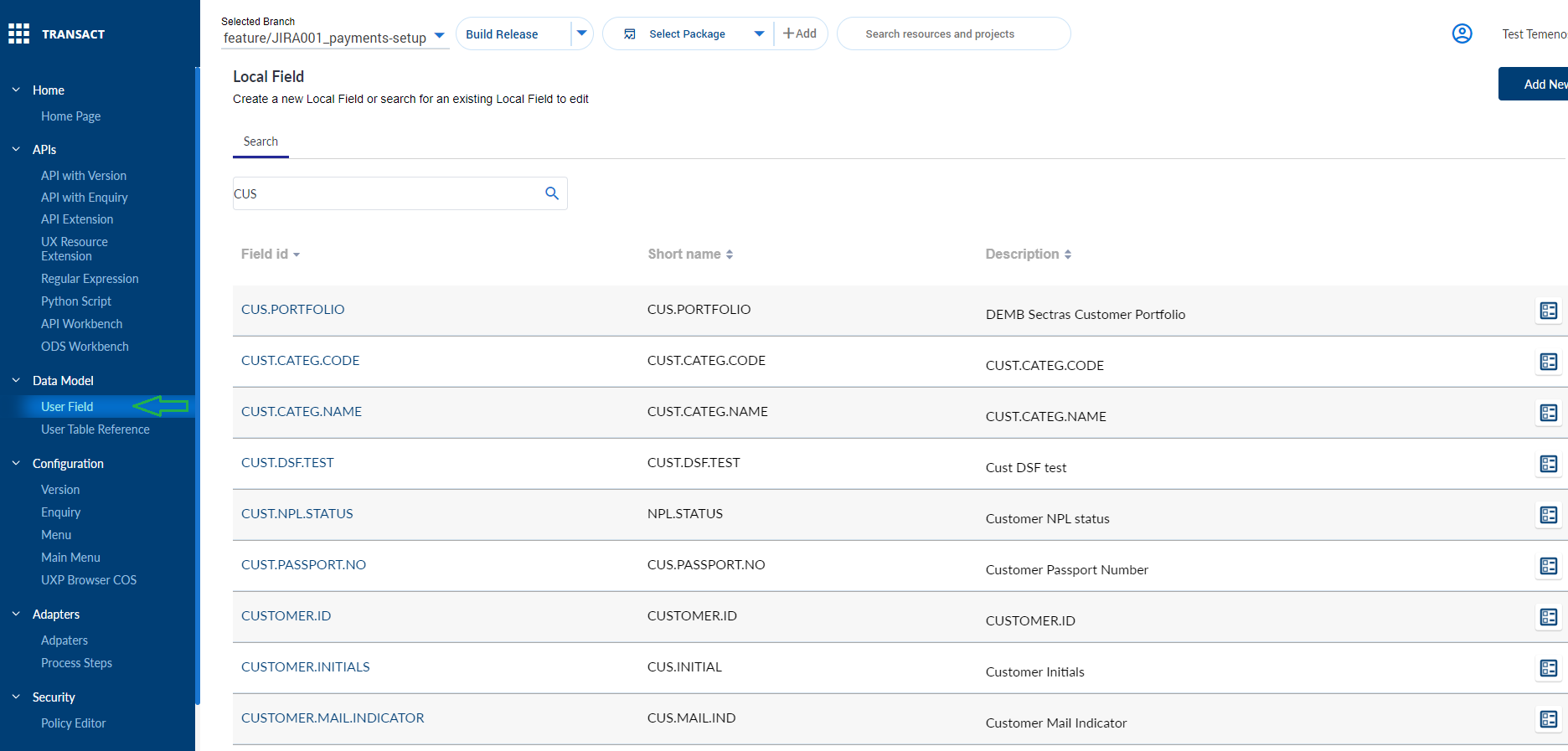
- Details of the selected menu item in the menu pane. We can also search for any record per model in the editor screen.
In this topic