Evaluating Rule
The Test Harness feature is designed to enable you to test your rule and ensure that it is giving the expected results before putting it to use. You can enter sample data without accessing Temenos Transact data to see the output that would be generated if this data was supplied from Temenos Transact through the contexts.
Follow the steps below to evaluate a rule.
- Go to the Rule Search screen to access the Rule Tester view.
- Click the
 (Evaluate Rule) button.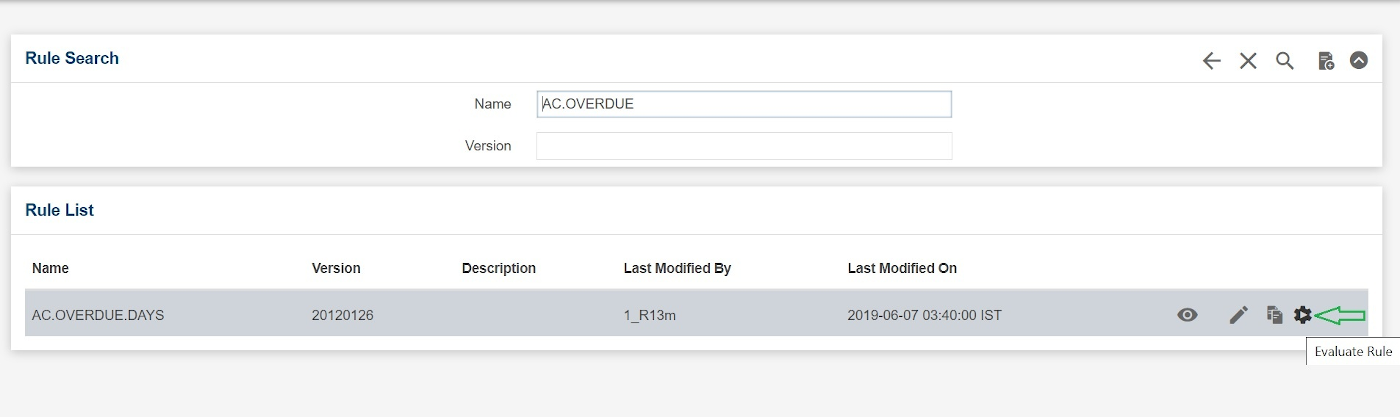
- In the Rule Tester view, provide the values for context variables and click EXECUTE to evaluate the rule.
The rule defined will be evaluated against the value provided in the Context Variables section and you can view the results in the Result section.
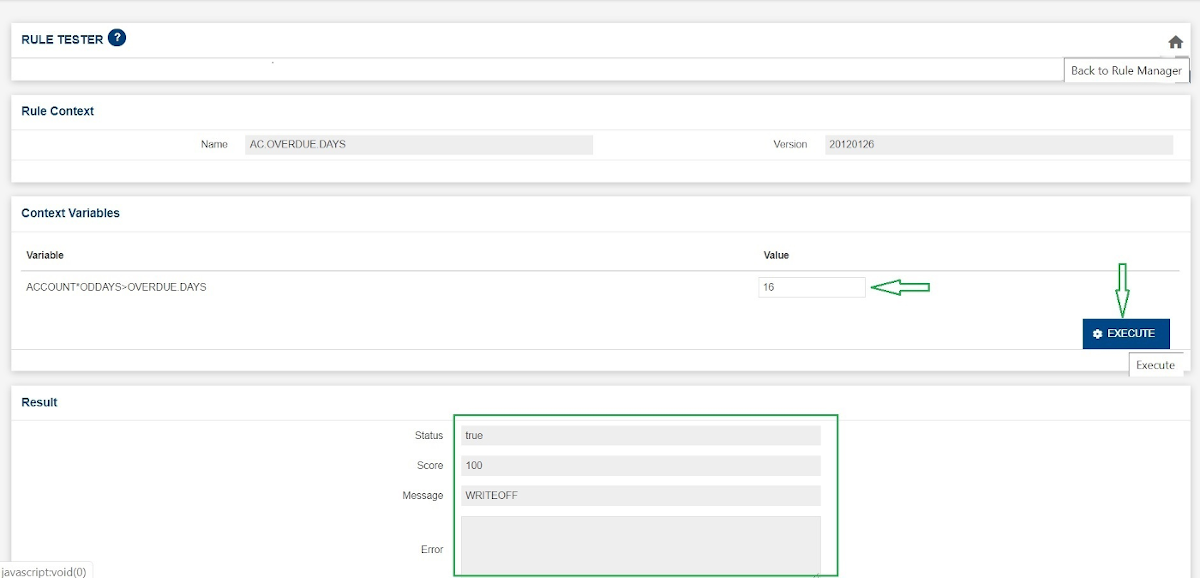
Default value for Status is false and Score is 0 in the Result section if it is not defined in the rule.
To navigate back to Rule Manager, click the
 icon (Back to Rule Manager), which is in the upper right area of the page.
Field Name
|
Application/Table name
In this topic