Adding Rule Variables
Rule variables are used to store a value and use it in the rule script. They are the virtual fields that are used solely for a specific rule.
Below steps guide you to add rule variables.
- Access the Rule Variables tab.
- Click the
 (Add Rule Variable) icon.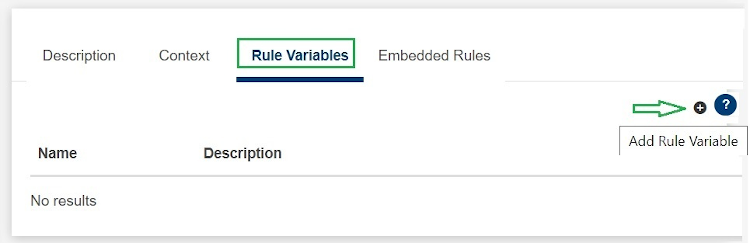
- Provide the name and description in the Rule Variable pop-up window, and click ADD.
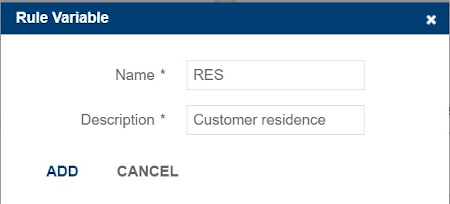
The rule variable is added into Rule Variables tab. You can use this variable in the script by clicking the
 (Insert in script) icon. Alternatively, you can press CTRL + space.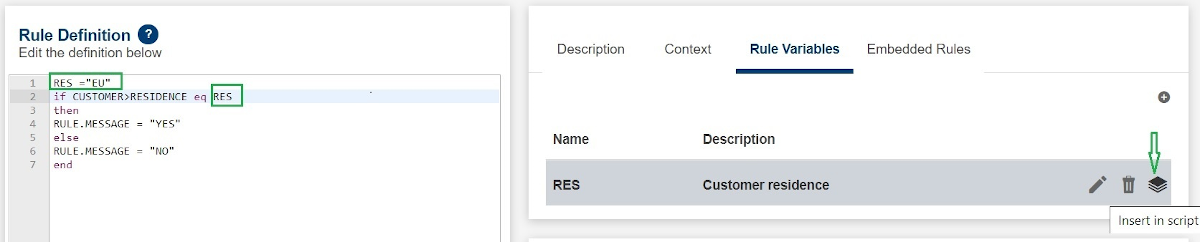
Field Name
|
Application/Table name
In this topic