Adding Context Variables
Context variables are used in rule scripts. They come from the EB.CONTEXT table.
Below steps guide you to add context variable.
- In the Rule editor, click the Context tab and then click the
 (Add Rule Context) icon.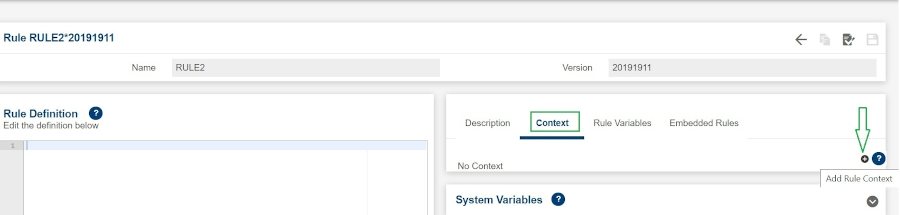
The Add Rule Context pop-up window is displayed.
- Enter the primary table name. A filtered list of contexts is automatically provided in the Name drop-down list.
- Select a name from the list. A list of all the variables of the selected context is displayed.
- Enter the field name. A filtered list of fields is automatically provided.
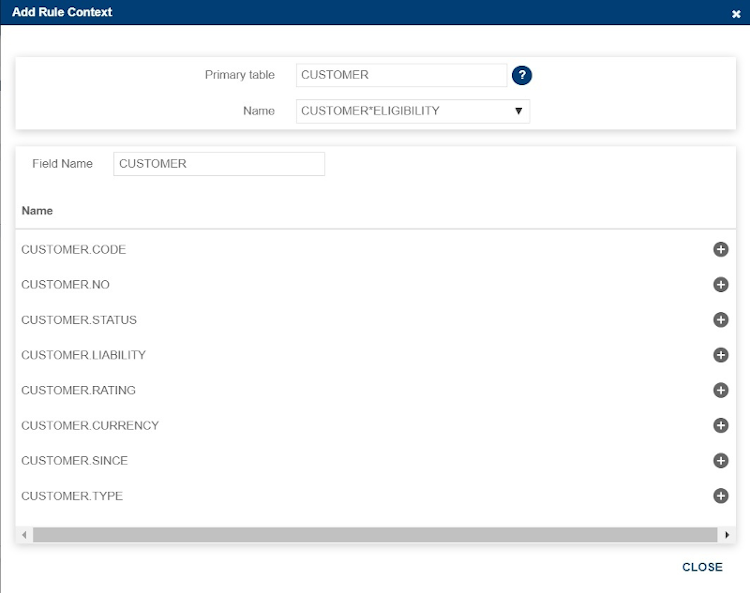
- Select the variable name and click the icon to add it.
- Click CLOSE to close the pop-up window.
Context variables are added into the Context tab as shown below.
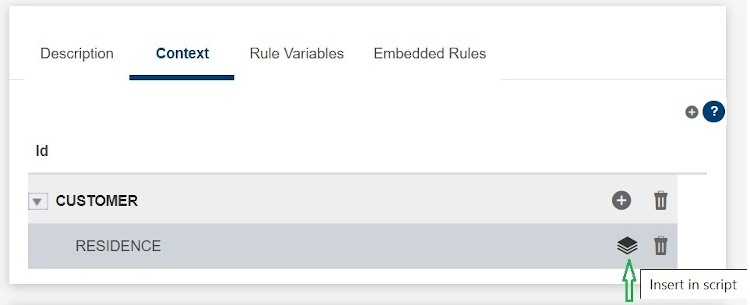
- In the Rule script, add the context variable by clicking the
 (Insert in script) icon . Alternatively, you can use the content assist feature by pressing CTRL+ space. That way the rule script will show the available contexts.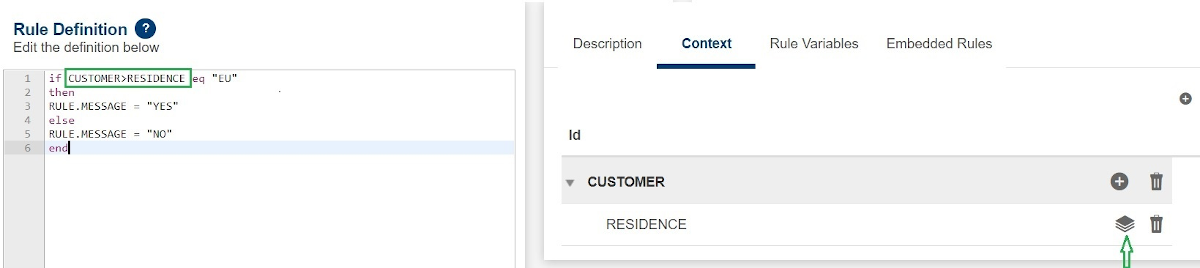
Field Name
|
Application/Table name
In this topic