Copying Rule
You can copy a same rule with a newer version from the Rule List. Below steps guide you to copy a rule.
- To create a newer version of the chosen rule, click the
 icon that is displayed at the end of the line of your chosen rule.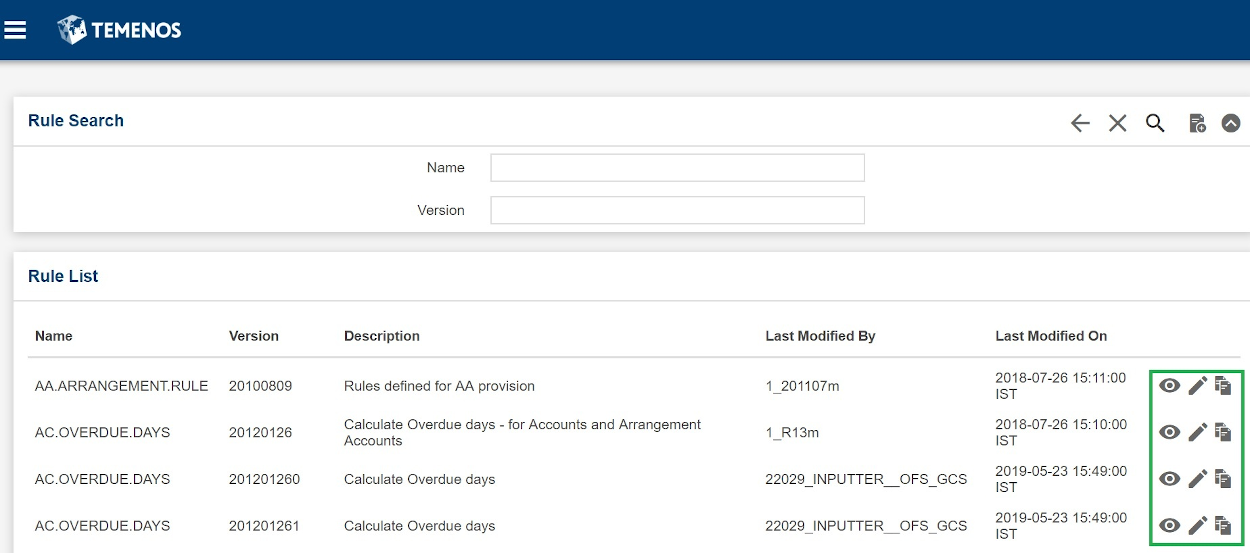
The Rule Copy dialog window opens.
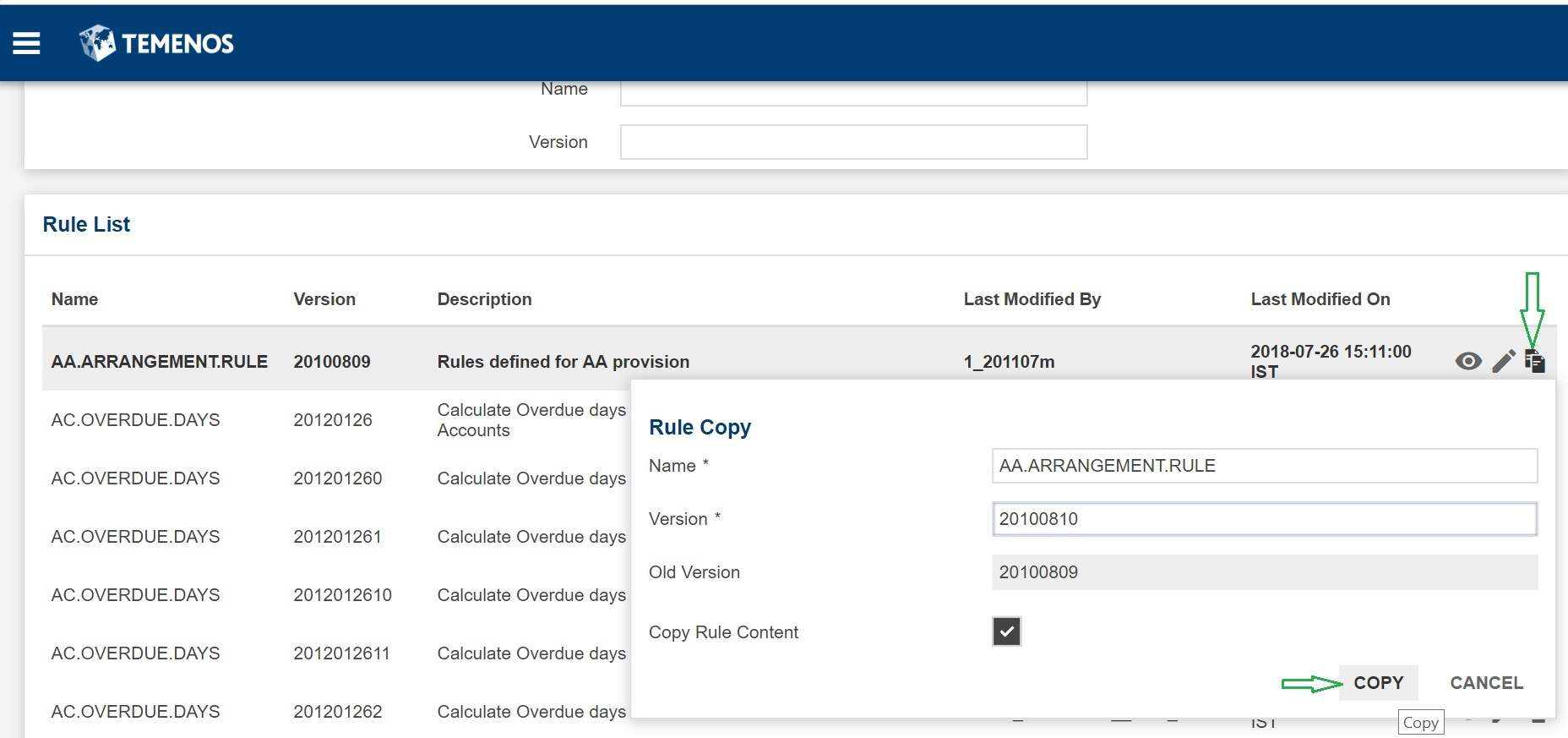
- Specify Name and Version.
- Select the Copy Rule Content check box and click COPY.
Field Name
|
Application/Table name
In this topic