Overview
Read this section to become familiar with the rules designing concepts and to learn how Rules Designer works.
Rule Concept
Rules engine allows complex business rules to support decision processing like to issue a loan or not etc. You can use rules to validate a field based on some conditions.
The actual rule defined in Rules Designer is updated in the EB.RULES.VERSION table. You can create a new record in EB.RULES.VERSION by amending a rule. The ID of the newly created record follows the following naming convention.
rule_name*date_of_amendment.
Temenos Transact automatically inserts records in EB.RULES and EB.RULES.HIERARCHY.
To use a rule, you must have an entry in EB.RULE.GATEWAY to map an exact instance of a rule.
The flow of creation of Temenos Transact rule from Rules Designer is given below:
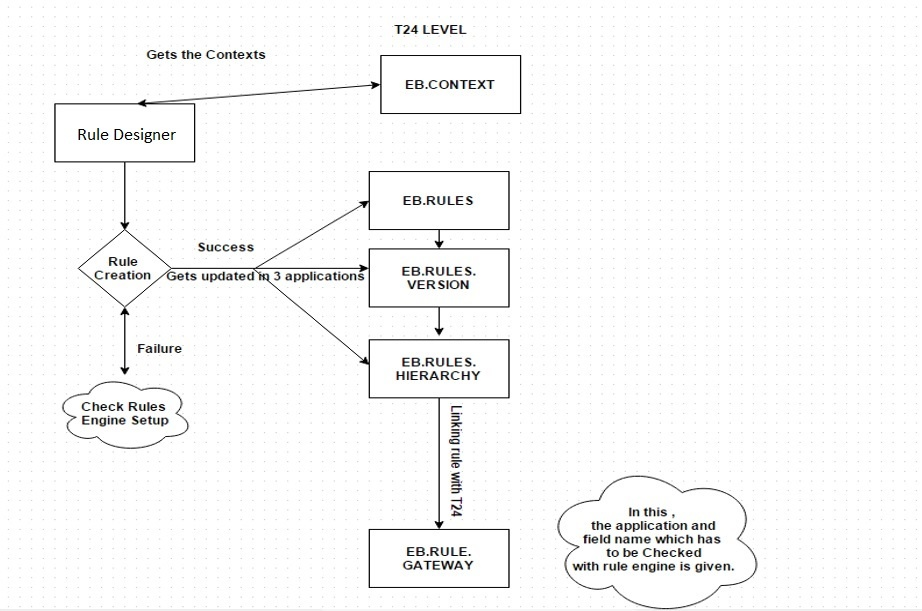
Temenos Transact applications for rules
The following Temenos Transact applications are used in Rules Designer:
EB.RULES.VERSION
When you save a rule in GUI, a record is created in EB.RULES.VERSION. If you edit a rule on a different day, then a new rule record is created with the current date as its new version number. This enables you to apply specific versions to the rules and specific versions of rules can be called wherever appropriate.
After evaluation of a business rule, rules engine generates Temenos Transact output. EB.RULES.VERSION helps you to view the rule structure in XML format.
EB.RULES
EB.RULES is a system maintained file which holds the versions of each rule created in the Rules GUI. The key for EB.RULES is the version or date that is associated with the modified rule.
When live table of EB.RULES.VERSION gets updated, EB.RULES gets updated too. If you create a new rule with new version, then a new version entry is added in EB.RULES.
EB.RULES.HIERARCHY
When a rule is saved, a record gets created. This record will have a field that will hold a chain of all the rules (nested rules and rule keys). This is again necessary for rules versioning, where you can understand how the changing of one rule may impact the processing of other rules.
You can have a hierarchy added even if embedded rule is not there. This is basically for Rules Designer to evaluate if a new context is added to a rule, which rules must be modified. Embedded rule must always share same EB.CONTEXTs.
EB.RULES.GATEWAY
This Temenos Transact application defines how to execute a single or set of rules in order. You can execute these rules based on Temenos Transact applications defined for it. You will have the ability to specify a vetting table against which the result values are to be validated before passing the control back to the calling application.
Temenos Transact rule attributes
Rules Designer
Rules Designer helps you to define Temenos Transact business rules using Design Studio. Rules Designer provides the capability to design, modify and publish Temenos Transact rules into environment. It enables you to validate Temenos Transact rules for their syntax and logic.
Name and versionTemenos Transact
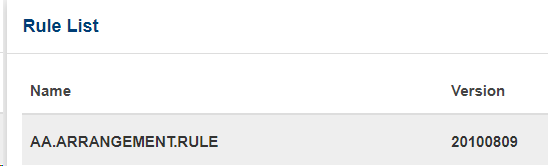
In Temenos Transact, name and version entries are merged such that the ID of EB.RULES.VERSION can be in the rulename*dateofamendment format.
Example: EB.RULES.VERSION ID in Temenos Transact is AA.ARRANGEMENT.RULE*20100809
In Rules Designer, the ID is shown as two fields.
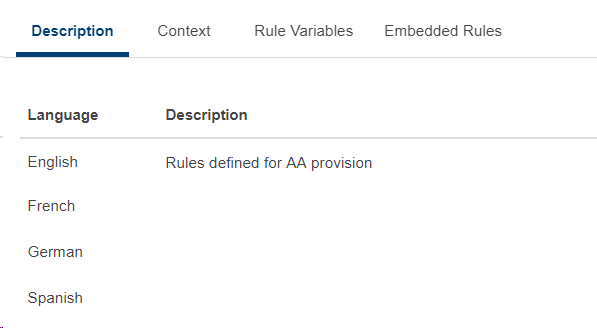
Description
This section describes the rule instance (name+version) with a multi-language capability (based on languages defined in Temenos Transact).
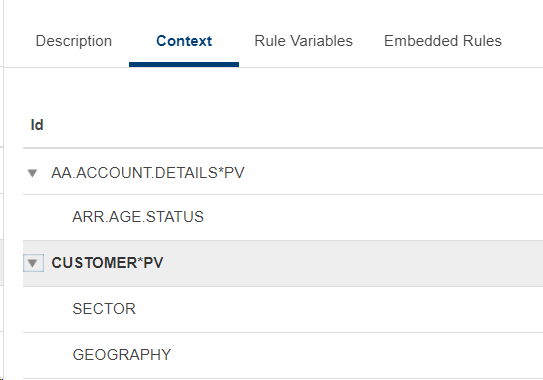
Context
This section shows the contexts that are required for the rule to work. Temenos Transact rule is based on Temenos Transact business context. Business contexts are available in EB.CONTEXT. Context holds the applications that are used in Temenos Transact rules.
Script
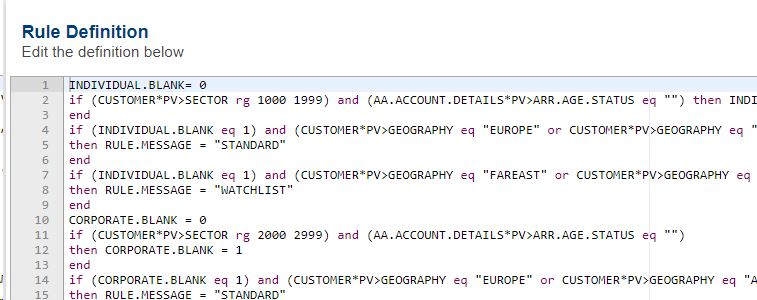
The rule logic is based on a simple script language. The script is stored in two fields:
- Text field - It is available in Temenos Transact. It contains the text of the rule that is passed across as seen in the Rules Designer.
- XML field - Rule as understood by the rule processor and engine. Used in the rule engine to process a rule.
The Rules Designer automatically fills both the fields. Hence, you must not edit it outside of Rules Designer to ensure consistency.
System Variables
The system variables hold information representing the system state during a rule evaluation. You can use system variables while defining a business rule.
|
Name |
Description |
|---|---|
|
RULE.STATUS |
Used within the rule to indicate to the calling process, if the test passed or failed. |
|
RULE.MESSAGE |
Used within the rule to return a narrative, indicating to the calling process why the rule failed. |
|
RULE.SCORE |
Used within the rule to return a score to the calling process in cases where the rule is calculating a score. |
|
RULE.ERROR |
Used within the rule to return a string ID, for lookup in the EB.ERROR table. Used for internationalisation of messages. |
System Constants
You have a set of predefined system constants which can be used while defining a business rule.
For more information, see System Constants.
Rule Functions
You have a set of predefined rule functions that can be used to define a business rule. You can select these functions based on your rule design.
For more information, see Rule Functions.
Rule Variables
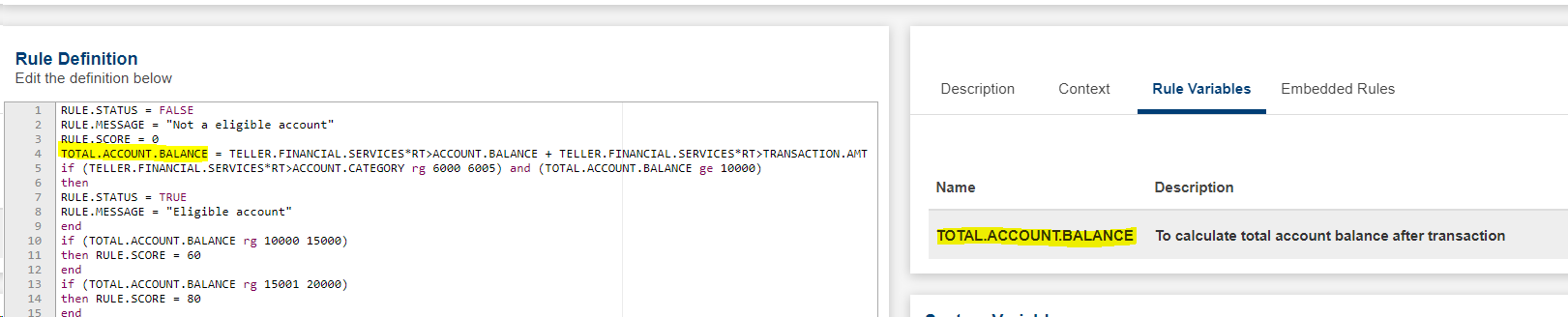
These are virtual fields that are used solely for a specific rule. The below example uses rule variable TOTAL.ACCOUNT.BALANCE, which can be used to store a value and then reuse it in the supported script constructs.
Temenos Transact Rule Validation
Rule Designer evaluates the syntax and rule formation when you validate a Temenos Transact rule.
You can publish only successfully validated Temenos Transact rules. Temenos Transact rules validation includes the following:
- Ensure the fields have correct type and length.
- Rules designer adds extra validations done by Rules Engine runtime, typically to ensure the rule script is valid.
In this topic