Setting up Design Studio
This section explains how to setup M2Repo and archetypes, and install eclipse plugin for the development environment.
Setting up M2Repo and Archetypes
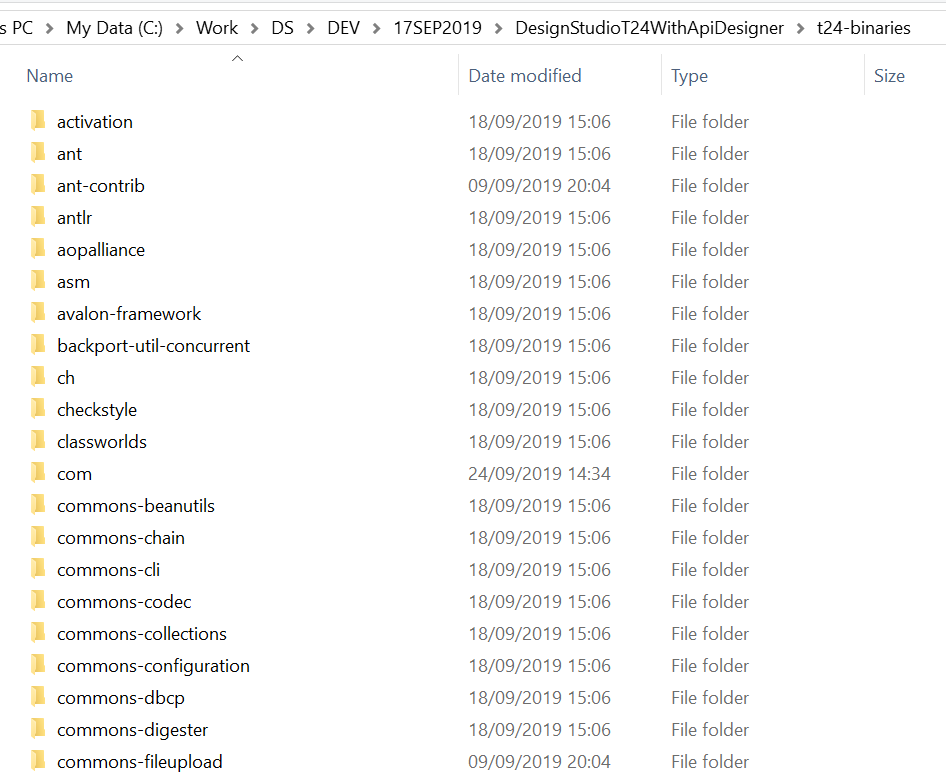
Extract the dsf-m2repo-19.0.0.zip contents into t24-binaries, which is m2Repo for Design studio IDE.
You should get the dsf-m2repo-19.0.0.zip from the Distribution team.
Installing Eclipse Plugin
You need the p2 repository file. This is provided by the Distribution team as part of package. In the package, you must take the dsf-p2repo-19.0.0.zip file (based on version the numbers may vary). The below steps guide you to install Eclipse plugin.
- In Design Studio or Eclipse IDE, go to Help > Install New Software to install a new software.
- Click Add to add a repository. Add Repository dialog box appears.
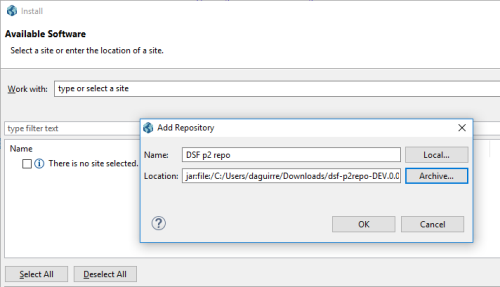
- Click Archive and browse for the repository file.
- Select DSF p2repo.

- Click Next and then click Finish.
- Click OK on security warning and wait for the installation to complete.
- Restart the IDE for the changes to take effect.
Field Name
|
Application/Table name
In this topic