Sanity Check for Data Packaging using Eclipse IDE
This section explains the testing of DSF Packager using Eclipse IDE.
Importing a DSF Package in IDE
To import a DSF package using Eclipse IDE, you must have Eclipse plugin for DSF Package and m2 repository installed in your system as a prerequisite. The following steps help you to import the DSF package in IDE.
- Launch the Design Studio IDE.
- Import the project, which you have downloaded during the sanity check using URL.

- Go to File > Import Projects.
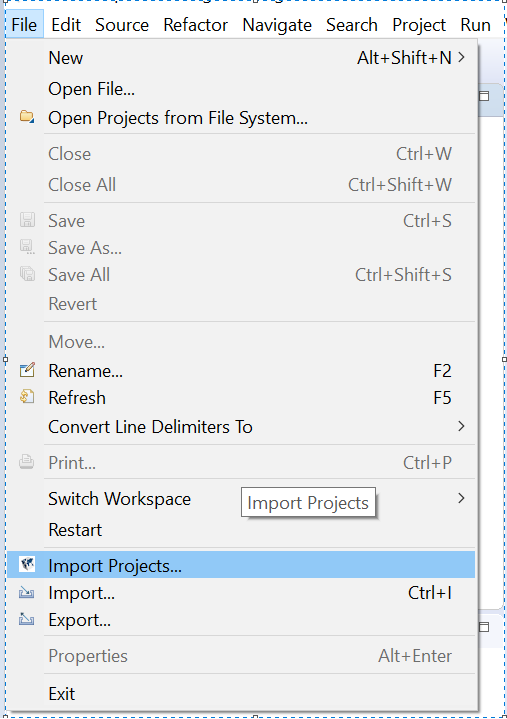
The Import Projects screen appears.
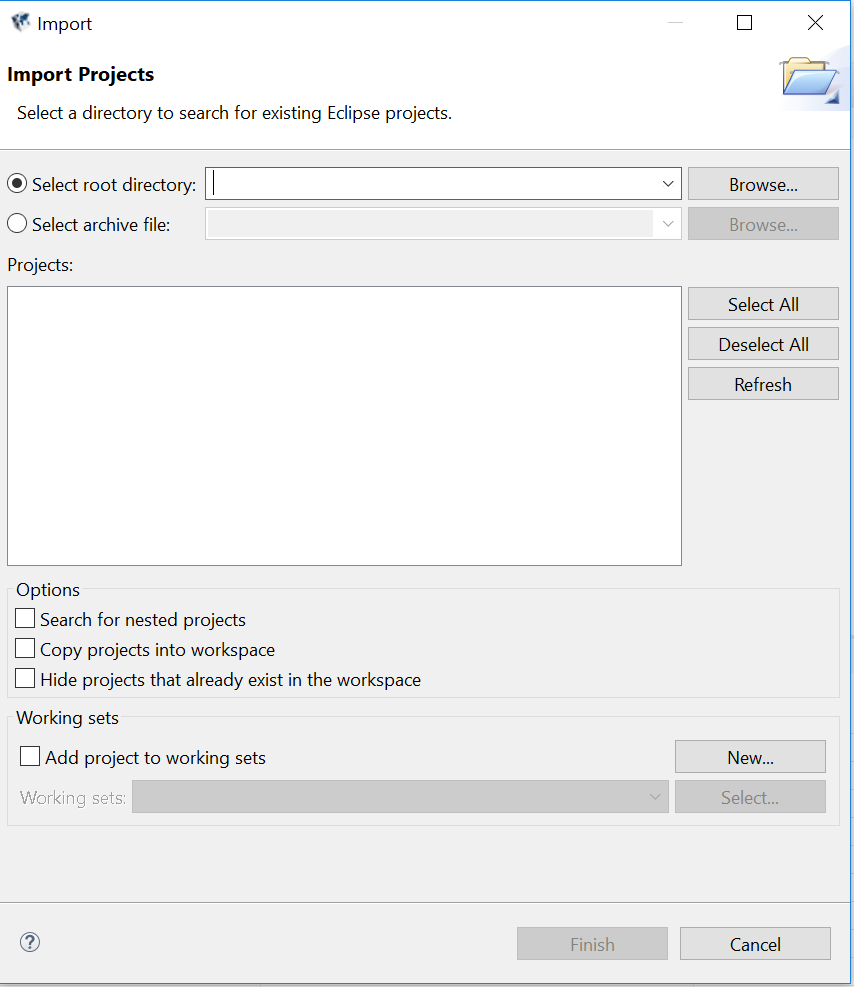
- Select the Select archive file option and click Browse to select the MYPACK-1.0.0.zip.
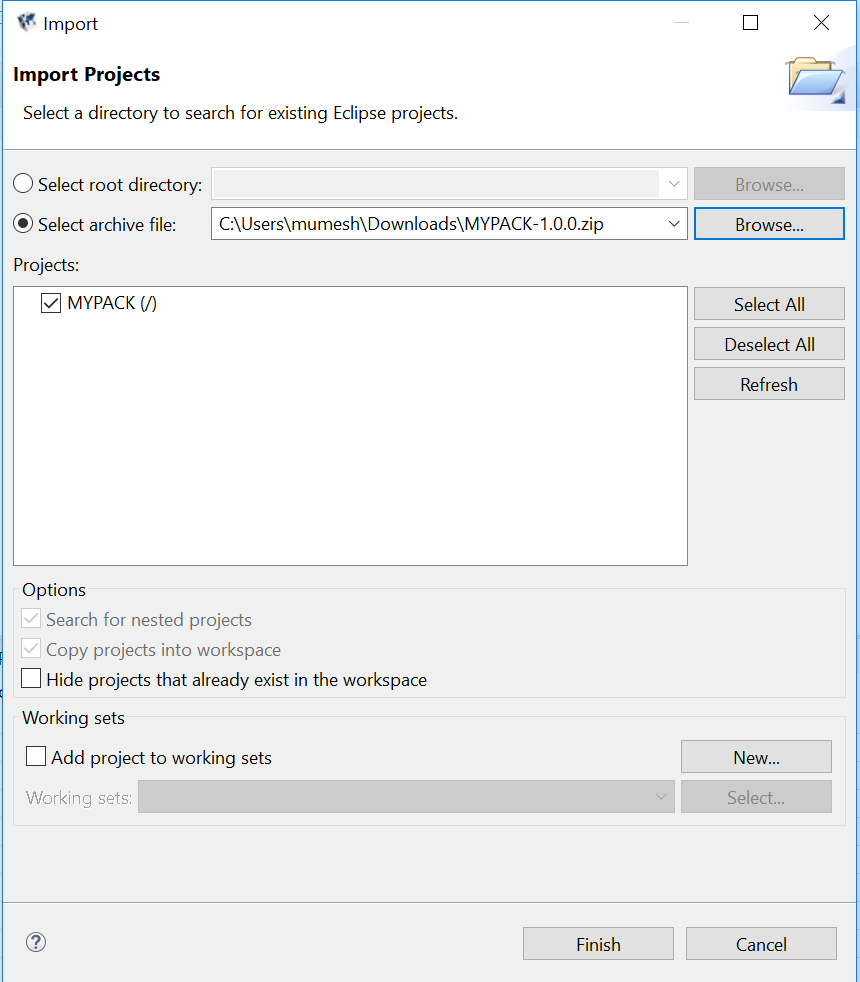
- Click Finish. You have imported the DSF Package project in IDE.
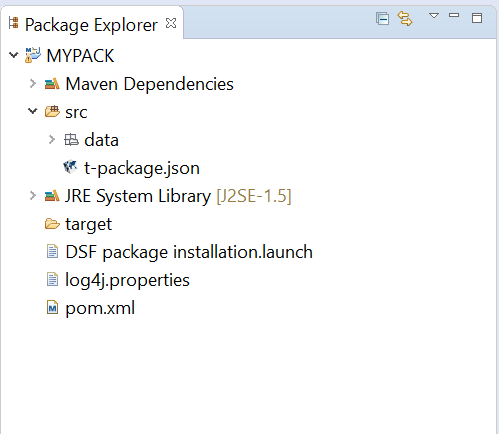
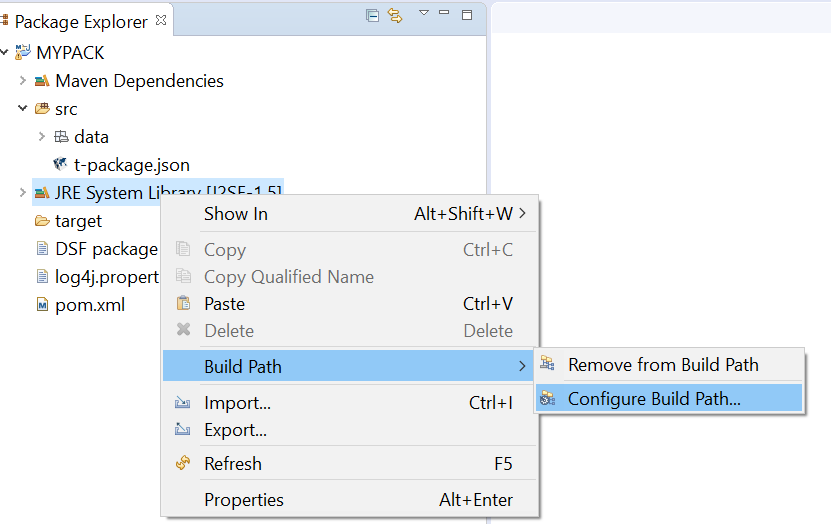
By default, the project is set to J2SE-1.5 as JRE
- Go to JRE System Library > Build Path > Configure Build Path to change it to workspace JRE.
Creating a Package from Maven Archetype
This section helps you to create a package from Maven. Follow the below steps to create a DSF Package.
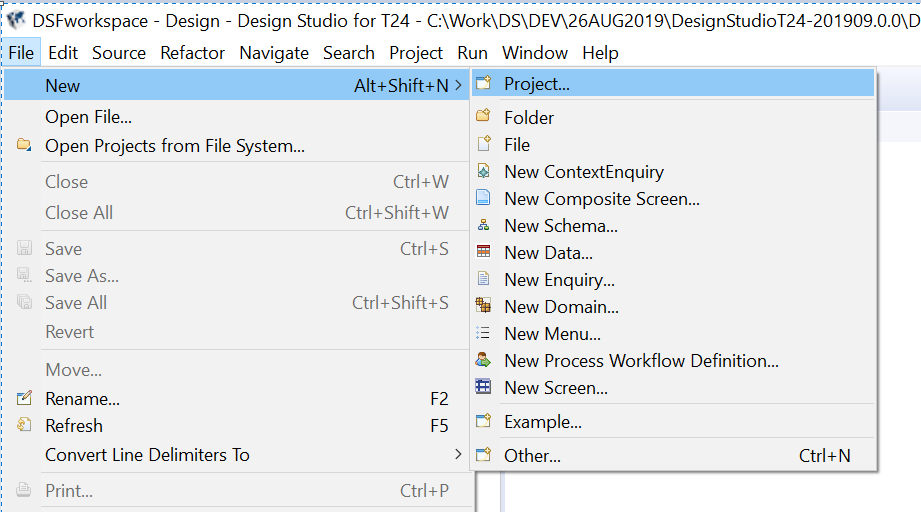
- Go to File > New > Project.
- Go to Maven > Maven Project and then click Next.
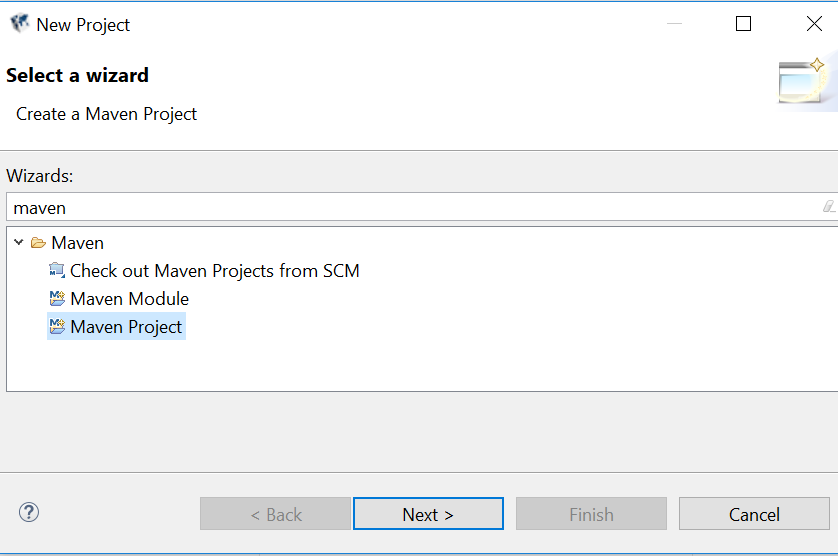
- Click Next.
- Select the com.temenos.dsf Group Id and dsf-package-archetype Artifact Id, and then click Next.
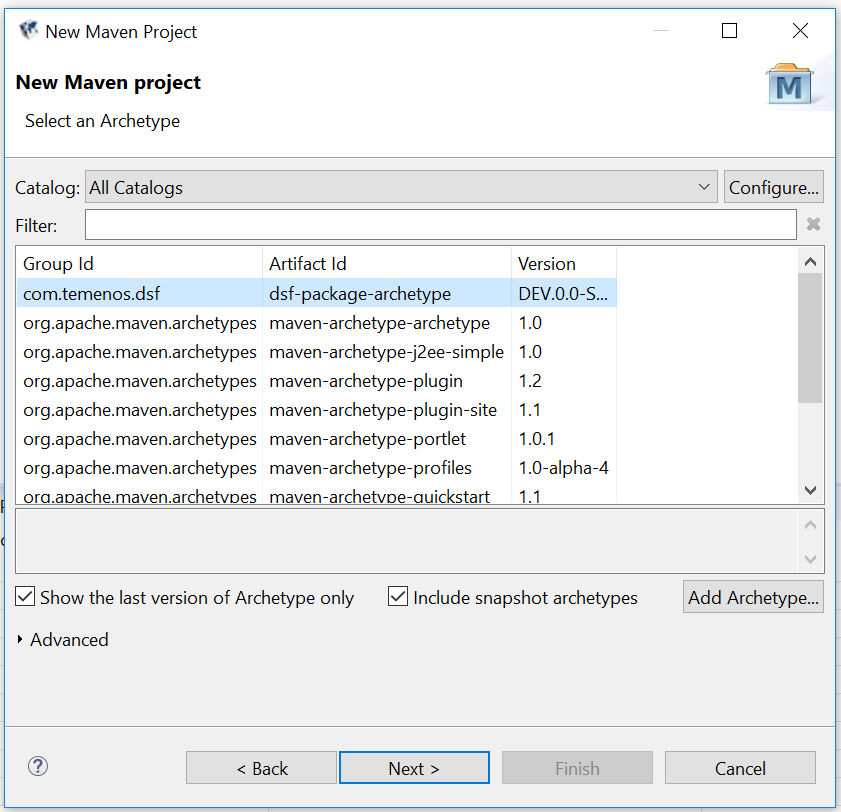
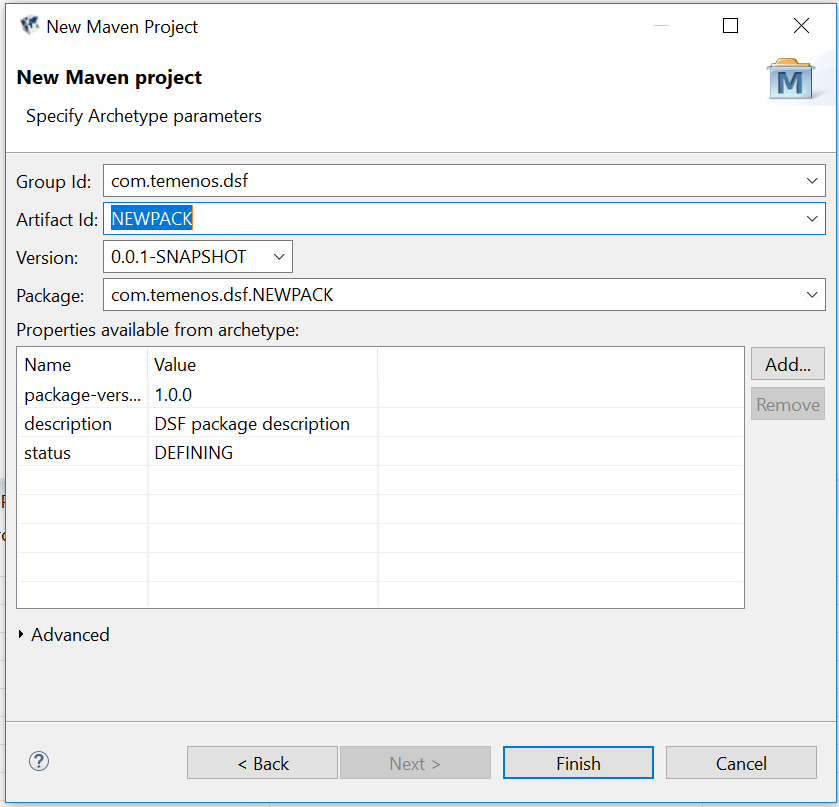
- Specify Group Id, Artifact Id and then click Finish.
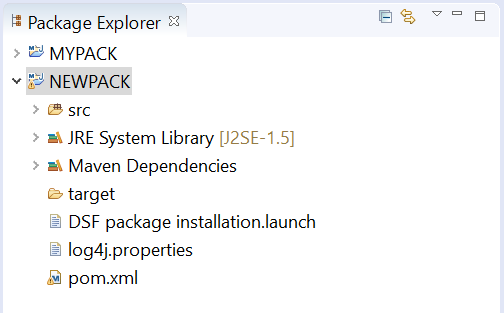
A new DSF packager project is available to work.
Field Name
|
Application/Table name
In this topic