Troubleshooting
This section shows you where you can find Data Packager troubleshooting information.
Design Framework logs
Design Framework is pre-configured with the following two different logs:
- dsf-uxp.log
This log includes all UI (user interface) related logging. You can configure it using the log4j.properties file that is in dsf-uxp.war\WEB-INF\classes\.
- dsf-iris.log
This main log includes all API-related logging. You can configure it using the log4j.properties file that is in dsf-iris.war\WEB-INF\classes\.
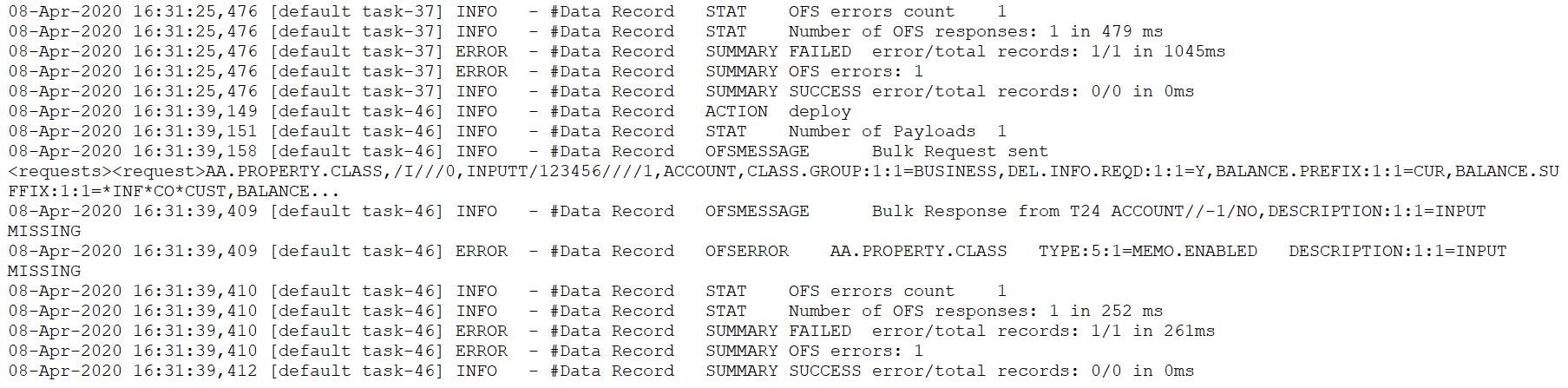
- dsf-ofs.log
This log is added at application server level, to log all the OFS request and responses. You can configure it using the log4j.properties file that is in dsf-iris.war\WEB-INF\classes\. The following screen capture shows a sample of data logged in dsf-ofs.log.
- dsf-package.log
This log is added at an application server level, to log all the high level data of deployment without request and responses. You can configure it using the log4j.properties file that is in dsf-iris.war\WEB-INF\classes\. The following screen capture shows a sample of data logged in dsf-package.log.

- Temenos Workbench Console
This console is used to log all the IDE deployment details. The following screen capture shows a sample of data logged in this console.

In this topic