Overview
Read this section to become familiar with the key data packaging concepts and to learn how Data Packager works.
Data Packaging
Data packaging is the ability to capture a set of Temenos Transact configuration changes and to deploy them safely in a different environment. Data Packager allows packaging of any Temenos Transact data.
Different use cases are supported:
- Data packaging with connectivity to a Source Control Management tool such as Git or SVN, through an Integrated Development Environment (IDE)
- Building and deploying data packages in a continuous integration chain.
- Data packaging through Browser
A data package includes a list of Temenos Transact data records (such as a Temenos Transact version, Temenos Transact menu and so on)
The key features of data packaging are:
- The same data packaging experience across Temenos products (for now only Temenos Transact)
- The possibility to define the sequence in which the data records need to be deployed
- Data package dependencies against other data packages. For an explanation on dependencies against code, check the SDLC and deployment strategies section.
Data Packager in IDE
Overview
You can use the Data Packager in Eclipse IDE or in a web browser. Read this section to learn why and when to use IDE.
Principles
The goal of using Eclipse IDE is to rely on the IDE to bring connectivity to a Source Control Management (SCM) system (Source Control, for example, GIT) and other IDE tooling like history compare.
This brings the key principles of an advanced Software Development Life Cycle (SDLC):
- Data in source control (or in Eclipse) becomes the source-of-truth instead of the data already deployed in a product.
- There is no need to retain a reference environment.
Package Structure in IDE
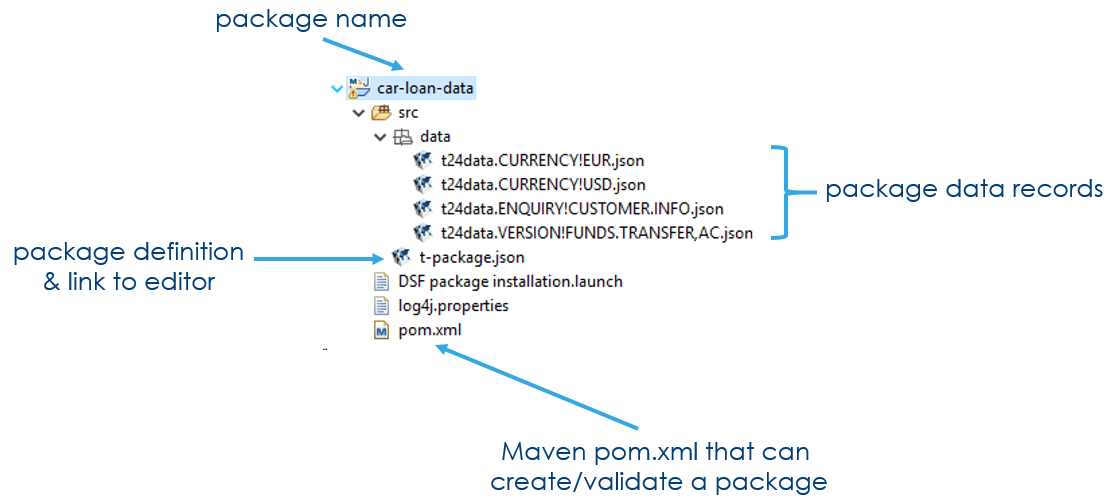
A package consists of:
- An Eclipse project
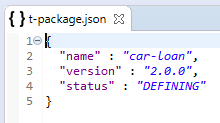
- t-package.json file describes the package contents (without the data records)
- data folder contains a list of JSON files that the package consists of
- pom.xml file can be used to build and/or validate the package in a continuous integration setup
Package Designer in IDE
In IDE, the package content is stored in the DS.DSF.PACKAGE application when package is saved or deployed.
- DS.DSF.PACKAGE only contains the list of data records, not the content itself.
- The data record(s) content is the file in the data folder. (This is the key difference between the IDE and the browser mode.)
- If the data record is modified in Temenos Transact, then you need to synchronize the data record or the full package to get the latest changes in your IDE or SCM system.
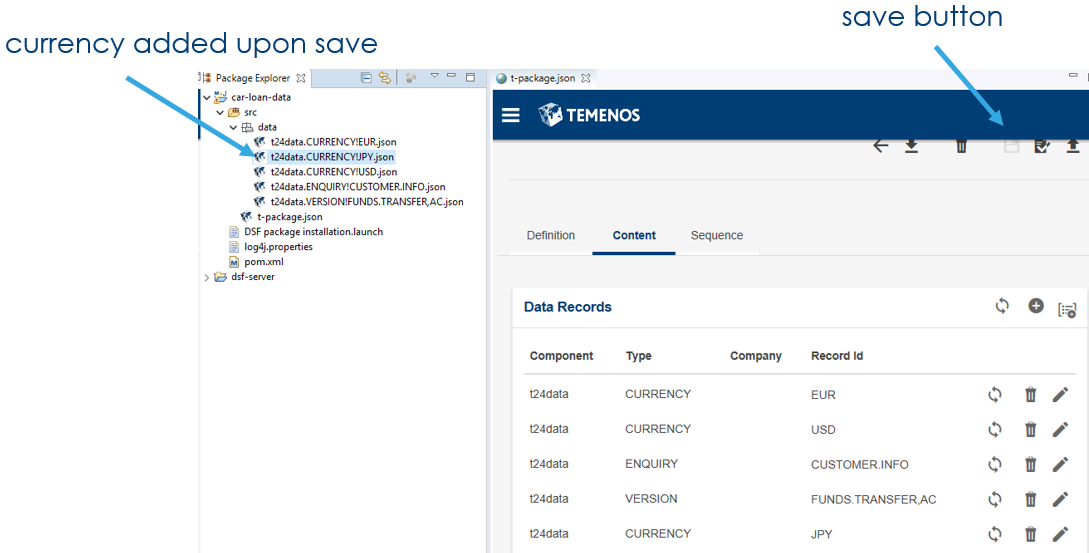
By default, double-clicking the t-package.json file opens the Data Packager.
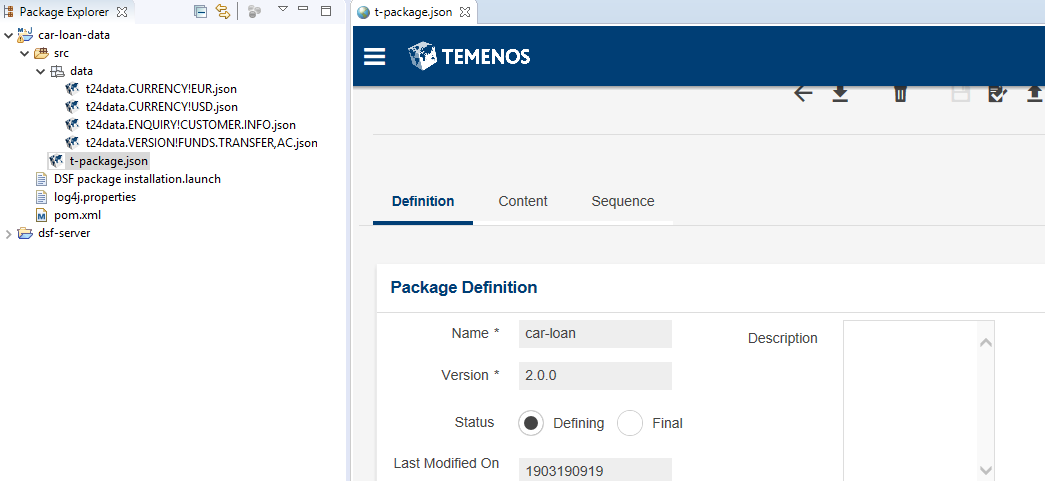
If you add a data record in IDE mode and then save it, the new data record will be downloaded from Temenos Transact. Saving the package just saves the definition; it doesn't deploy or validate the package.
Package Definition in JSON format
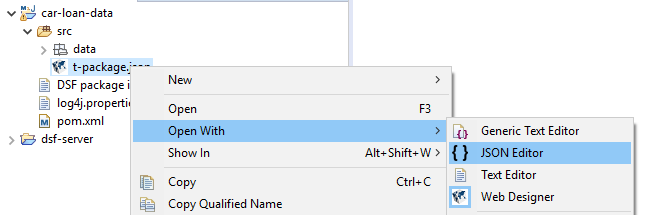
You can also open the t-package.json file with a text or JSON editor.
Data Packaging with DevOps
The following are the key DevOps principles that are supported by the packager:
- Build and deployment are automatable through Maven or REST APIs.
- The JSON format of the data records enables collaboration between developers with readable, reviewable or mergeable data records.
- The data records in Source Control Management are the source of truth.
- Low footprint packaging environment increases efficiency.
- Web designer can be used either in IDE or in a web browser.
Data Packaging in Web Browser
Package Manager
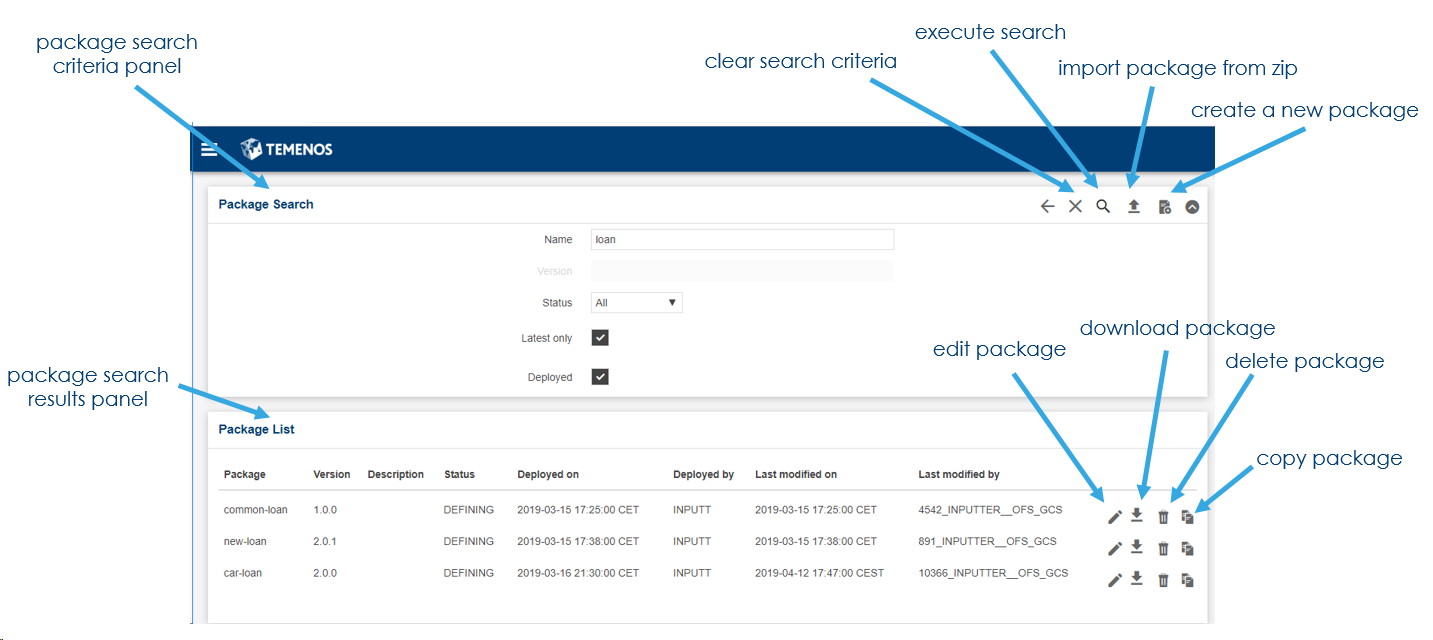
You can get access to the data Package Manager using a web browser, which allows you to see what packages have been registered or deployed in Temenos Transact.
With data Package Manager, you can also:
- Create a new data package.
- Update data packages.
- Create a new version of an existing data package.
Contact your system administrator for the package manager URL, but typically, it will be: http://localhost:9089/dsf-uxp/
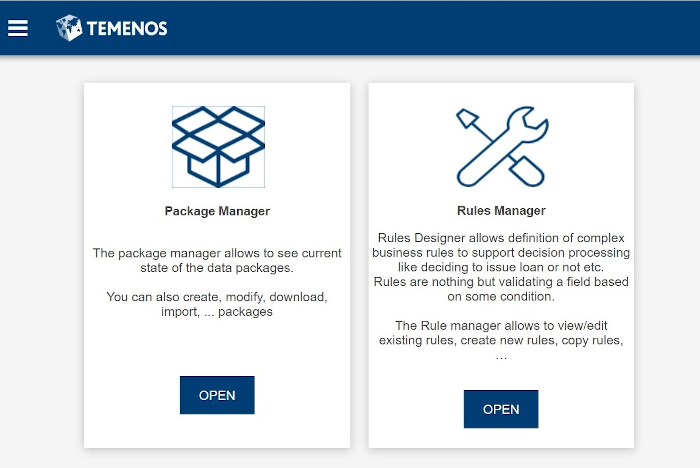
The following screen capture shows the main page of Package Manager.
Package Designer in Web Browser
In web browser, the package list and package content are stored in the application DS.DSF.PACKAGE.
- DS.DSF.PACKAGE only contains the list of data records, not the content itself.
- The data record(s) content is the content of the Temenos Transact artefact itself (such as an enquiry in ENQUIRY application record).
- Hence, if an enquiry is modified in Temenos Transact, then a subsequent download of the package will include the latest changes.
Source Control Management (SCM)
Definition
SCM refers to Source Control Management. For more information, see Version Control
A component of software configuration management, version control, also known as revision control or source control,[1] is the management of changes to documents, computer programs, large web sites, and other collections of information. Changes are usually identified by a number or letter code, termed the "revision number", "revision level", or simply "revision". For example, an initial set of files is "revision 1". When the first change is made, the resulting set is "revision 2", and so on. Each revision is associated with a timestamp and the person making the change. Revisions can be compared, restored, and with some types of files, merged.
Design Framework packager supports SCM systems in IDE mode through the IDE features.
Currently the Design Studio version of Eclipse is supported (Eclipse Neon 4.6.3). The latest Eclipse releases will be shortly validated and supported, but the nature of Design Framework packager is to be 95% IDE agnostic.
Why to use SCM?
SCM is a fundamental part of a modern software development lifecycle (SDLC).
Version control systems are a category of software tools that help a software team manage changes to source code over time. Version control software keeps track of every modification to the code in a special kind of database. If a mistake is made, developers can turn back the clock and compare earlier versions of the code to help fix the mistake while minimizing disruption to all team members.
Source: https://www.atlassian.com/git/tutorials/what-is-version-control
One of the other key features of an SCM is to enable collaboration on projects with clear visibility on what is done by other developers and tools to manage conflict resolutions.
Supported SCM Systems
Eclipse supports most SCM tools in the market.
You can also do the SCM management outside of Eclipse, with either vendor-specific tools or command line tooling.
High Level Architecture
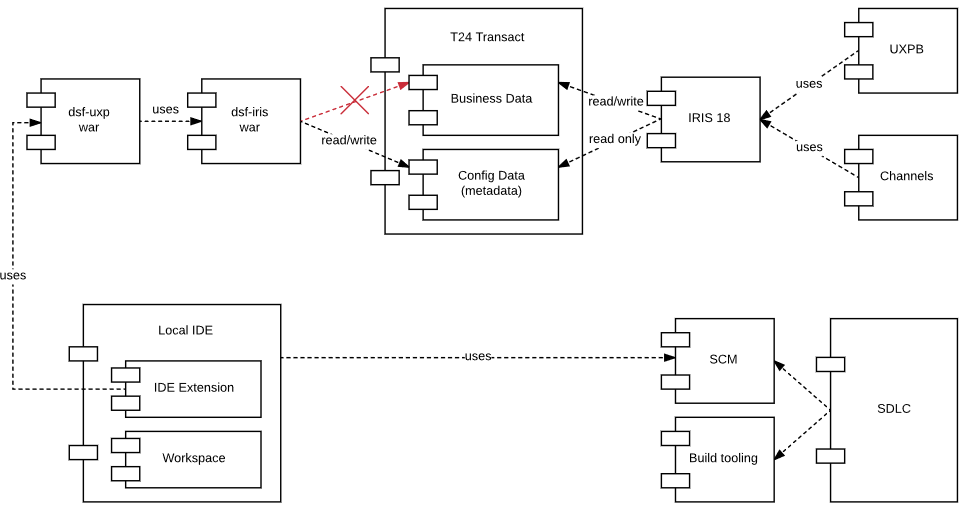
The main use cases of DSF packager are summarized in the following diagram:
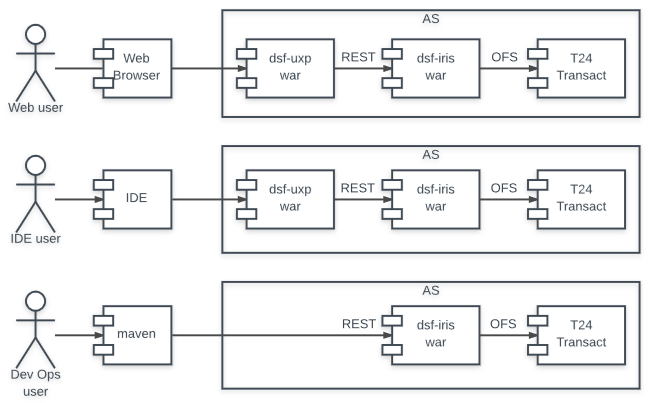
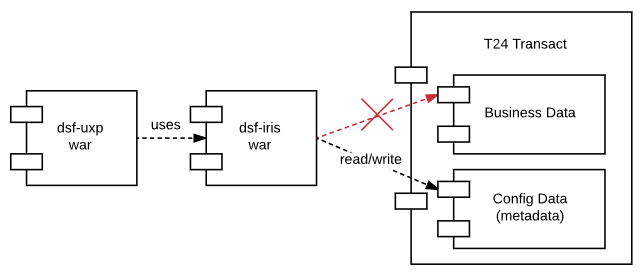
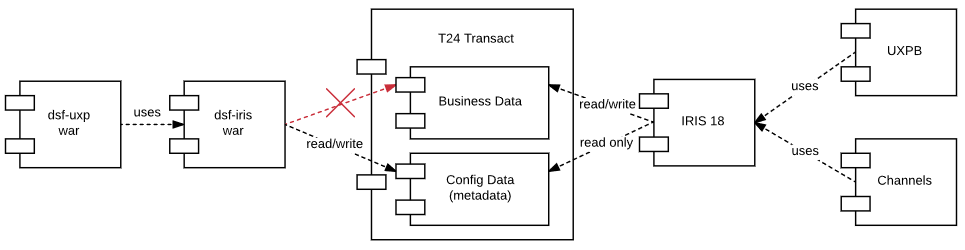
The dsf-uxp war file is used in both the web and the IDE scenarios. Behind the scene, dsf-iris API interacts with Temenos Transact Transact via OFS.
The following diagram illustrates what is specific for design time: no access to business data:
The following diagram adds access from and UXPB, which read and write business data, but only read configuration data:
Adding IDE in the picture shows the way through SCM and SDLC.
In this topic