Rules Validation for UXPB Fields
This section allows you to define your own rules against the UXPB operation. This enables the rules validation for UXPB before performing any operation in Transact, if the applicable rules are for a specific resource.
The following diagram depicts the high-level solution view on supporting Rule Engine using IRIS framework.
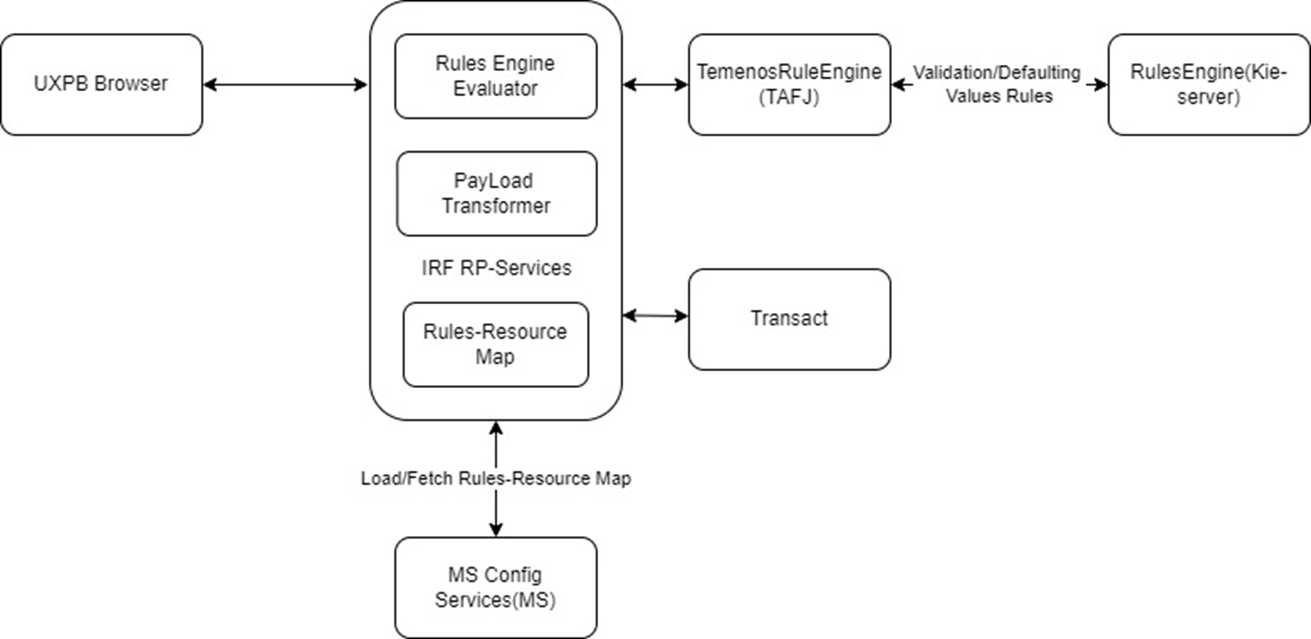
MS Config services are used to configure and cache the configuration mapping of list of rules against operationId. Hence this cached information is useful during the restart or reboot of war file.
Resource Provider (RP) Services are responsible for the following parts:
- Communicate with Temenos Rules Engine based on the input and the TAFJ adapter provides the decision results as a Boolean or JSON.
- Communicate with MS config services to cache configuration mapping.
- Transform UXPB request into new json structure specifically designed to support rules engine that enables user to design their logic in a convenient way.
Sample values for the required environment variables:
-Dtemn.rules.engine.url.host=http://localhost:8080/kie-server/services/rest/server
-Dtemn.config.service.base.pathurl=http://localhost:7006/ms-genericconfig-api/api/
-Dtemn.rules.engine.user=wbadmin
-Dtemn.rules.engine.password=wbadmin
-Denable.uxpb.rules.engine=true
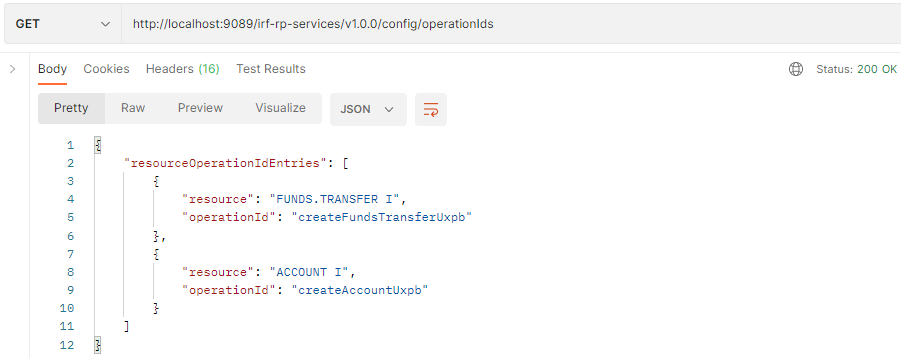
You should map the resources against the operation ID.
URL: http://localhost:9089/irf-rp-services/v1.0.0/config/operationids
Method: POST
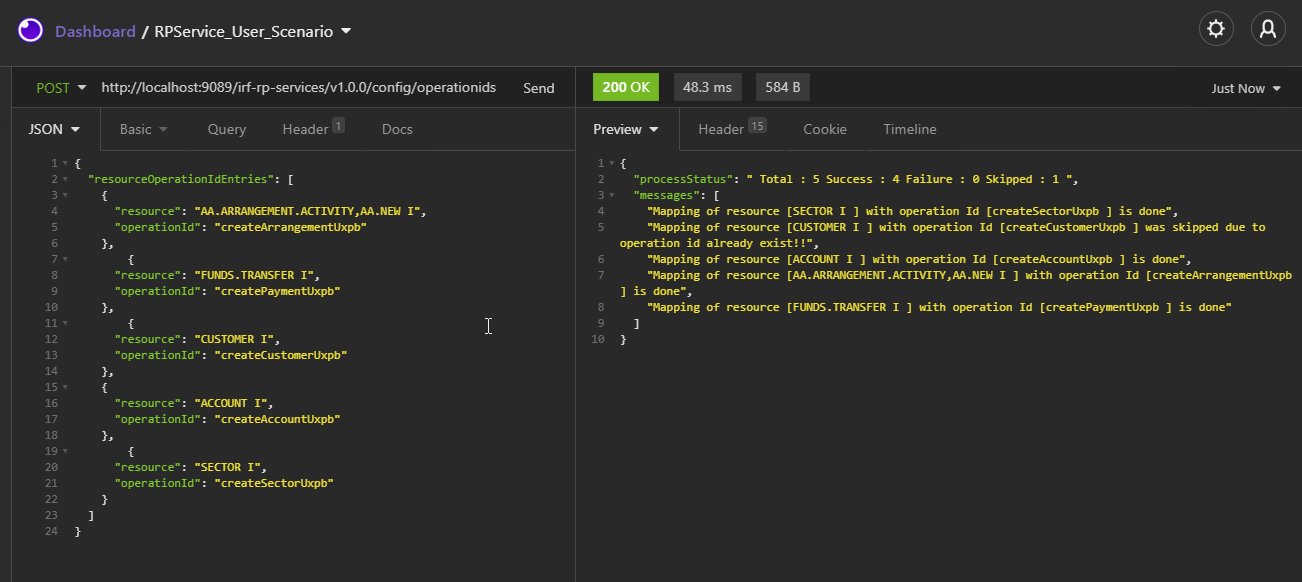
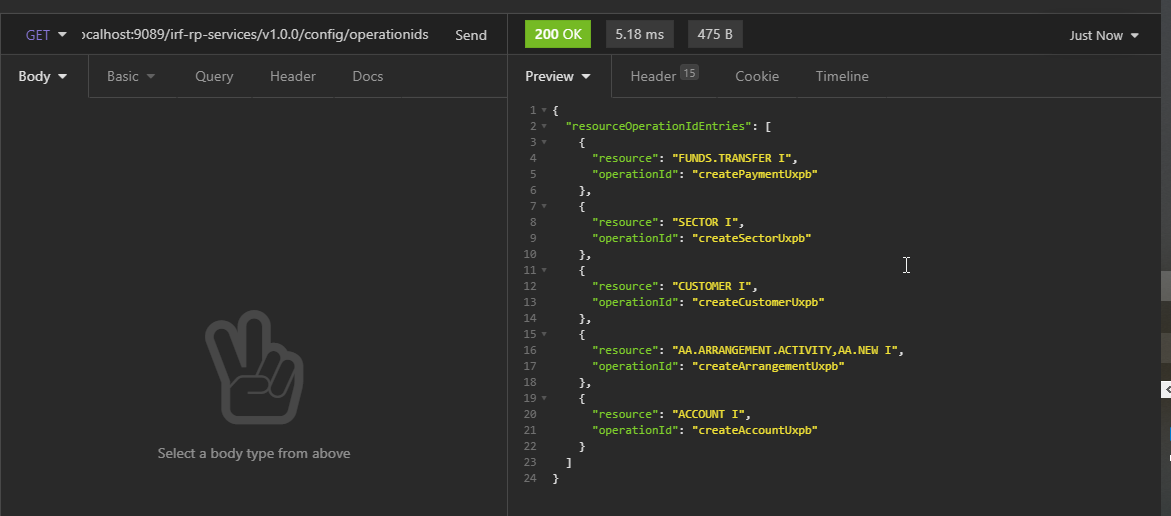
List the map for resource vs operation Id
URL: http://localhost:9089/irf-rp-services/v1.0.0/config/operationids
Method: GET
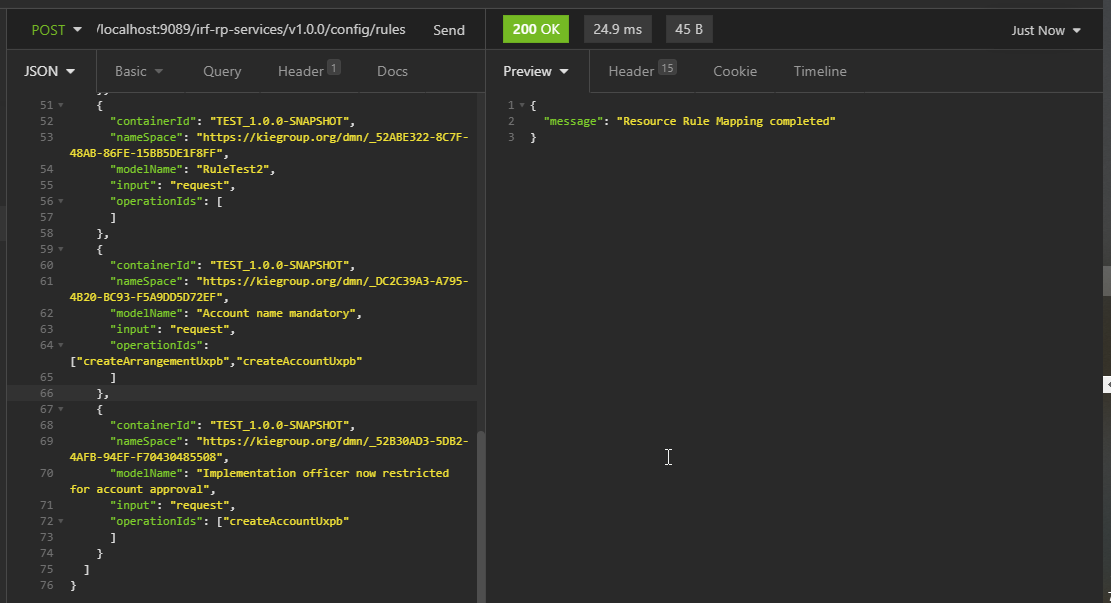
Map Rules Container Against operation ID
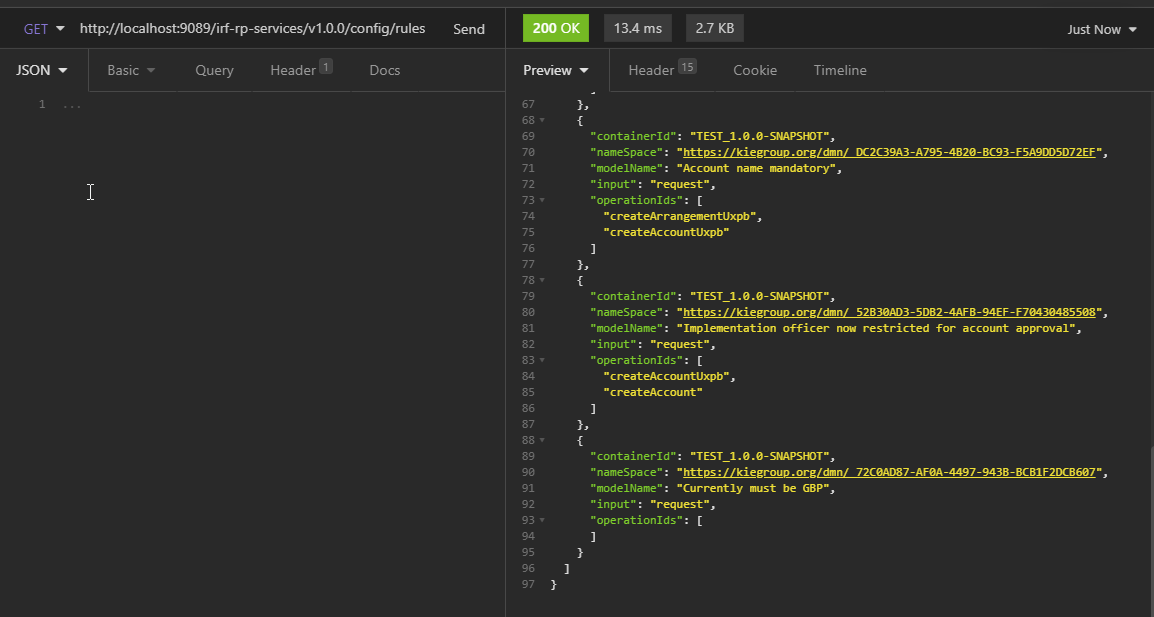
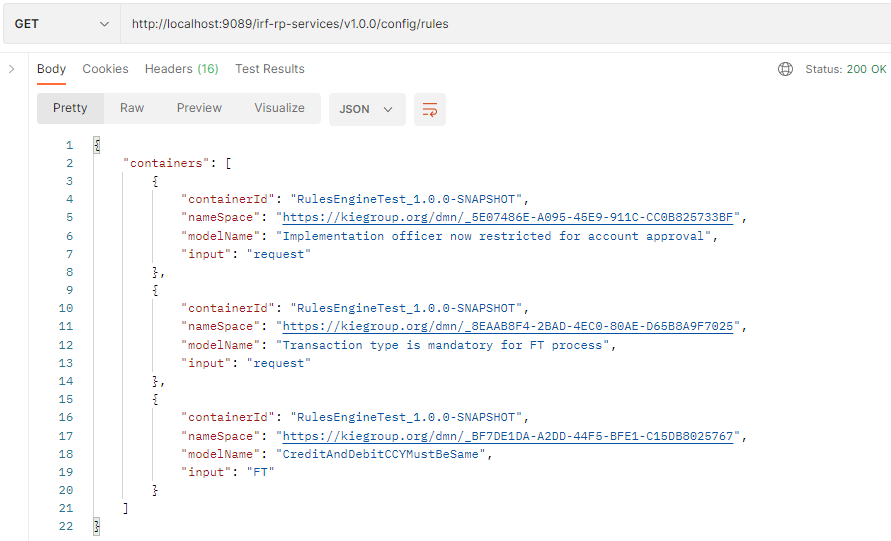
URL: http://localhost:9089/irf-rp-services/v1.0.0/config/rules
Method: POST
To list the rules container map against operation ids
URL: http://localhost:9089/irf-rp-services/v1.0.0/config/rules
Method: GET
Rules Engine Validation for various scenario
RULES:
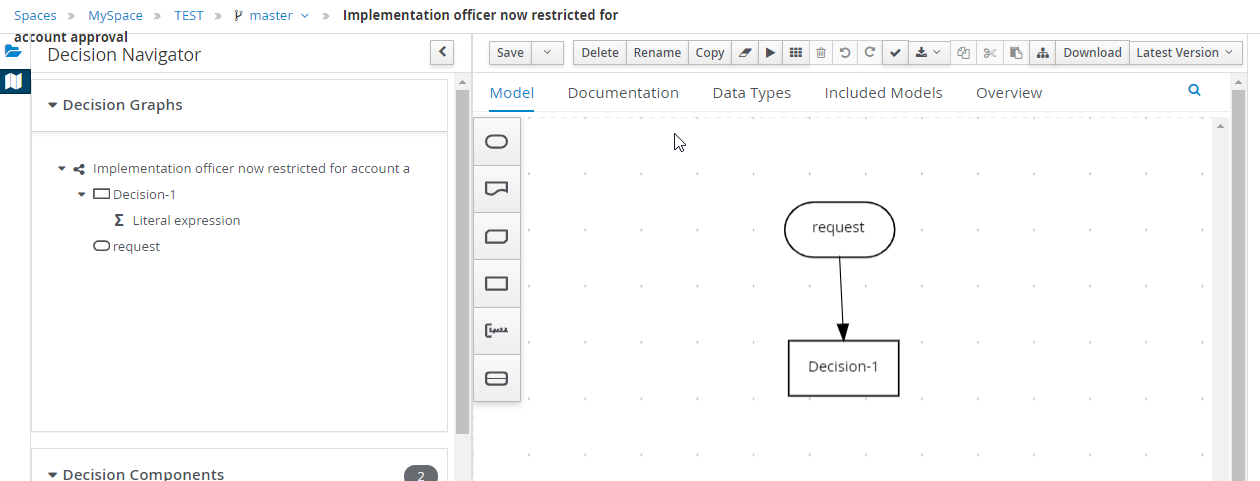
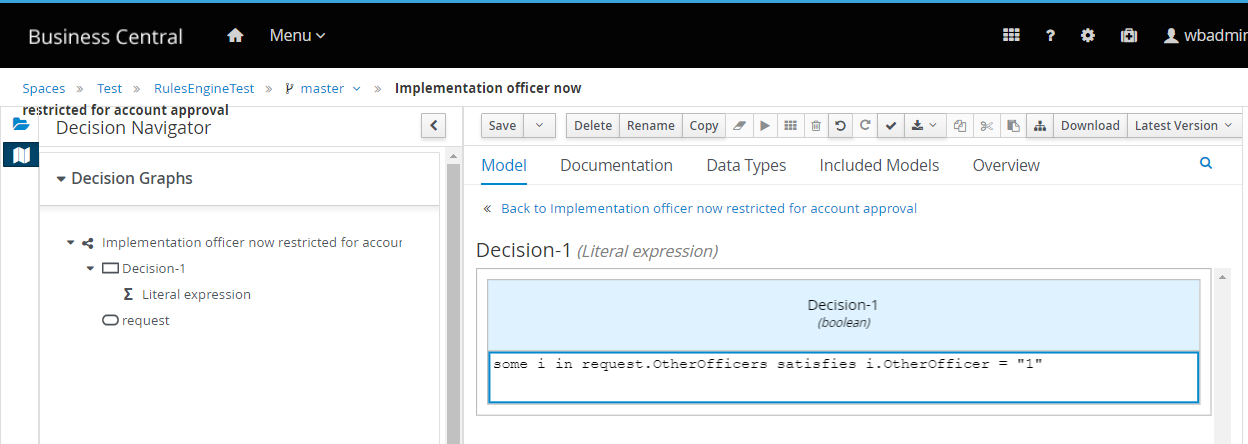
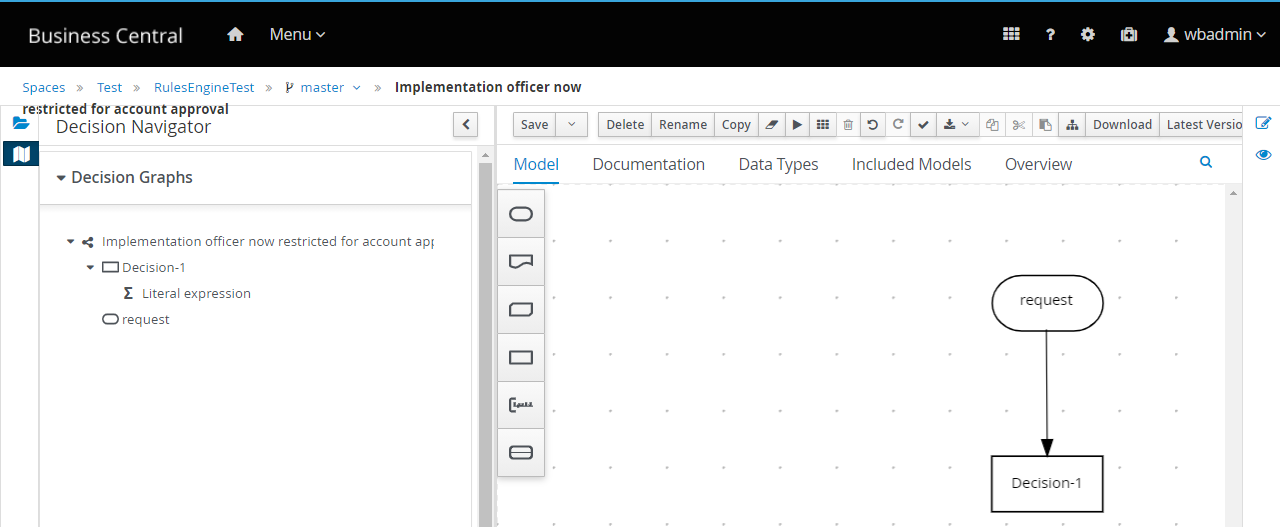
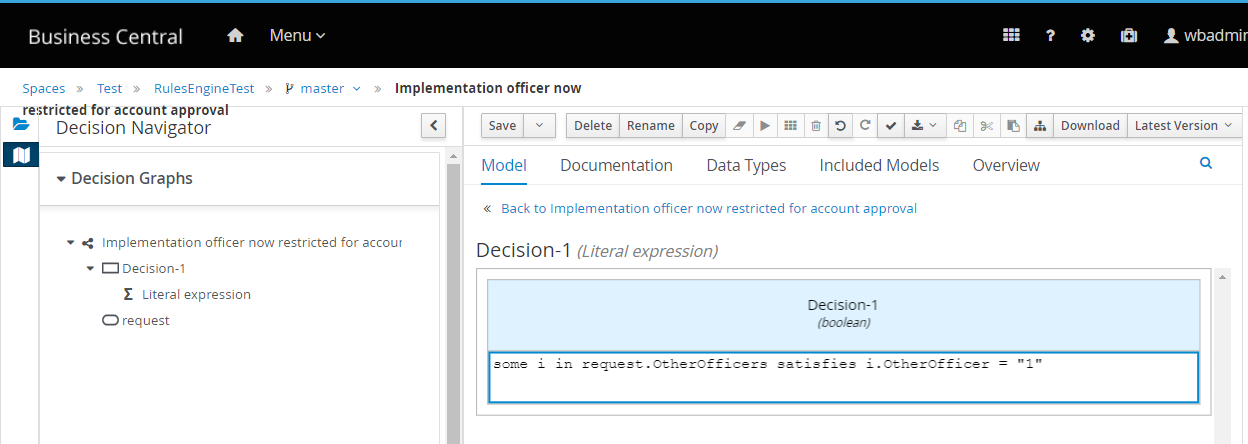
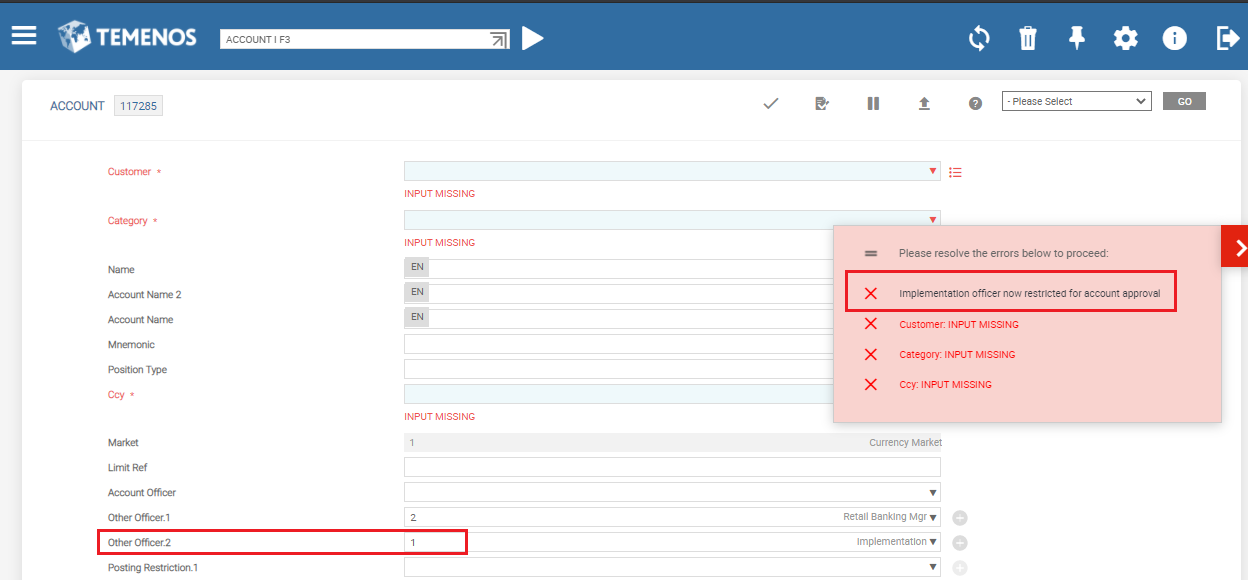
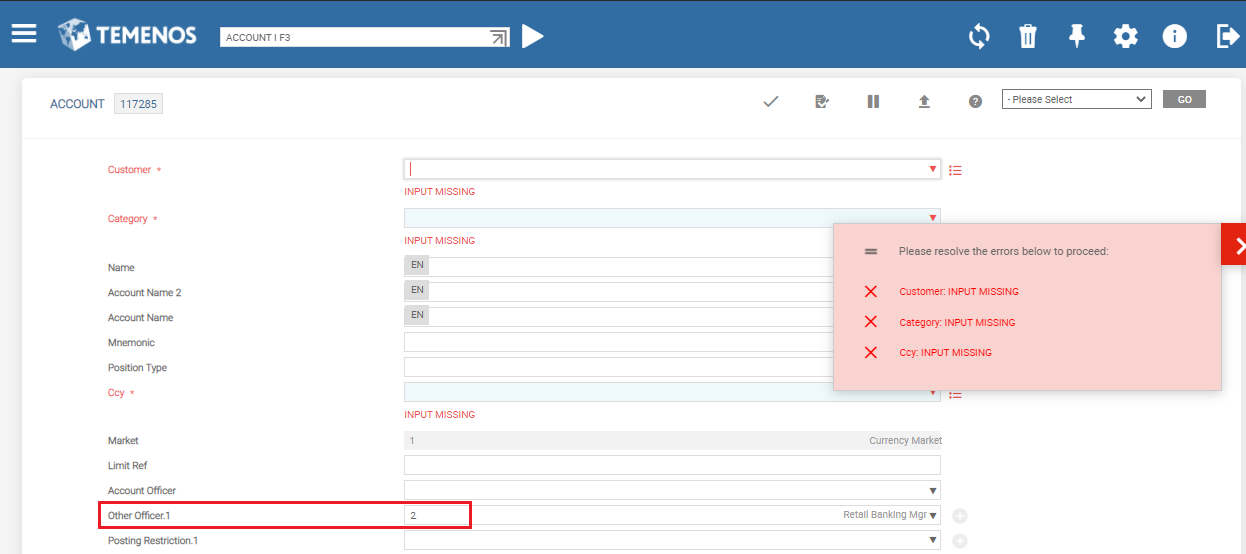
Condition: If Other Officer equal to 1(Implementation) not allowed
some i in request.OtherOfficers satisfies i.OtherOfficer = "1"
Installing BPM Rules Engine Server
You can download and install the BPM rules engine server by performing the following steps.
- Access https://downloads.jboss.org/jbpm/release/7.49.0.Final/
- Download jbpm-server-7.49.0.Final-dist and extract the same.
- Modify the port number of https and management-http socket binding in standalone, standalone-full, standalone-full-ha and standalone-ha.xml to run the Rules Engine in port 8080.
Change port from: <socket-binding name="https" port="${jboss.https.port:8443}"/> To <socket-binding name="https" port="${jboss.https.port:8445}"/>
Change port from: <socket-binding name="management-http" interface="management" port="${jboss.management.http.port:9990}"/> To <socket-binding name="management-http" interface="management" port="${jboss.management.http.port:9992}"/>
- Run standalone.bat file inside jbpm-server-7.49.0.Final-dist\bin to start the rules Engine.
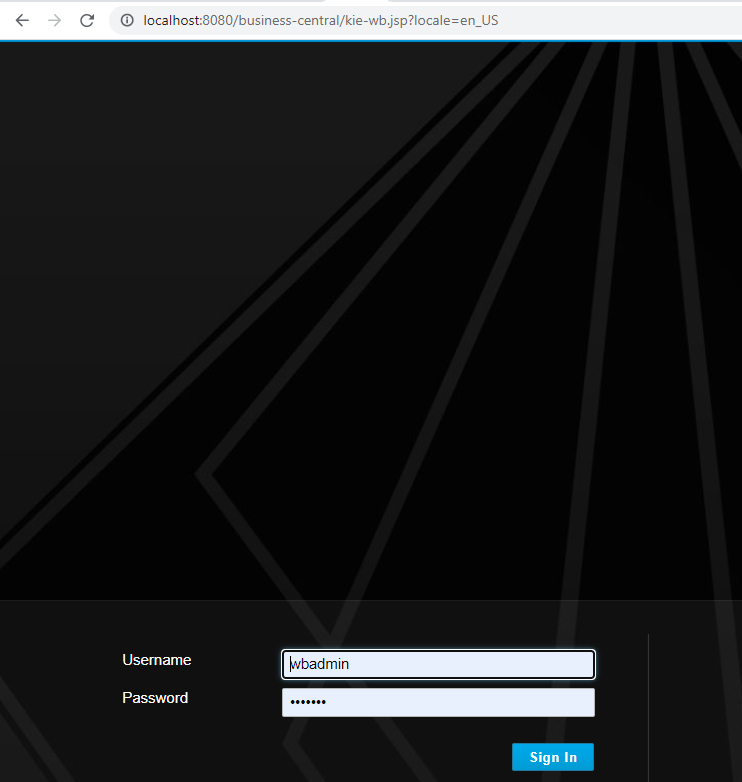
- Login to Rules Engine http://localhost:8080/business-central/ using wbadmin as user name and password.
- Create the rules as applicable by referring the Creating Rules section.
Creating Rules
You can login to Rules Engine and create the rules as required by performing the following steps.
- Login to Rules Engine http://localhost:8080/business-central/ using wbadmin as user name and password
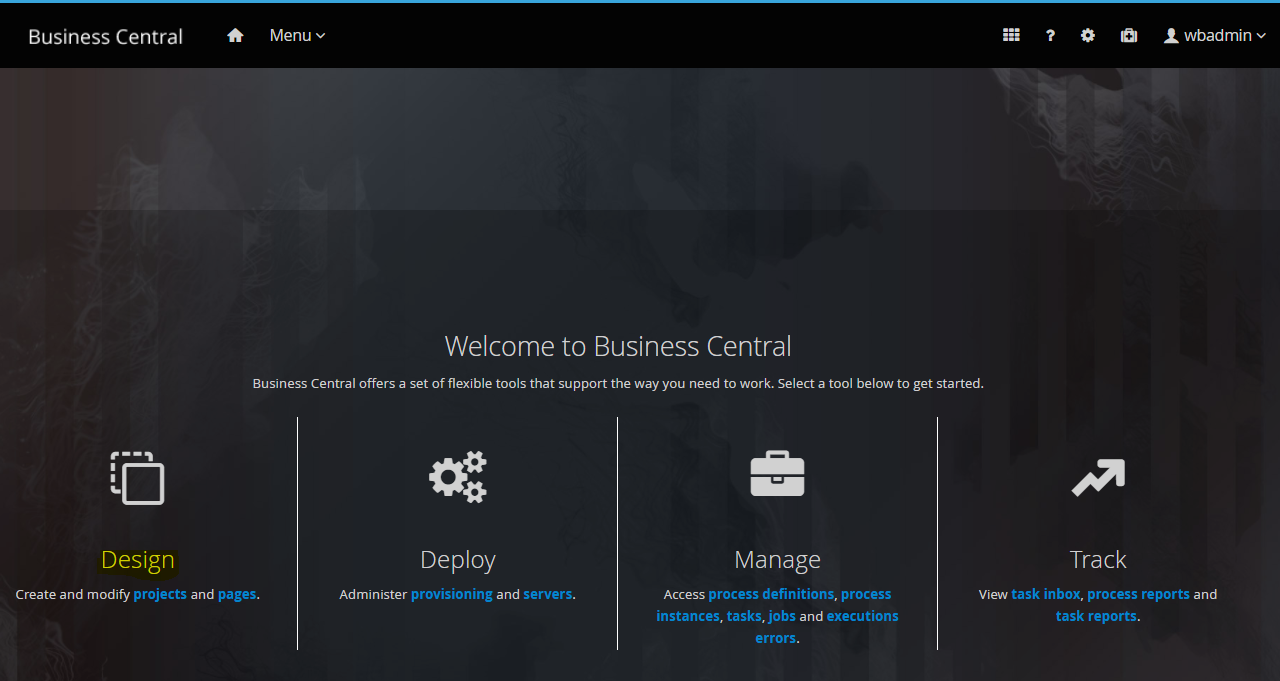
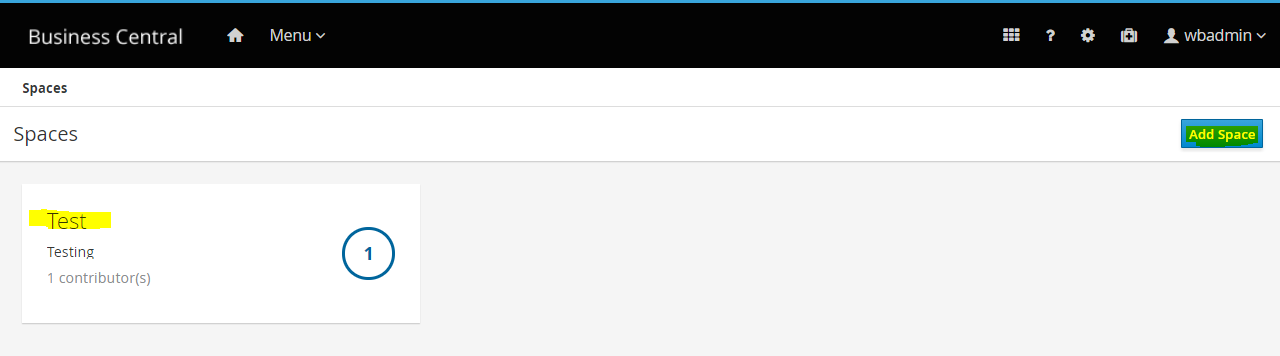
- Go to Design> Add Space
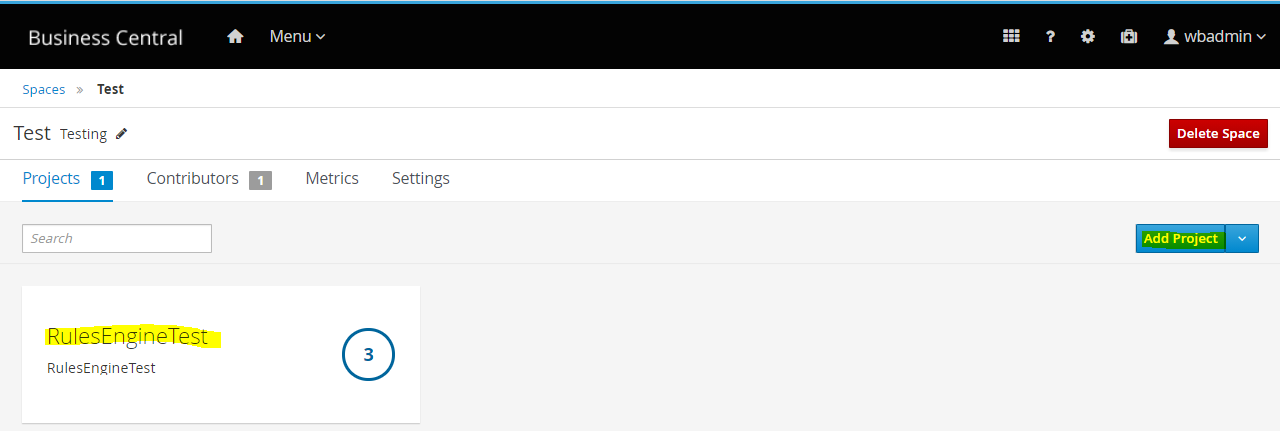
- Click Add Project
- Click Add Asset to create the rules
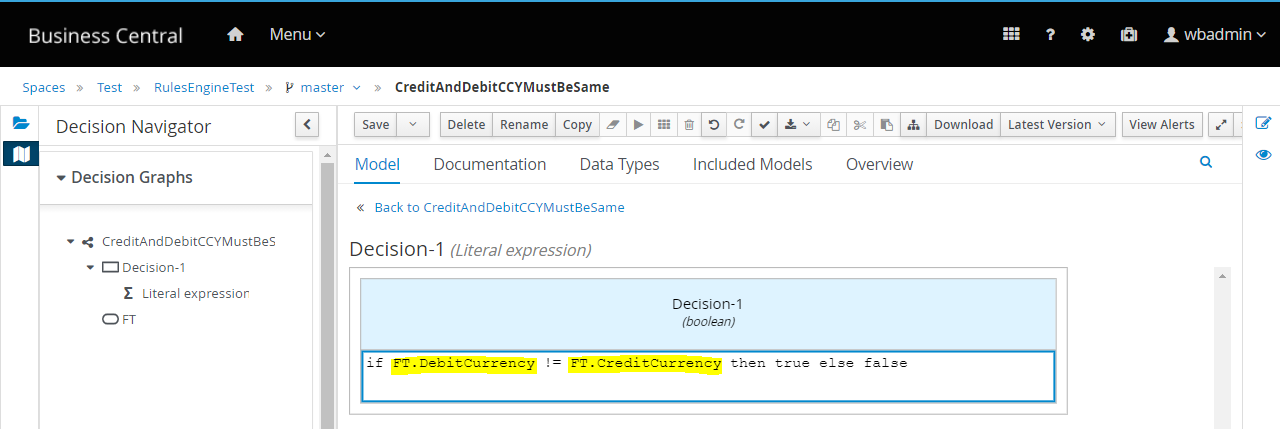
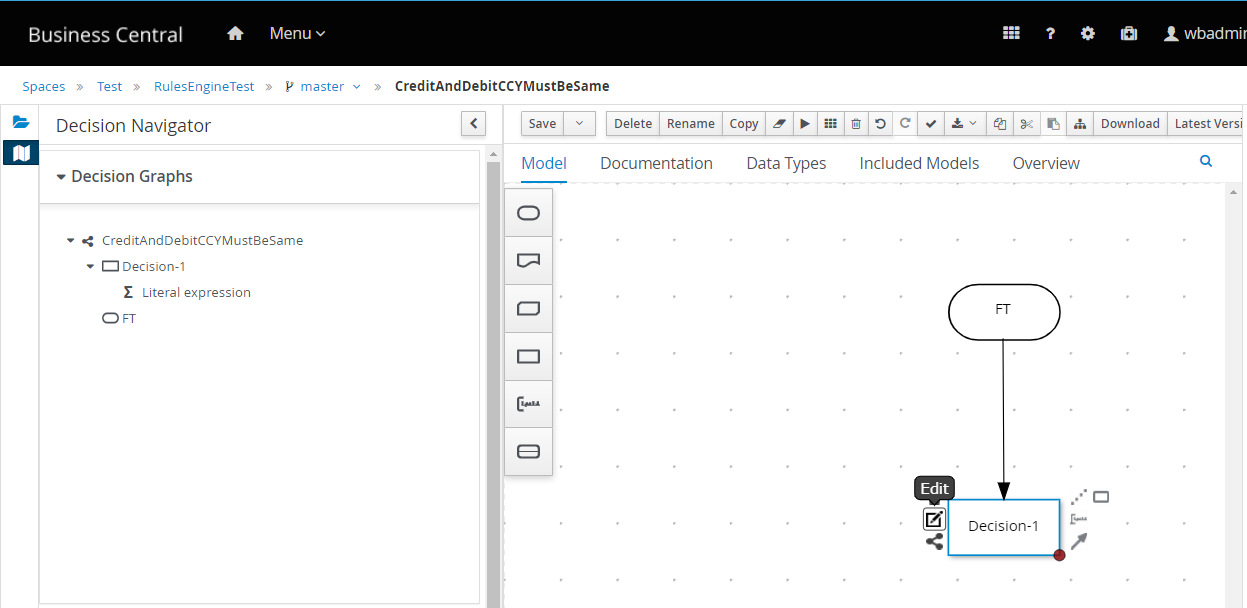
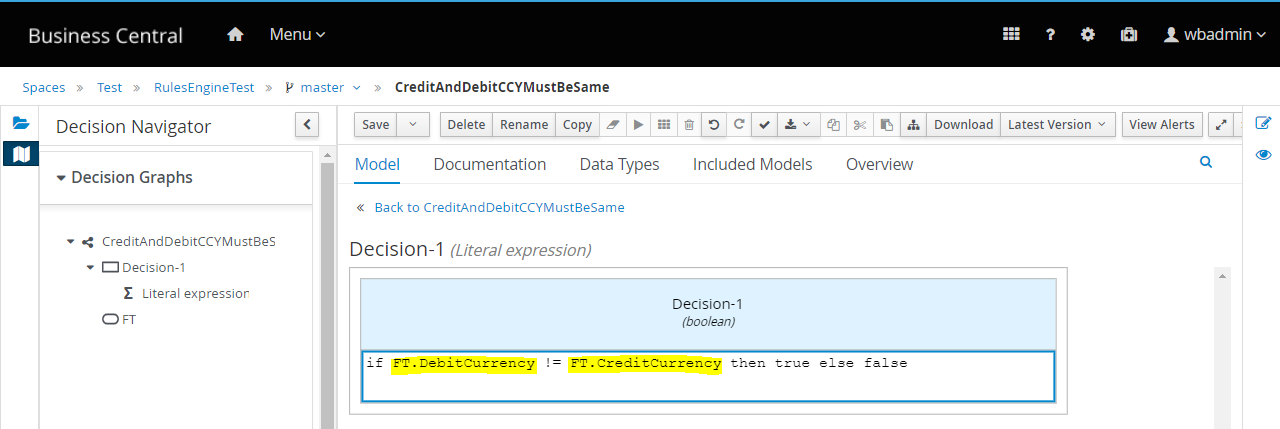
Rule1 – CreditAndDebitCCYMustBeSame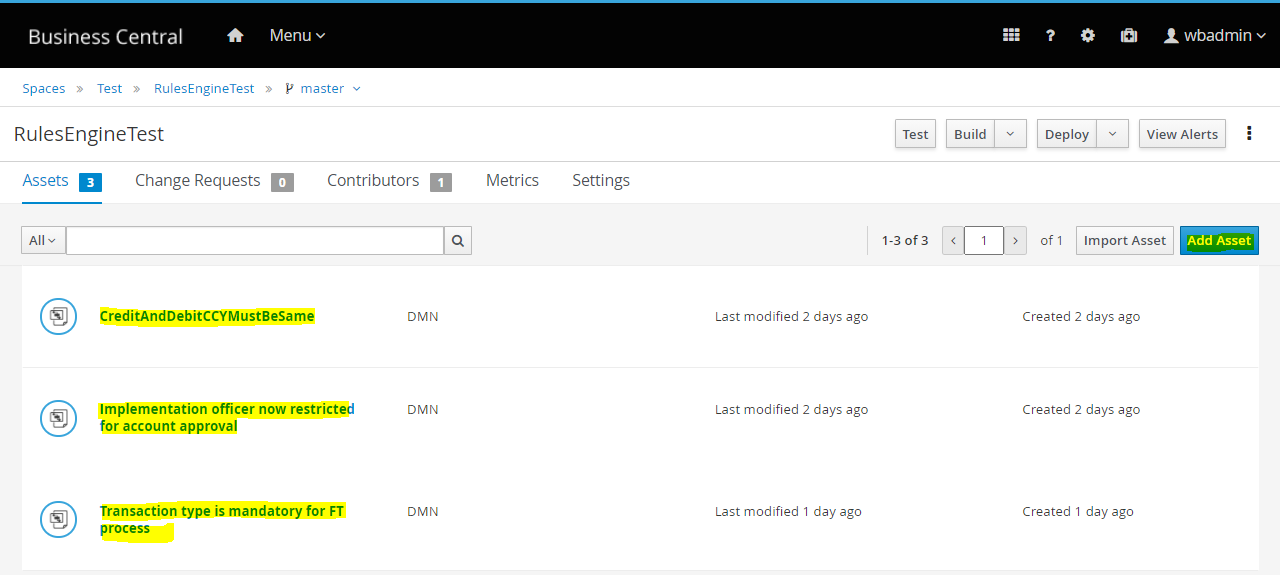 Rule2 - Implementation Officer Now Restricted for Account Approval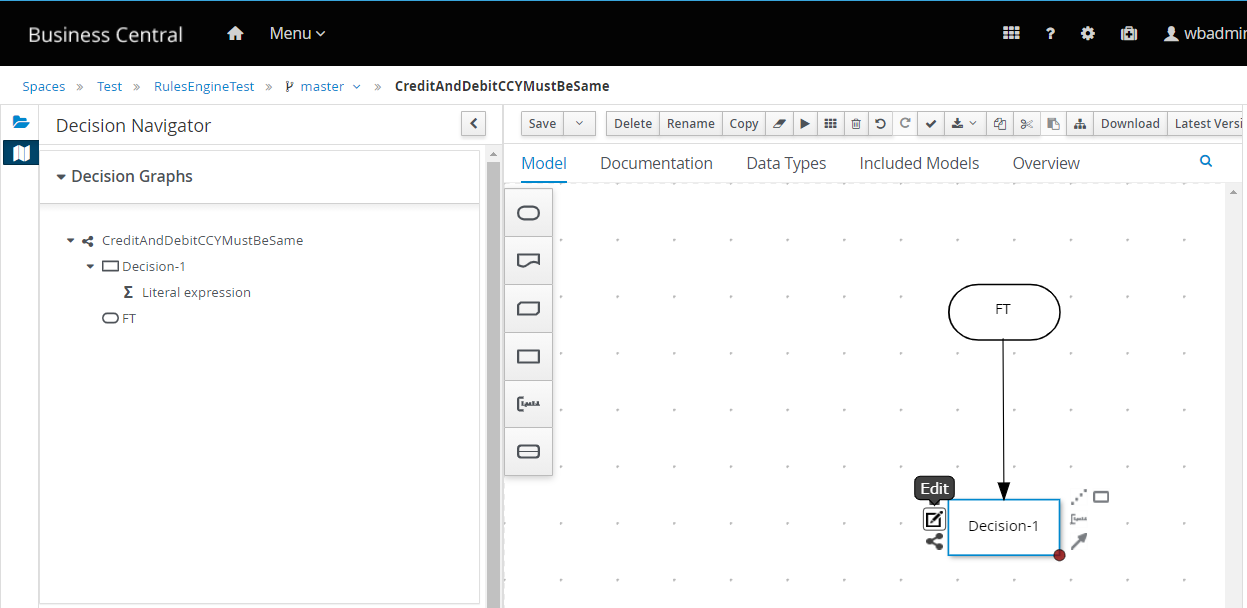
 Rule3 – Transaction Type is Mandatory for FT Process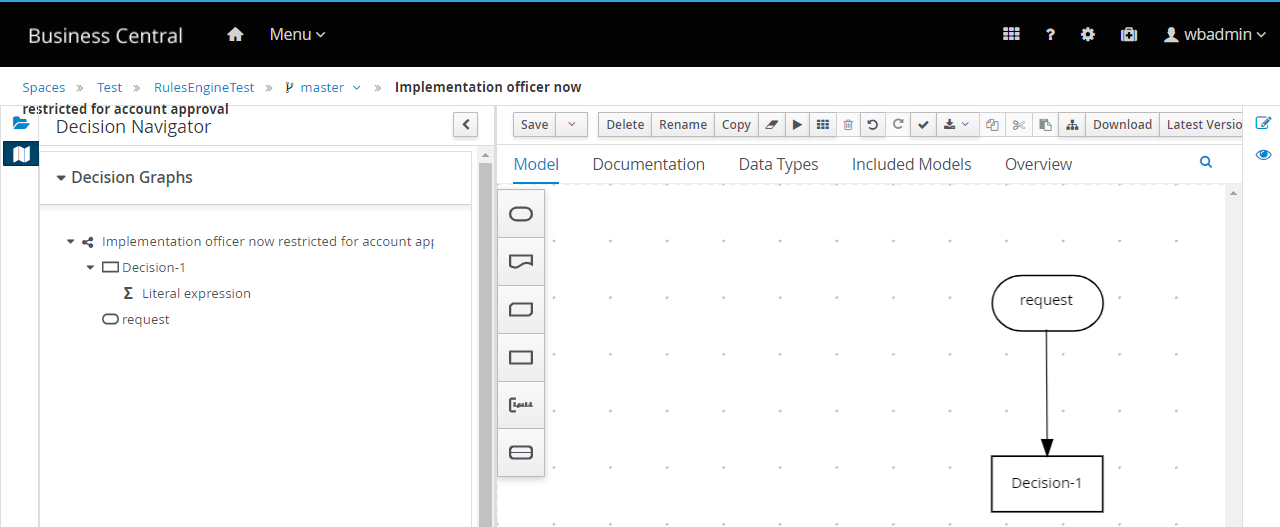
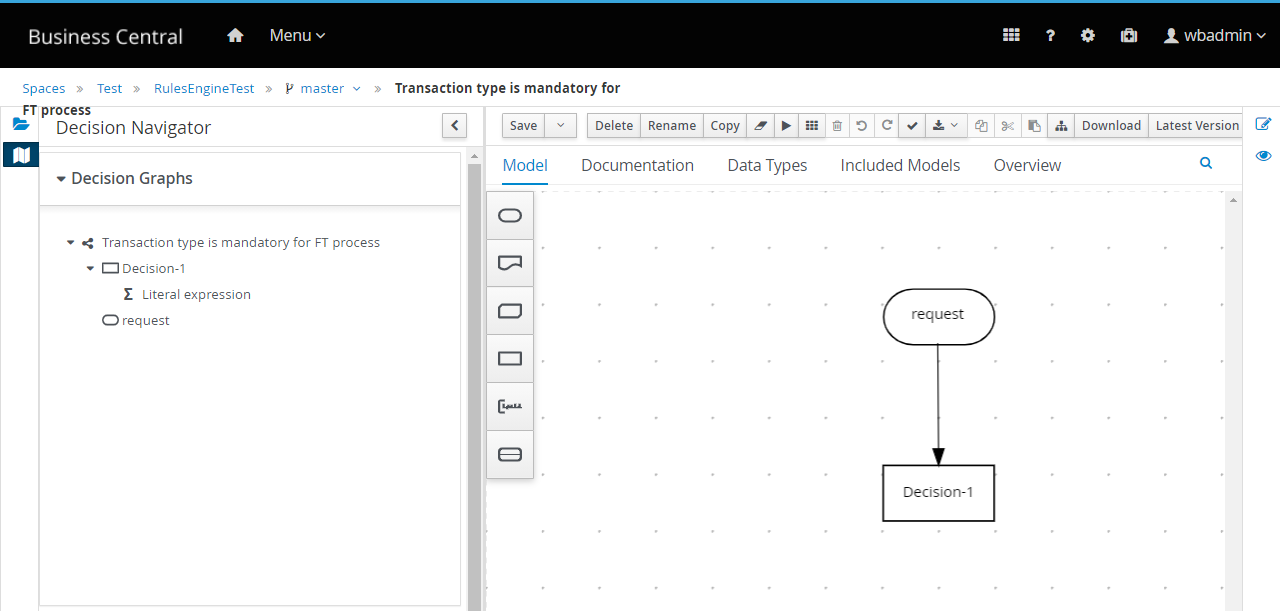
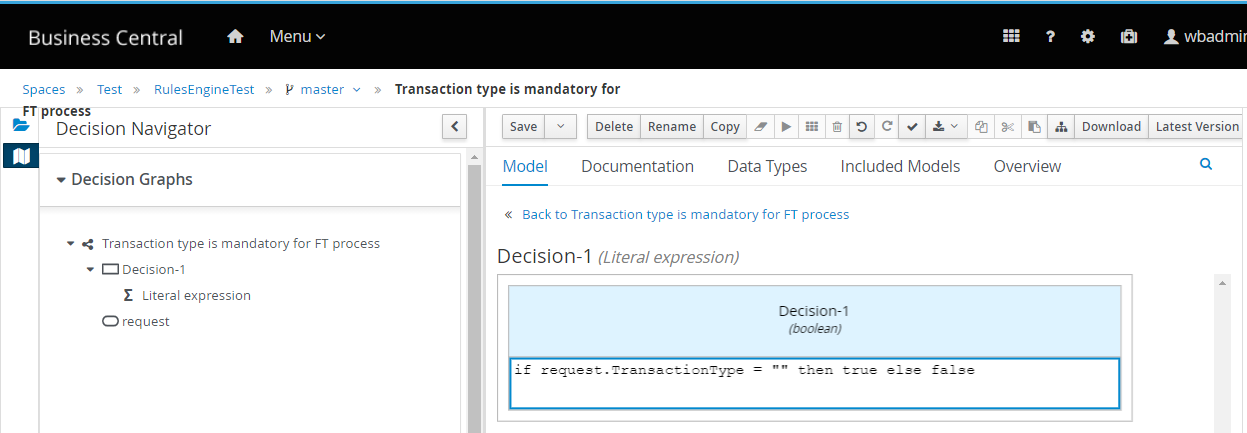
- Setup and install the Generic Configuration microserviceRead the Docker Deployment - Generic Configuration to set up the config micro services for (docker).
- Access the latest UTP pack and set the following environment variable as mandatory:
-Dtemn.rules.engine.url.host=http://localhost:8080/kie-server/services/rest/server
-Dtemn.config.service.base.pathurl=http://localhost:7006/ms-genericconfig-api/api/
-Dtemn.rules.engine.user=wbadmin
-Dtemn.rules.engine.password=wbadmin
-Denable.uxpb.rules.engine=true - Ensure all the three servers such as IRIS, Rules engine and Config microservice are running.
- Map the resource with operationId:
- Endpoint - http://localhost:7006/ms-genericconfig-api/api/v2.0.0/system/configurationGroups/com.temenos.irf.uxpb.resource.mapping/configuration/operationIds
- Method – POST
- Sample request payload-
{
	"id": "operationIds",
	"name": "resource mapping with operationId",
	"version": "1.0.0",
	"configData": {
		"data": {
			"resourceOperationIdEntries": [
				{
					"resource": "ACCOUNT I",
					"operationId": "createAccountUxpb"
				},
				{
					"resource": "FUNDS.TRANSFER I",
					"operationId": "createFundsTransferUxpb"
				},
				{
					"resource": "CUSTOMER I",
					"operationId": "createCustomerUxpb"
				},
				{
					"resource": "FUNDS.TRANSFER S",
					"operationId": "validateFundsTransferUxpb"
				}
			]
		},
		"configType": "json"
	}
}
- Invoke the following GET request to access the list of resource mapped with opertionId.
http ://localhost:7006/ms-genericconfig-api/api/v2.0.0/system/configurationGroups/com.temenos.irf.uxpb.resource.mapping/configuration/operationIds
- Invoke the following GET request to access the list of deployed rules from the Rules Engine.
http://localhost:9089/irf-rp-services/v1.0.0/config/rules
- Copy the required rules from the list and map it with operationId as given below:
{ "id": "createFundsTransferUxpb", "name": "To map the payload fields against validation", "version": "1.0.0", "configData": { "data": { "validations": { "payloadDmnRuleMapping": [ { "containerId": "RulesEngineTest_1.0.0-SNAPSHOT", "nameSpace": "https://kiegroup.org/dmn/_BF7DE1DA-A2DD-44F5-BFE1-C15DB8025767", "modelName": "CreditAndDebitCCYMustBeSame", "ruleDataType": "FT" } ], "extensionFunction": "createdata.py" } }, "configType": "json" } } - Map the rules against the operationId.
URL: http://localhost:7006/ms-genericconfig-api/api/v2.0.0/system/configurationGroups/IRIS/configuration/rules
Method: POST
UXPB rules engine supports version 2 (v2.0.0) Generic config microservice API from 202201 onwards to configure the list of rules against operationId. -
List the rules container map against the operationId.
URL: http://localhost:9089/irf-rp-services/v1.0.0/config/rules
Method: GET
 UXPB rules engine supports version 2 (v2.0.0) Generic config microservice API from 202201 onwards to configure the list of rules against operationId.
 -
List the rules container map against the operationId.
URL: http://localhost:9089/irf-rp-services/v1.0.0/config/rules
Method: GET
Sample UXPB Request and Response
Rules Engine validation for various scenario
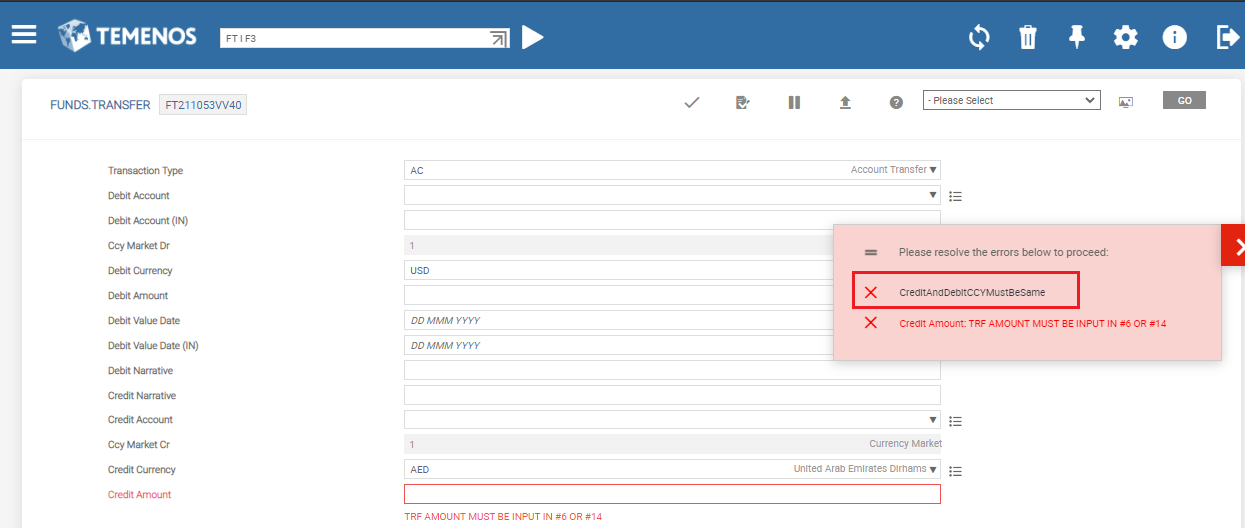
Rule 1 – Single Value Fields
CreditAndDebitCCYMustBeSame
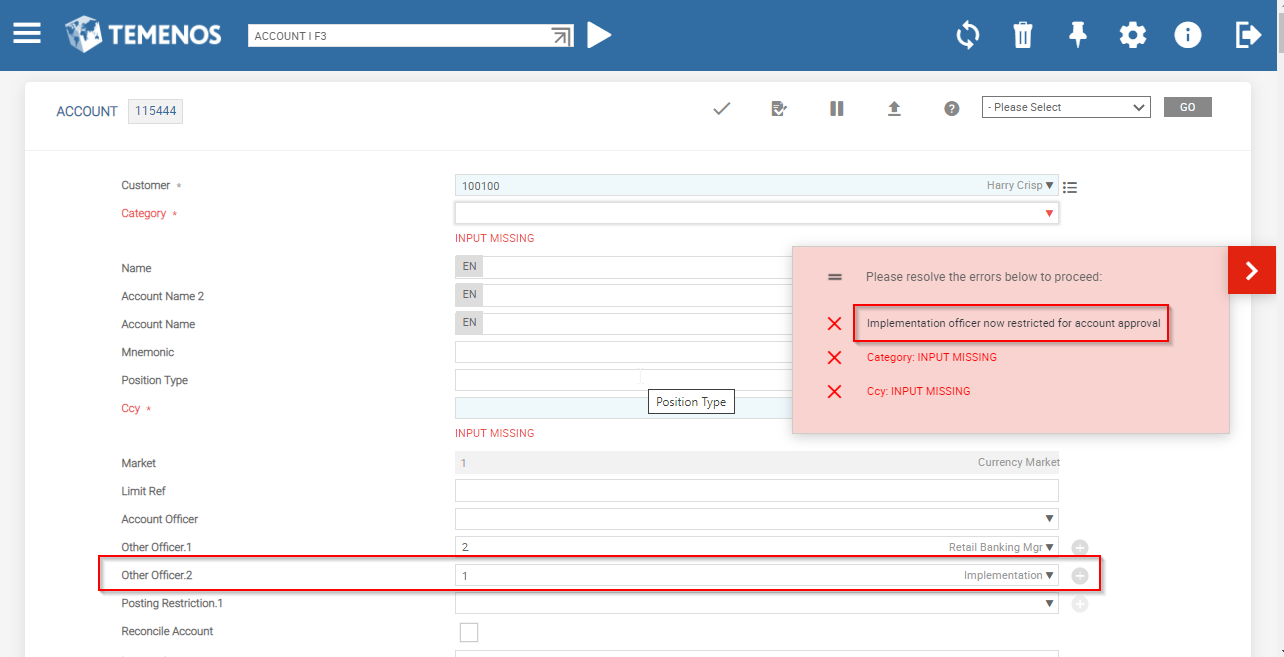
Rule 2 – Multi Value Fields
Implementation officer is restricted for account approval
Rule 3 - Defaulting Values of Rules Engine in Response
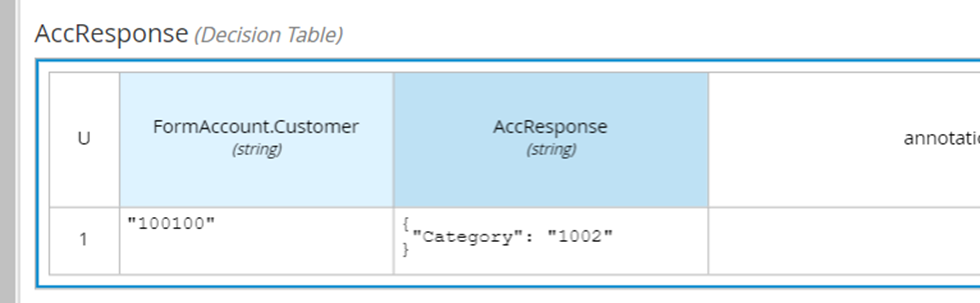
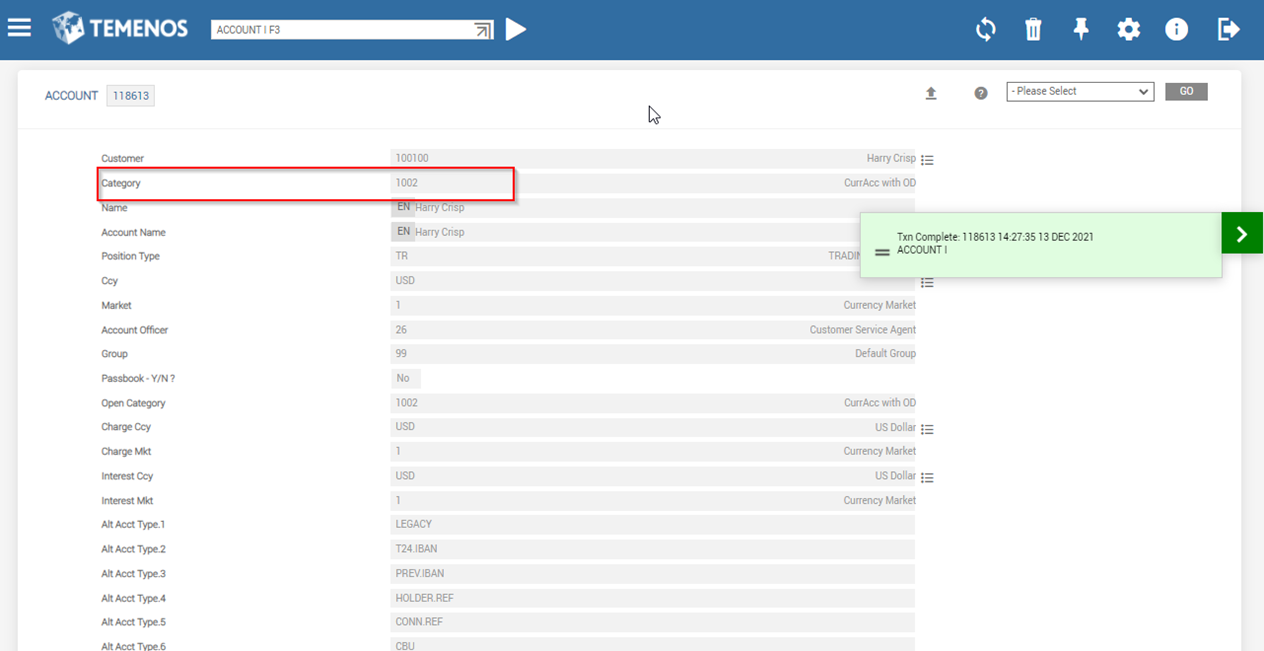
The below screen capture shows that when a request is fed as JSON, the predefined decision available in the response is compared and decision is displayed as a default value.
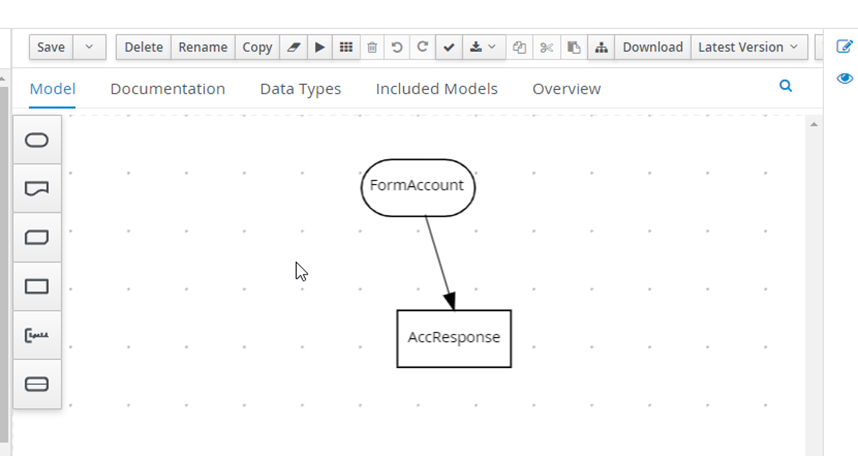
If Customer in ACCOUNT equals to 100100 then the Category for this customer is assigned as 1002.
In this topic