API Extension
This section explains how to search, create or edit a new extension between a Transact API and rules created in Rule Engine, regular expressions for basic field level validations, python script validation or field defaulting with constants.
Refer Rules Validation for Version Fields to know more about Rule Engine, Microservice generic config and IRIS setup.
Creating and Editing API Extension
This section details about creating and editing API Extension.
Creating API Extension
To create an API Extension,
- Navigate to APIs > API Extension, on the dashboard’s left pane.
- Click Add Extension button on the Search page.
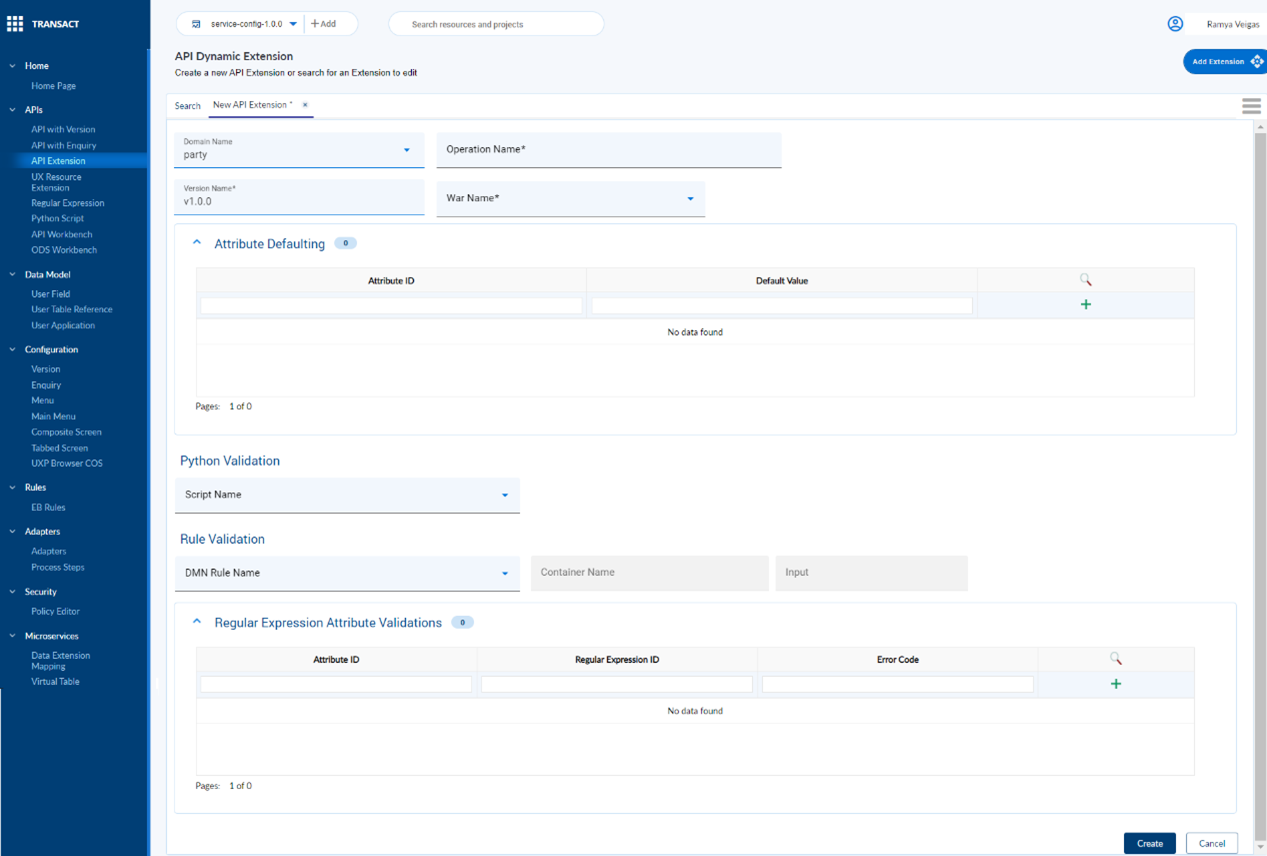
- Enter the following details in the New API Extension screen.
| Field | Action Required |
|---|---|
| Domain Name | This is a mandatory field. Select a Domain name as in Create Provider API from the dropdown. |
| Operation Name | This is a mandatory field. Enter name in convention with IRIS vocabulary for APIs |
| Version Name | This is a mandatory field. Enter Semantic version number prefixed with v. |
| War Name | Select the relevant war name in which the Transact API is bundled. |
| Attribute ID | API Field name which needs to assign default value |
| Default Value | Constant value to be defaulted with. |
| Script Name | Select Python Validation script name |
| DMN Rule Name | Select a DNM rule loaded from Rules Engine using content assist |
| Container Name | This field is disabled and prefilled based on DMN Rule name selected |
| Input | This field is disabled and prefilled based on DMN Rule name selected |
| Attribute ID | API Field name against which Regular expression will be validated |
| Regular Expression ID | Select a Regular Expression ID from content assist |
| Error Code | Customized error code |
- Enter the mandatory fields and any one or all the sections, that is, Attribute Defaulting, Rule Validation or Regular Expression Attribute Validations.
- Click on Create button to create the mapping between API and rule or attribute validations.
Editing API Extension
To edit an existing API Extension,
- Navigate to menu APIs > API Extension, on the dashboard’s left pane.
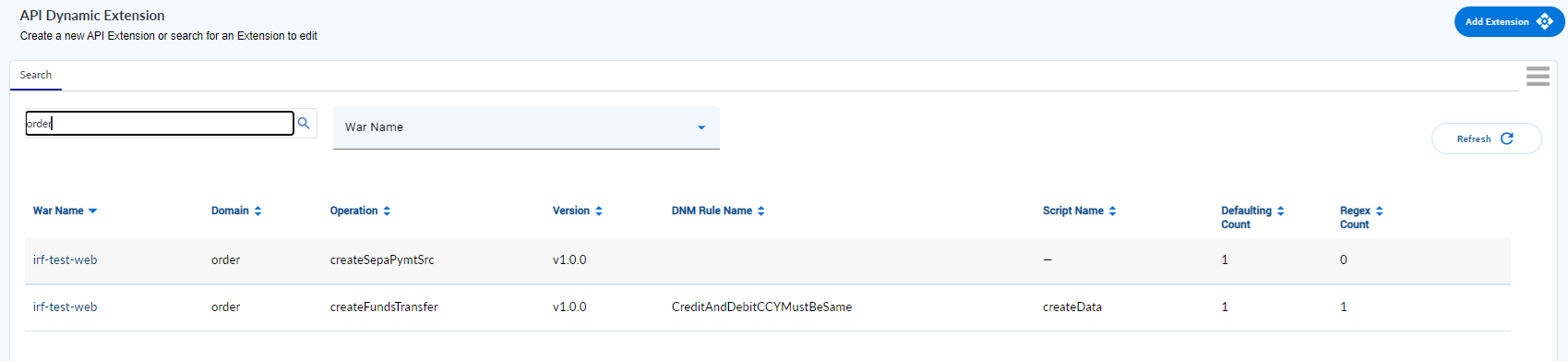
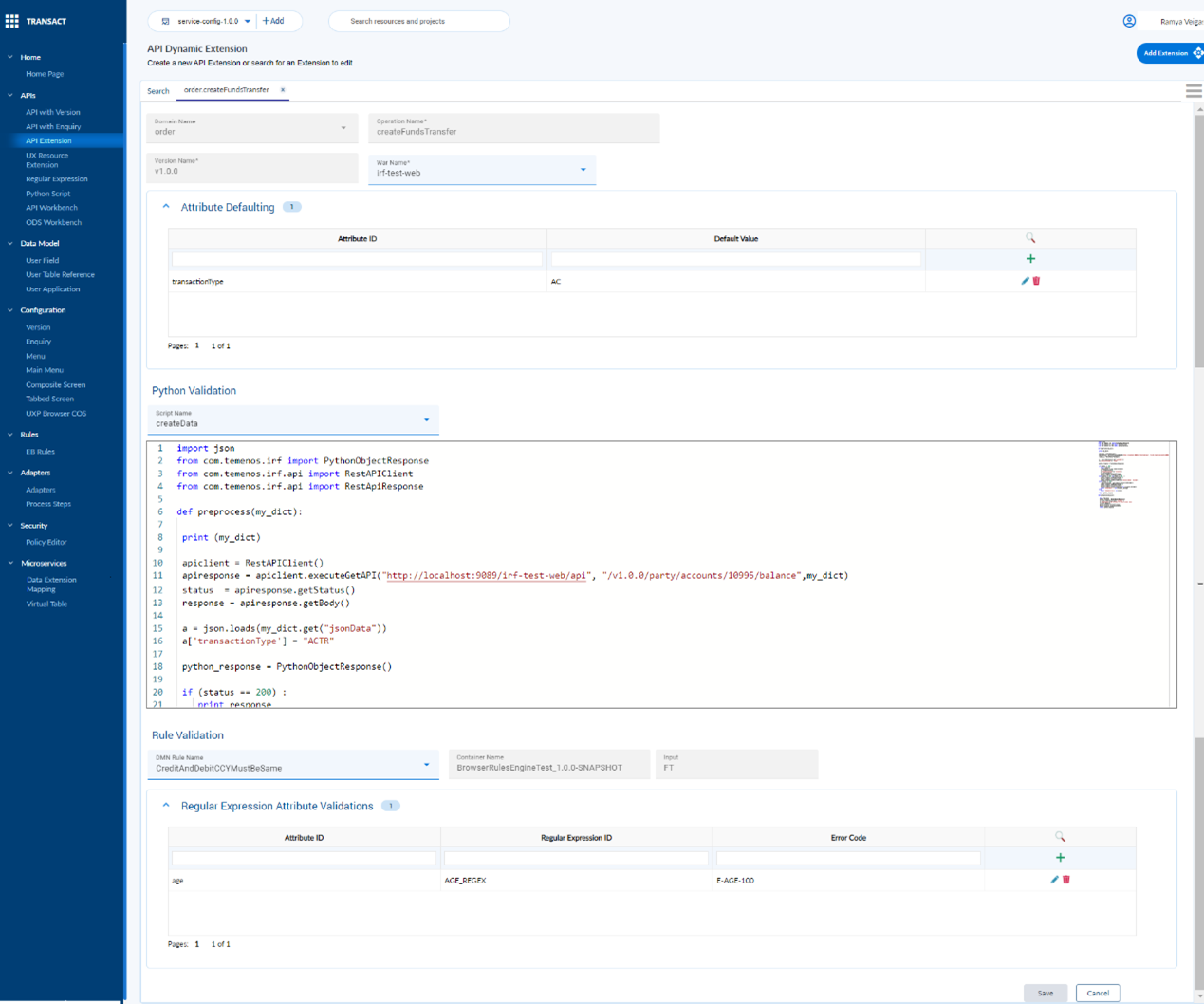
- Search for the domain or operation name to edit the mapping between API Extension and attribute defaulting, DNM rule or Regular Expression validation.
In this topic