Configuring Limit Balance
The following section details the limit balance configuration.
 Limit Balance Types
The following balance prefix are used to maintain the limit balances. The banks can choose to create these balances as contingent or internal based on reporting requirements.
| Prefixes | Limit Balance | Limit Balance Type |
|---|---|---|
| TOT | Total Approved Limit | TOT<LIMIT> |
| CUR | Unutilised Limit | CUR<LIMIT> |
| UTL | Utilised Limit | UTL<LIMIT> |
| OVD | Overdraft Limit | OVD<LIMIT> |
If the Limit Property Class has Limit Property, the user has to create the balance types given below. The absence of the balance types generates a proofing error in the Product Designer.
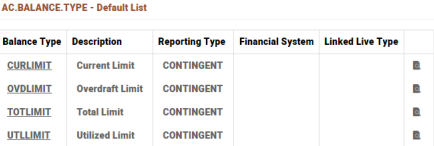
Limit Balances Based on Time Code
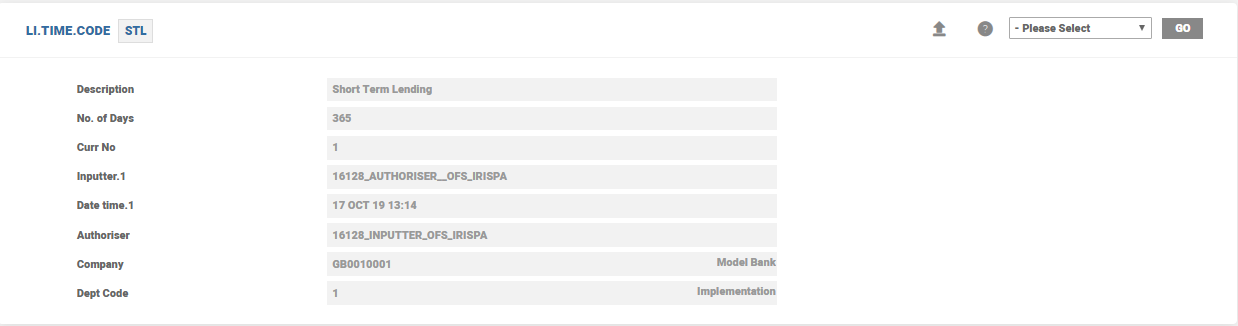
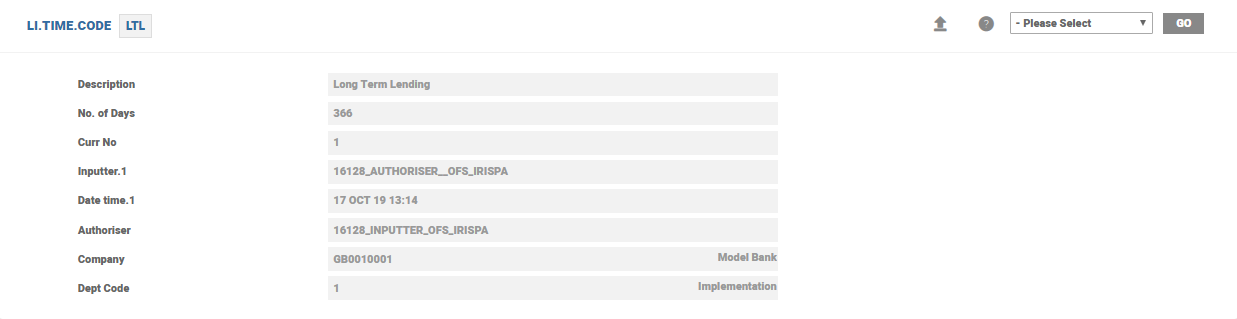
When a limit is allocated based on time code, the user can define the time code patterns required in LI.TIME.CODE. In the illustration, time codes based on the number of days as STL and LTL are used. Here, STL is Short Term with the number of days less than 365 days and LTL is Long Term with the number of days more than 365 days are created as illustrated below.
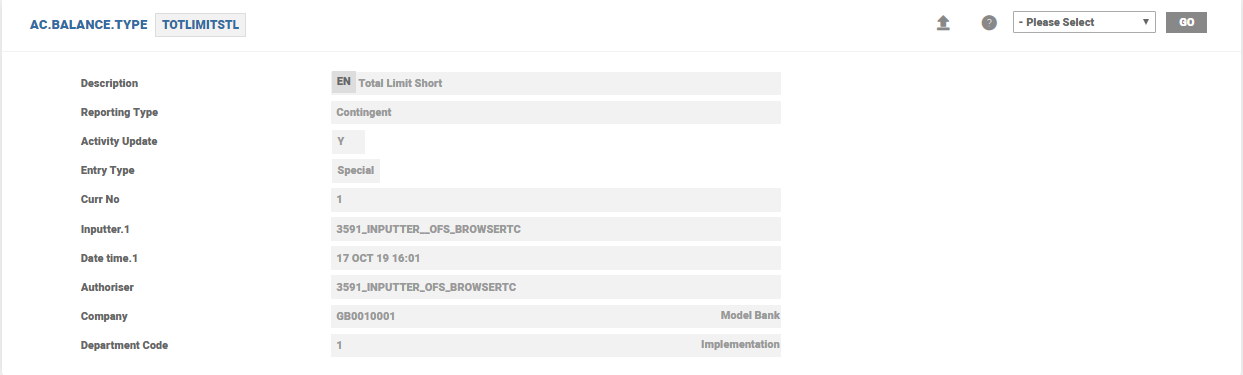
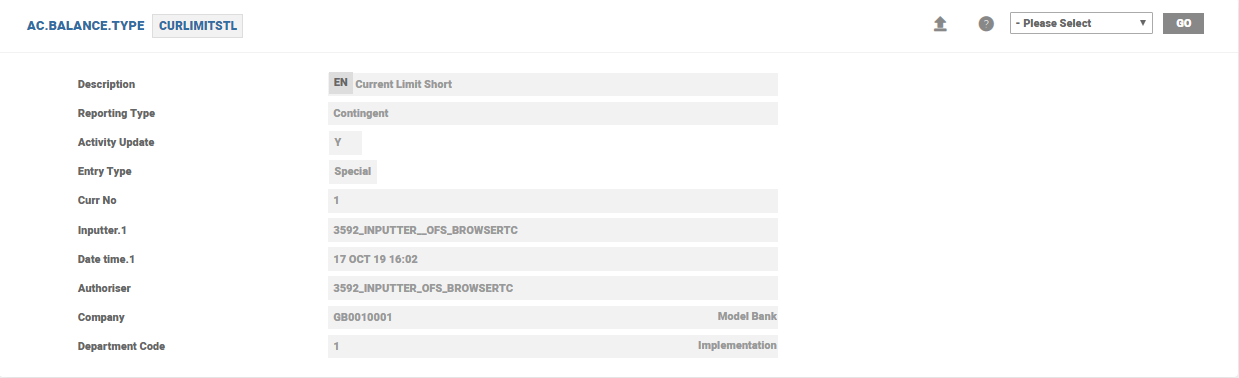
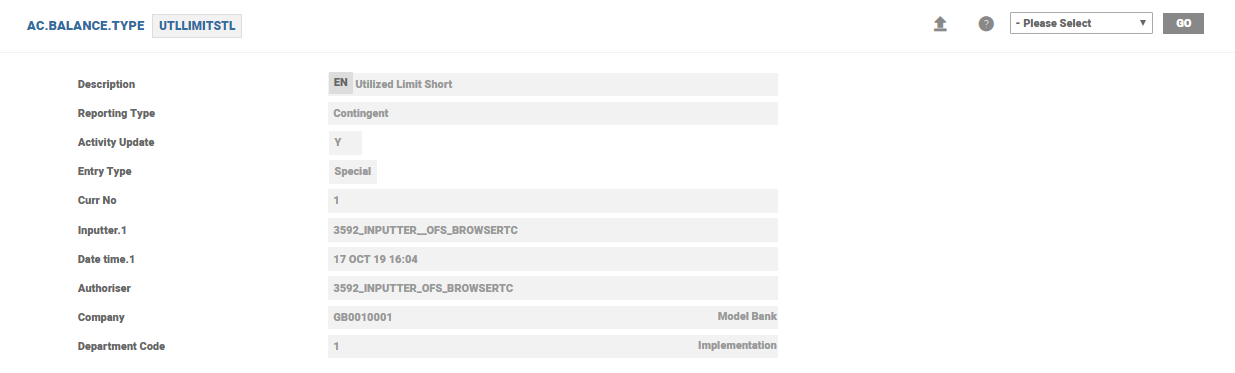
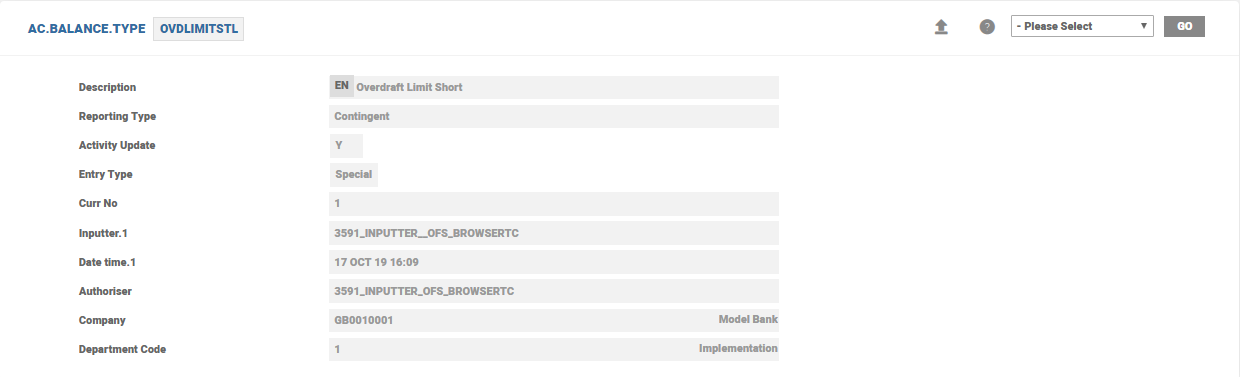
The AC.BALANCE.TYPE records have to be created for the respective time code, in this case for both STL and LTL time codes. The time code is suffixed to the limit balances to identify the respective balance on a given time code. For instance, STL time code has the following balance types.
| Prefixes | Limit Balance Type | STL time code Limit Balance |
|---|---|---|
| TOT | TOT<LIMIT> | TOT<LIMIT>STL |
| CUR | CUR<LIMIT> | CUR<LIMIT>STL |
| UTL | UTL<LIMIT> | UTL<LIMIT>STL |
| OVD | OVD<LIMIT> | OVD<LIMIT>STL |
 Limit Account
The limit account stores the limit balances. This account is indicated in the arrangement using the Charge Account (CHARGE.DEBIT.ACCOUNT) attribute of Limit Property Class.
Key features of Limit account are
- Account
- BALANCE.TREATMENT = “”
- On-Balance sheet account so interest and charges are calculated against the bank’s PL.
- EXTERNAL.POSTING = No
- This blocks any regular transaction being posted to the account.
- It is incorrect to set interest and charge of the account to capitalise. This is also avoided with this setting.
- BALANCE.TREATMENT = “”
- Payment Scehdule
- Interest and Charges Make Due or Pay
- Interest and Charges can only be set to Make Due or Pay and the system validates if there is a settlement account specified.
- Interest and Charges Make Due or Pay
- Interest
- The interest can be fixed or floating rate and tiered interest rates are possible too.
- It is possible to have level and band tiers for different tier amount and percentage.
- Different limit balances can act as source balances for levying interest, like interest on utilised amount, interest on unutilised amount. Tier Source Type and Tier Source Balance are used for indicating these values.
- If the Interest condition is defined using Upto Amount, Tier Source Type and Tier Source Balance are not required in the Product Designer
- The tier slabs for these interest calculations can also be defined in the Product Condition. The banks usually use the Total Limit to identify the tier slabs.
- Charge
- The charges can be flat, fixed or calculated charges with tier amounts.
- It is possible to have level and band tiers for different tier amount and percentage.
- Settlement
- Settled to a settlement account – An error is raised if the settlement account is not specified.
- This settlement account can be one of the accounts utilising the limit or not.
- Settled to a settlement account – An error is raised if the settlement account is not specified.
- Currency
- The designated account has to be in the same currency as of the limit. In case of different currency, the system throws a validation error , namely, Limit Currency does not match with Arrangement Currency.
- Closure
- It is not possible to close the limit account until it is de-linked from the arrangement account and the underlying limit is set to Expire. This is part of the AC.BLOCK.CLOSURE check for account closure.
Limit Types and Limit Accounts
Different limit types and accounts are detailed below.
Single Limits
In case of single limit definition, there is no necessity to include a charge account. It can be configured by setting Maintain Limit Balance to Yes. For such cases, the limit balances cannot be maintained on a separate account.
Shared Limit
In case of shared limit (multiple arrangements share the same limit), the Charge Account is indicated in the limit. This limit is attached to the arrangements that shares the limit.
Accounts Without Limits
For accounts without limits only a overdraft limit is maintained in the limit account indicated.
Secondary Limits
When the secondary limit is updated for an account, this restricts the availability of the limit for that account. (This feature is generally used in Shared Limits when one particular account should have a restricted usage of limit). When a shared limit is defined, this amount is treated as the limit amount to update the limit account balances.
Every transaction in the arrangement results in a balance movement as limit account. These balances are used for the purpose of charging the utilised, unutilised and overdraft limits.
Balance updates in these accounts are part of the COB through the LI.UPDATE.LIMIT.MOVEMENTS job. Ensure this job is part of the LI.EOD.LIMIT.MOVEMENTS batch. These run as part of the AA.SYSTEM.END.OF.DAY.
In this topic