Upgrading TAFJ
This section shows you how to upgrade TAFJ libraries in the existing area.
Procedure
- Download the latest TAFJ version (for example, TAFJ.DEV.PB201810.0.tar.gz).
- Unzip the file to your destination folder to extract the tar file.
- Unzip the tar file to extract the following files:
- Launch a command prompt (CMD) to set the following environmental variables:
- For 64 bit machines
- For 32 bit machines
- For TAFJ_HOME
- For ECLIPSE_HOME
- Run the Patch_TAFJ.release.bat file (here Patch_TAFJ.DEV201810.0.bat).
- Copy the TAFJJEE_EAR.ear file available in the directory TAFJ_HOME/appserver to the appserver folder available under deployments folder.
- Restart eclipse IDE to load the new jars.

SET JAVA_HOME=C:\WorkArea\DEV\Temenos\java\jdk
SET JAVA_HOME=C:\WorkArea\DEV\Temenos\java\jdk
Set TAFJ_HOME=C:\LocalArea\201810\TAFJ
SET ECLIPSE_HOME=C:\LocalArea\201810\TAFJ\ECLIPSE
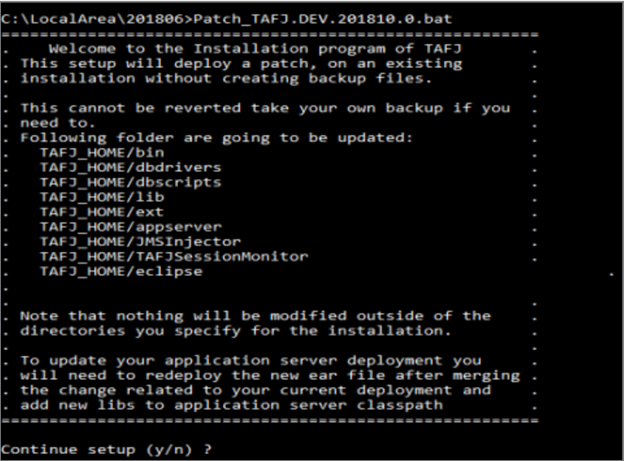
This step upgrades the relevant TAFJ folders with the latest libraries.
This TAFJ upgrade can happen in corresponding application servers and according to the Temenos Transact system stage (offline or online).
In this topic