Running the RUN.CONVERSION service
This section shows you how to run the conversions on the upgraded files or data items, so that you can use them in Temenos Transact. You can start the conversion process after authorizing the records available in CONVERSION.PGMS.
Procedure
- Login to Temenos Transact.
- Authorize RUN.CONVERSION and its associated TSA.WORKLOAD.PROFILE.
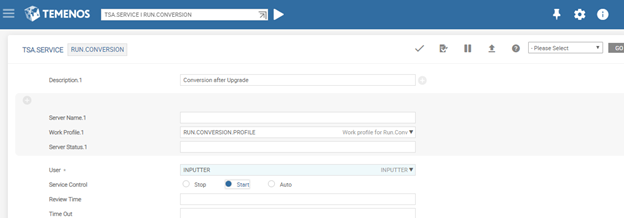
- Open the service manager and check if the service manager is running. The conversion process starts if the Service Control field is in Start status.
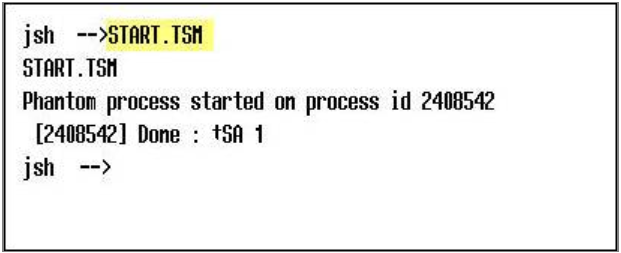
- Open jBase command prompt, if the service manager is not running.
- Start the service manager by running the START.TSM command.
- Open the &COMO& file to view the conversion details.
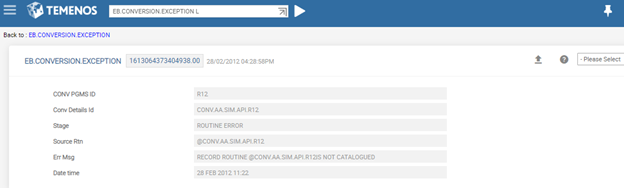
- Open EB.CONVERSION.EXCEPTION to check the conversion errors.
Benefit
The service based conversions uses the multi-threaded capabilities of Temenos Transact. This reduces the conversion time wherever applicable.
The conversion service also checks the CONVERSION.PGMS records for any pending conversions.
Field Name
|
Application/Table name
In this topic