Entity login
The user should be able to select the language preference and view the content of an entity selection and subsequent flow based on the selected language. User can view Terms and Conditions for each entity. User need to accept the terms and conditions against the entity. If the user has access to a single entity, it redirects to the dashboard page without displaying the entity selection screen.
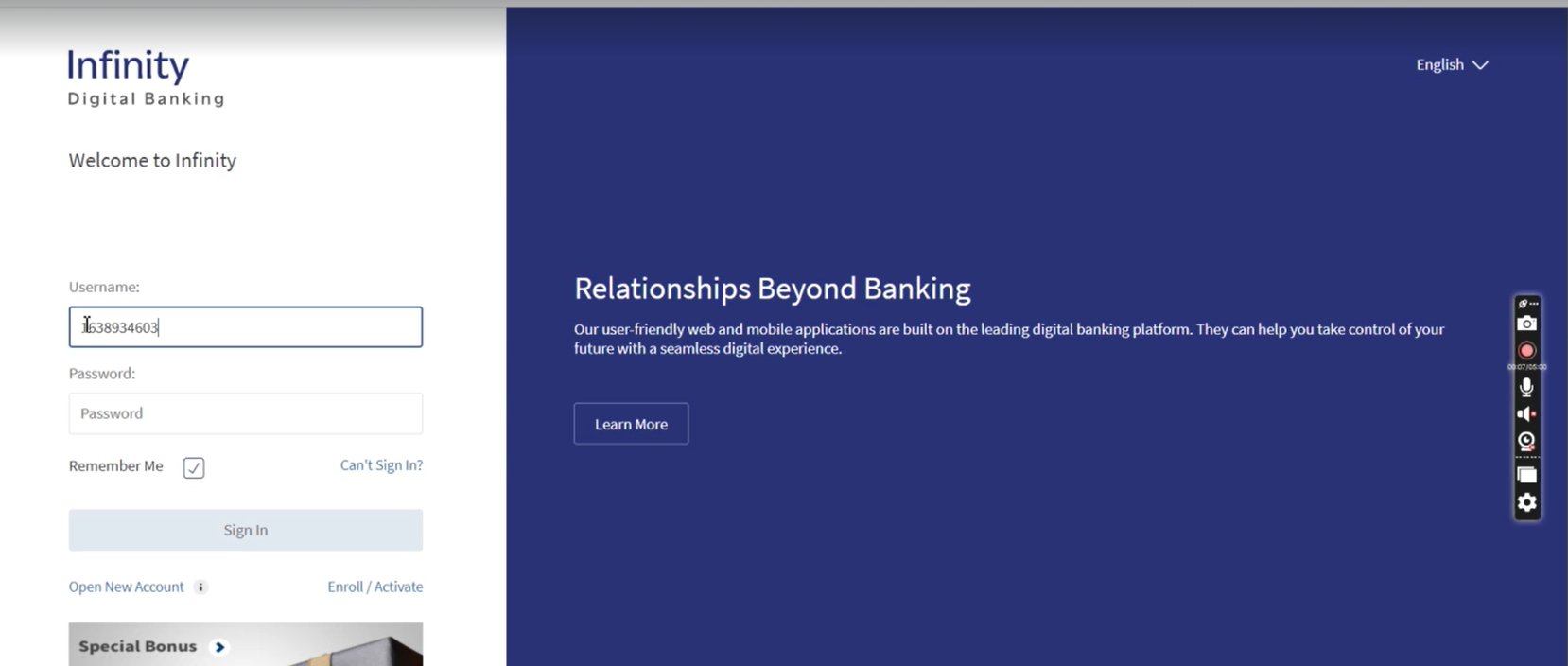
- Sign in to the Infinity Online Banking with your Username and Password.
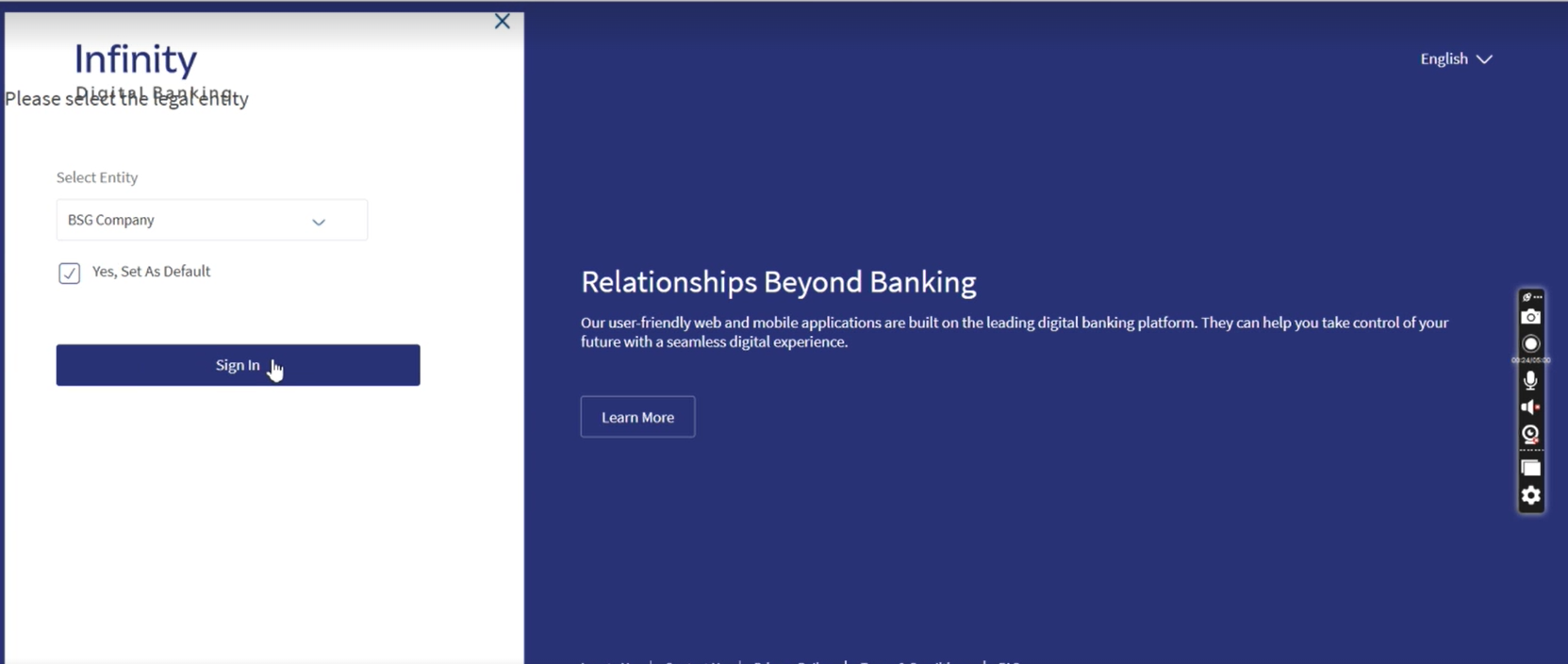
- Select the Entity from the drop-down and click Sign In. To set a default entity account check Yes, Set As Default.
- If the user has access to more than five entities, the Entity preferences tab provides a search and scroll option in the drop down across Entity selection, Switch entity, and Default Entity selection.
- The user must always choose the entity if set as default is not checked.
Post login Actions
After logging in, the user can select an entity by expanding the drop down menu. During the first-time login and settings to which the customer has access, users should be able to select the default entity from the several applicable entities. Furthermore, the Dashboard and Accounts Servicing modules should render and display based on the entity selected by the customer.
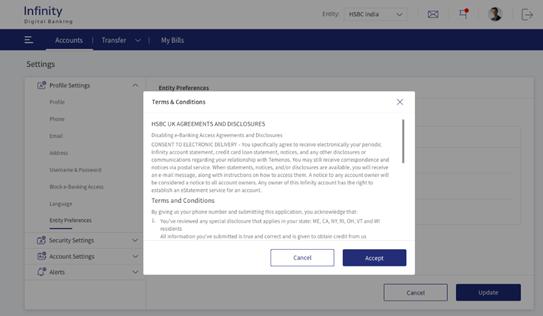
If the user is selecting any entity for the first time, the user needs to accept the Terms and Conditions.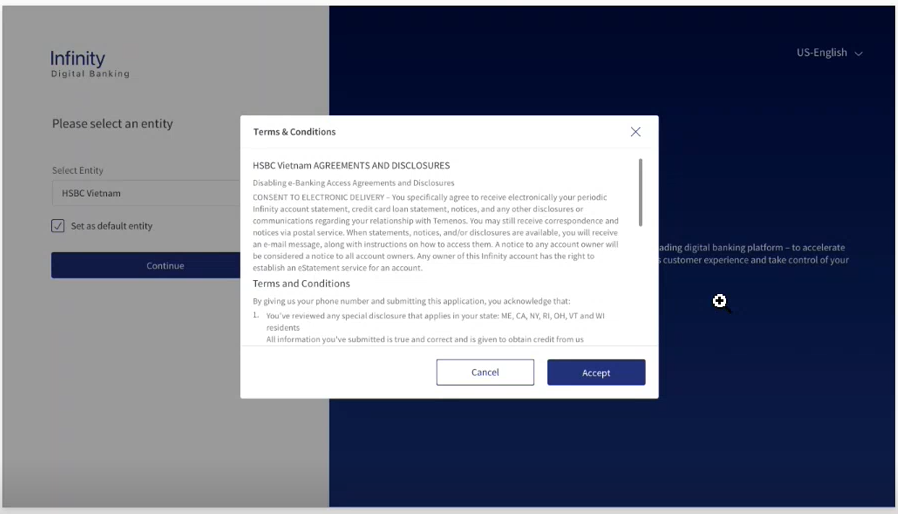
Update Default Entity Selection
Follow the steps to change the default entity:
- Navigate Setting>Profile Settings>Entity Preferences.
.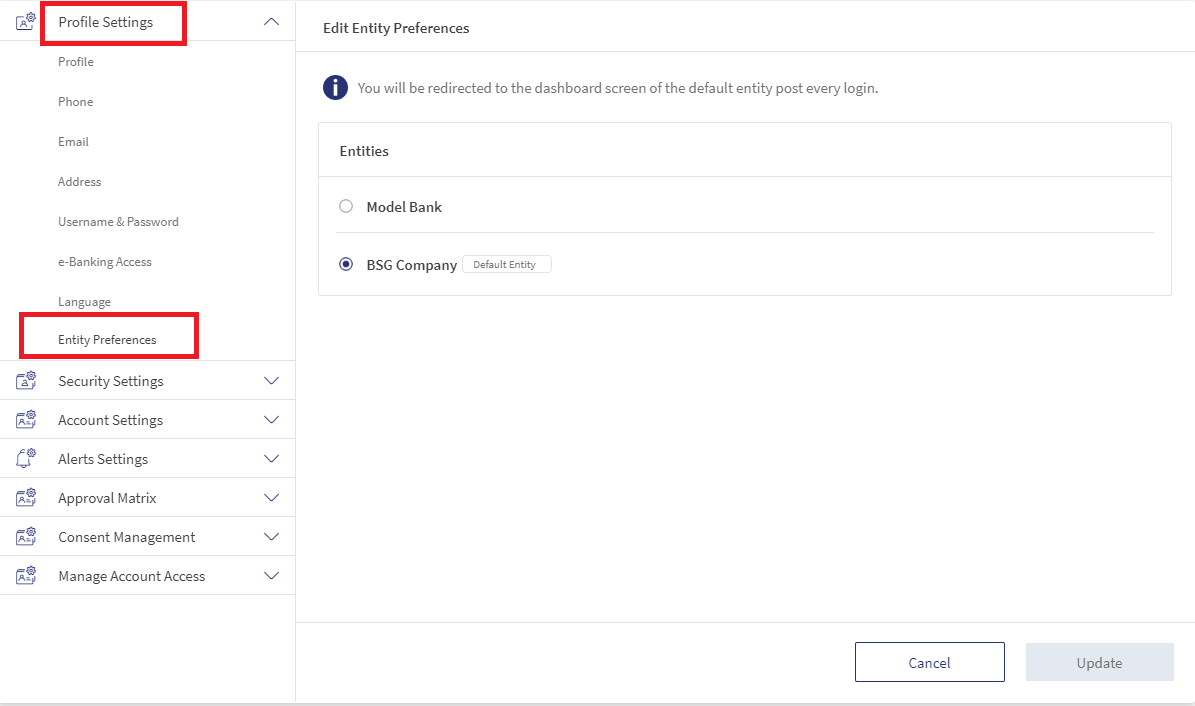
- Select entity from the available list.
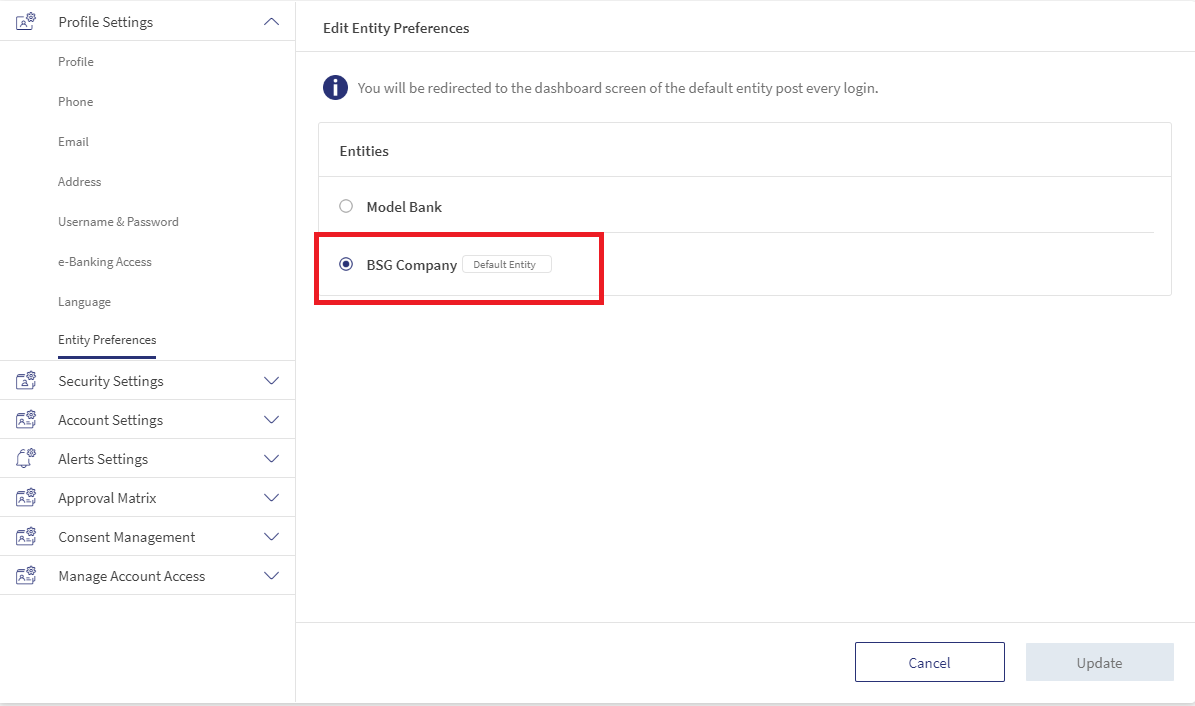
- Click Update. The default entity is updated.
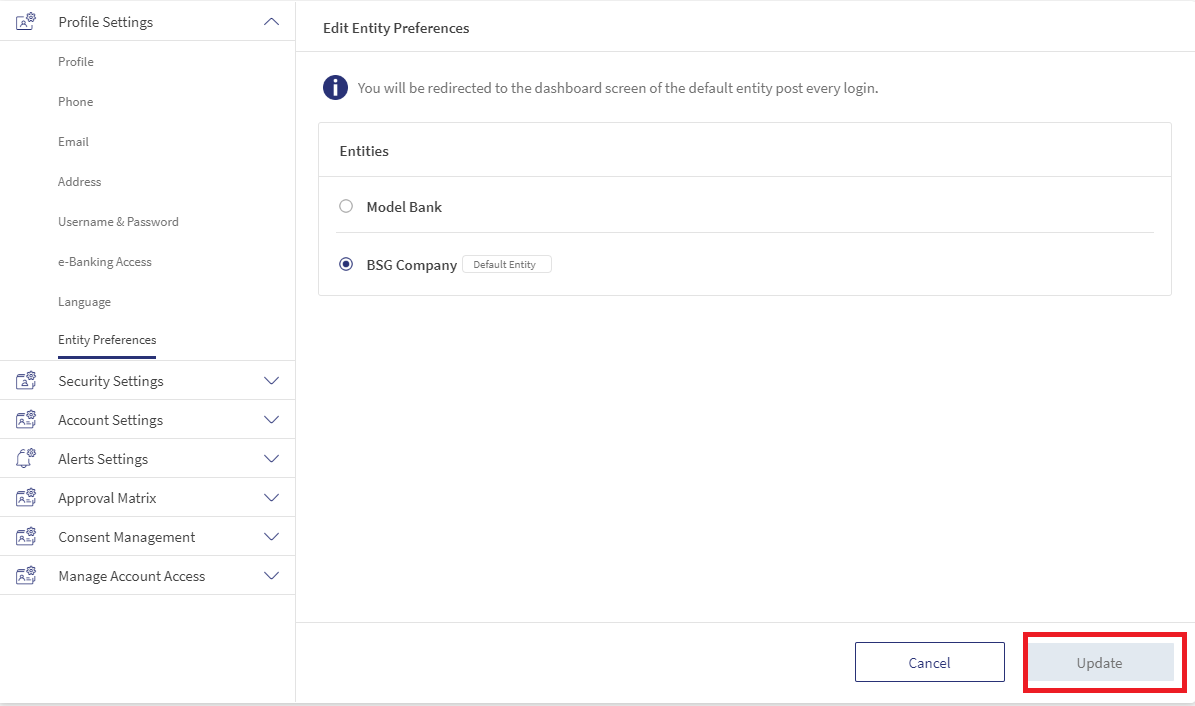
- If the user selects any entity as “Default” and has not accepted the Terms and conditions for that specific entity, the users must accept the “Terms & conditions” which appearsup on selection.
Entity Switching
The user with access to multiple entities has the option to switch entities in the web application. Use this Entity drop-down at the top of the screen to change entities.
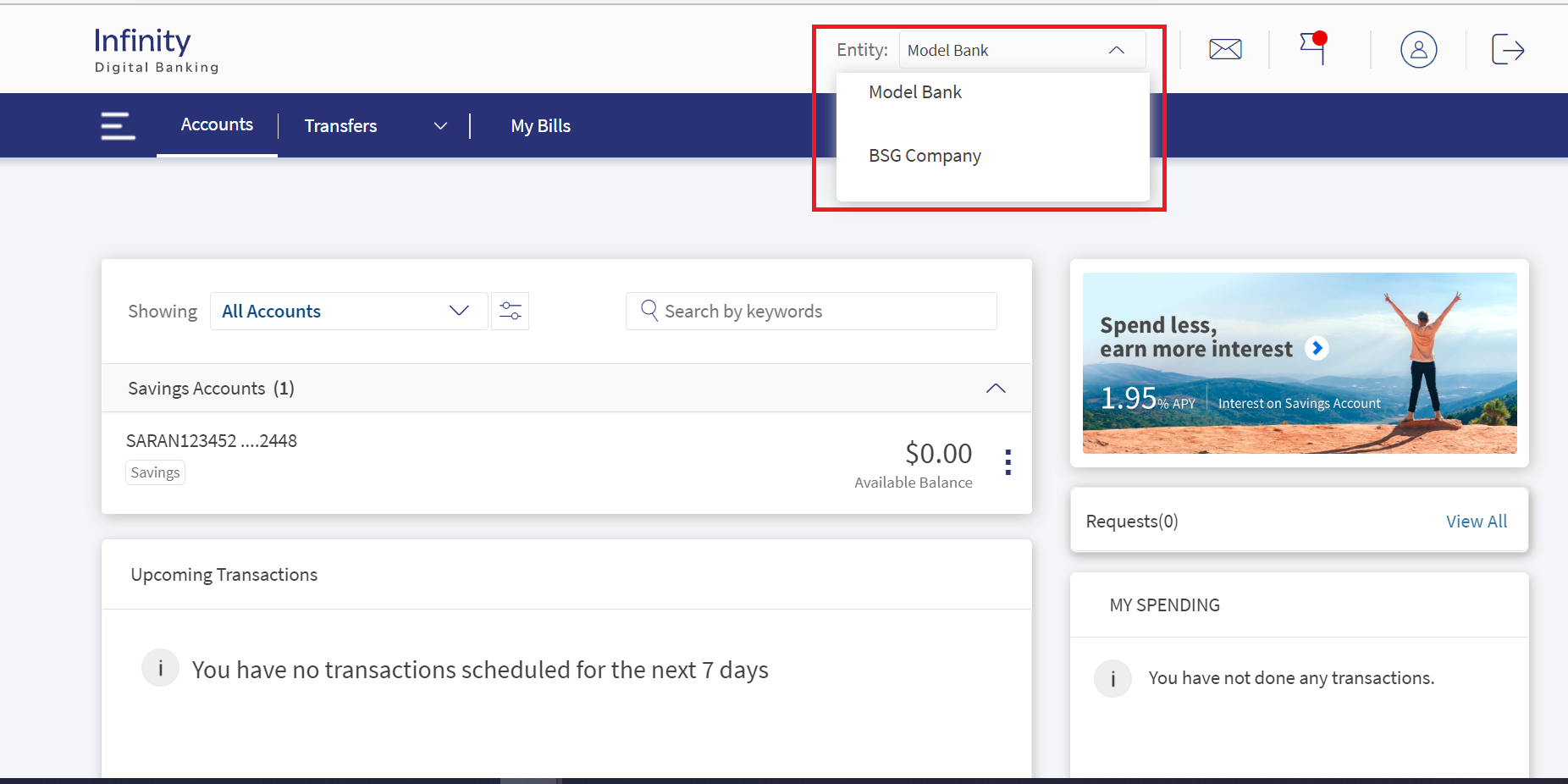
If the user switches to any entity via the Entity switch option and has not accepted the Terms & Conditions for that entity, the user must accept the "Terms & Conditions" that will appear upon selection.
In this topic