Trade Finance - Dashboard
The users with required permissions can see the dashboard page. This dashboard page is overview of all the Trade Finance products such as Letter of Credits, Bank Guarantees, and Collections with due dates, over dues, limit utilized in a single page view. The page also have analytical data, operational data to give insights to the user. There are separate widgets are available for Trade Finance functionality like Limits, Exchange rate, Amount payable, Amount receivable, Need Attention, and many more.
UX Overview
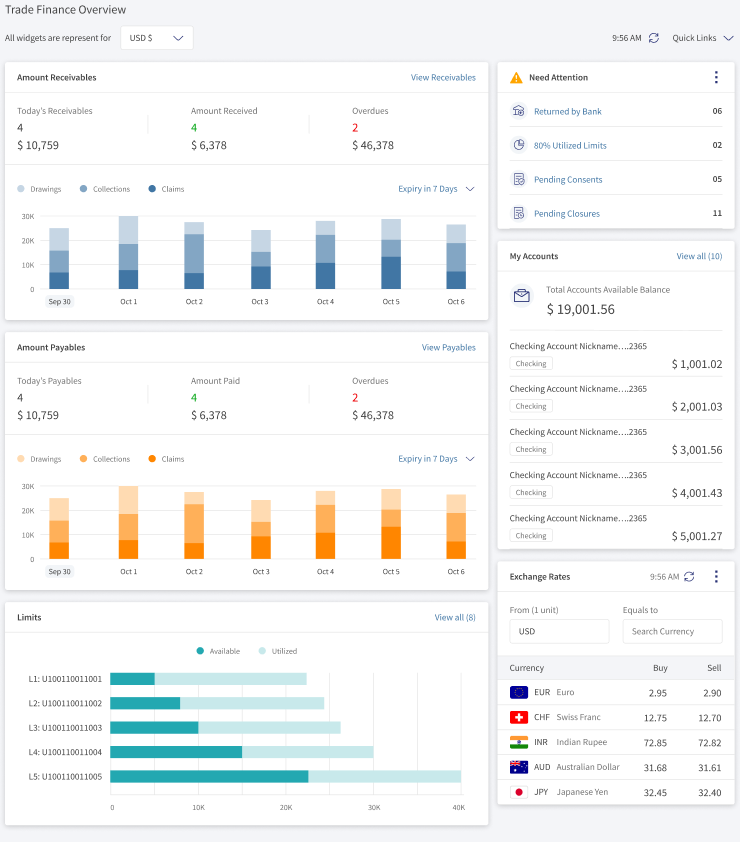
This dashboard has a total of three quick actions and six widgets for the user.
Quick Actions
The quick actions are available at the top of the dashboard and they are:
- Currency change – The user can change the currency of all widgets into available currencies. Use the drop-down to change the currency.

- Refresh – Use this to refresh the complete dashboard. This time displays the last refresh performed on the dashboard.

- Currency change – The user can change the currency of all widgets into available currencies. Use the drop-down to change the currency.
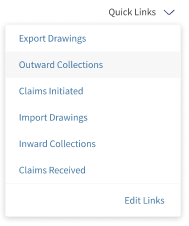
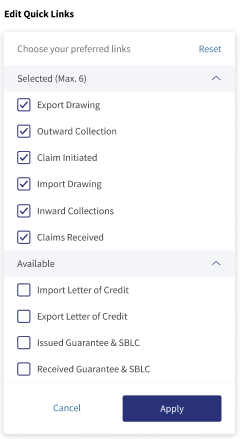
Widgets
The six widgets are:
Amount Receivables
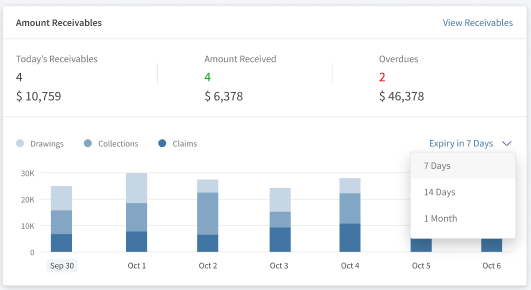
This is the summary of all the receivable money for the bank user. This widget combines of:
- The top section shows the summary details of Today’s receivable, Amount Paid, and Overdues.
- The bottom section displays the bar chart of Drawings, Collections, and Claims. Use the drop-down feature to change the details to see the upcoming 7 days, 14 days, and 1 month. Focus the mouse pointer on any of the bars, and the details of the bar are visible.
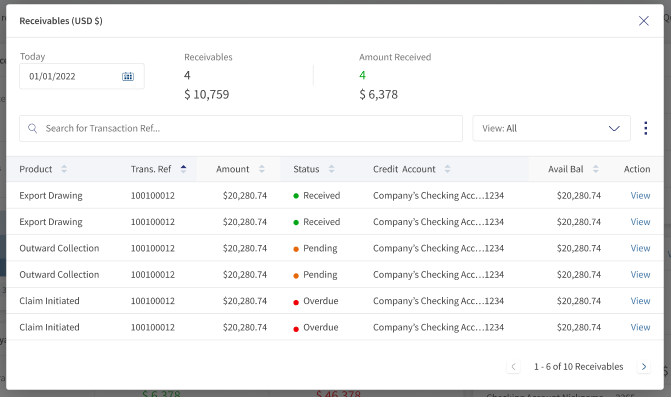
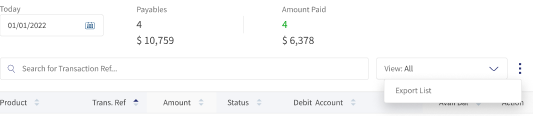
- View Receivables – On click of this, a window is appeared displaying the details of receivables for a particular day. Use the search and filter options to narrow the results. Click View to see more details of the record. The user can export the list of records for a particular date click ellipses beside the filter option.
Amount Payables
This is the summary of all the payable money for the bank user. This widget combines of:
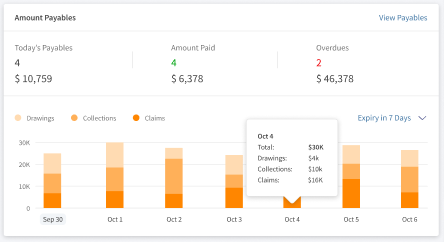
- The top section shows the summary details of Today’s Payables, Amount Paid, and Overdues.
- The bottom section displays the bar chart of Drawings, Collections, and Claims. Use the drop-down feature to change the details to see the upcoming 7 days, 14 days, and 1 month. Focus the mouse pointer on any of the bars, and the details of the bar are visible.
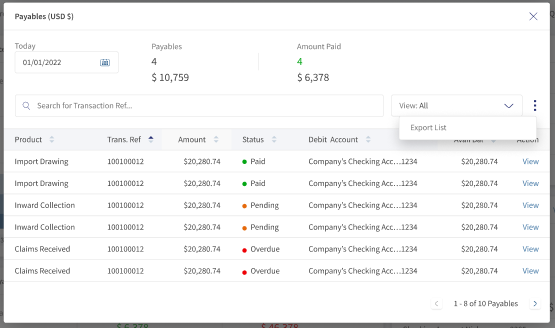
- View Payables – On click of this, a window is appeared displaying the details of payables for a particular day. Use the search and filter options to narrow the results. Click View to see more details of the record. The user can export the list of records for a particular date click ellipses beside the filter option.
Limits
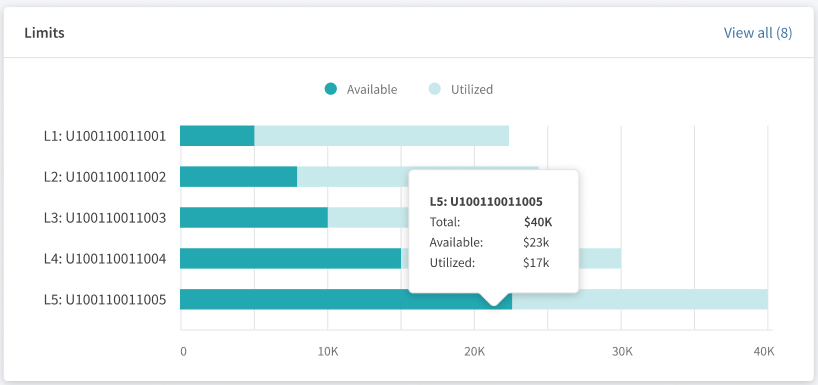
The Limits widget is the summary of all the accounts displaying the utilized and Available in the horizontal stacked bar chart. The widget displays only five limits. The user can see all the limits by clicking view at the top right. The bracketed number says the total number of limits available for the user.
Need Attention
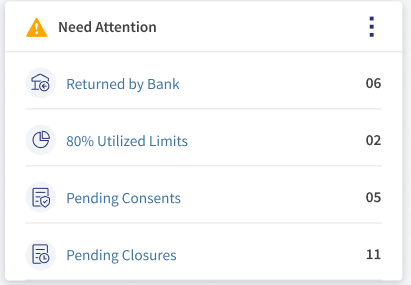
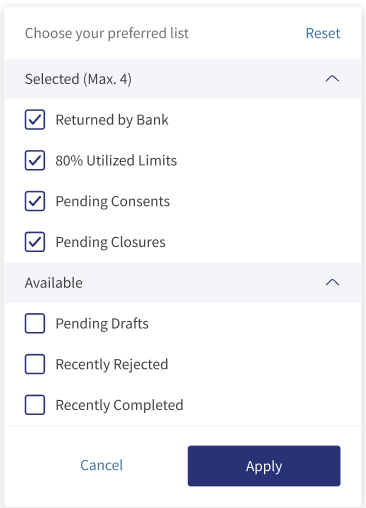
The Need Attention section is a quick link sections for the user actions which are most required. It shows four actions followed by a number. The number displays the total records for respective action. Click on the ellipsis to customize the actions as per the user. The available actions are:
- Returned by Bank
- 80% Limit Utilized
- Pending Consents
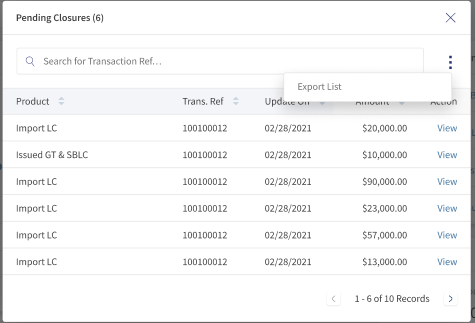
- Pending Closure
- Pending Drafts
- Recently Rejected
- Recently Completed.
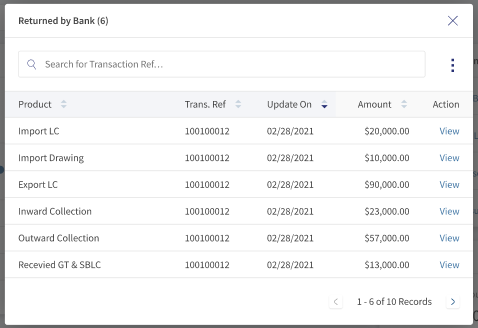
Each action opens a window and displays the record accordingly. Use the search to narrow down the results. To export the details, click ellipses > Export list. Use View option to see more details of the record.
My Accounts
This widget displays the total balance available in all accounts. The widget can display a maximum of five accounts. Click View All to see all the accounts with balances. The bracketed number displays the total number of accounts available for the user.
Exchange Rates
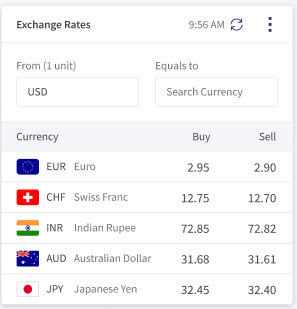
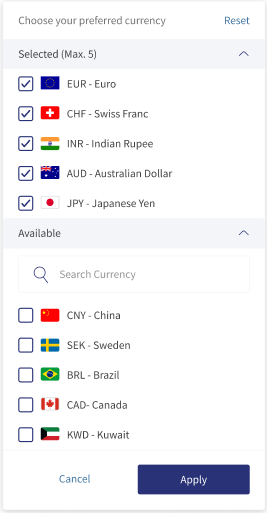
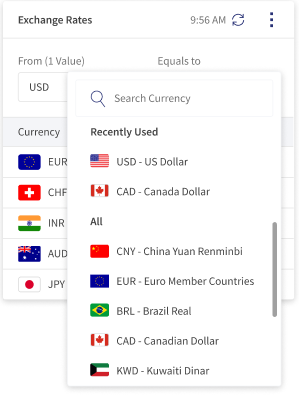
This widget is a currency converter tool. This widget populates the currencies with buy and sell rates with respect to the default selected currency. Use the search option to search for a currency. The refresh option at the top helps to get the latest currency rates. This widget displays a max of five currencies. The user can customize the currencies as per the availability.
Experience API
Following are the APIs for Dashboard Overview.
| Name | Description | Introduced In |
|---|---|---|
| FetchAllTradeDetails | This API retrieves all trade details. | 2023.01 |
| FetchPayables | This API retrieves all Payables details. | 2023.01 |
| FetchReceivables | This API retrieves all Receivables details. | 2023.01 |
| FetchTradeFinanceConfiguration | This API retrieves trade finance configurations. | 2023.01 |
| UpdateTradeFinanceConfiguration | This API updates trade finance configurations. | 2023.01 |
| CreateTradeFinanceConfiguration | This API creates trade finance configurations. | 2023.01 |
| Object Data Model | This Object Data Model describes the parameter name and other attribute details for Trade Finance. |
In this topic