Marketing Catalog Microservice - Helm Upgrade
This document explains the Helm upgrade commands used to set the new configuration changes in the existing helm chart.
The helm upgrade command can be used to upgrade a chart when a new version is made available or to modify the release's settings. An upgrade alters an existing release in accordance with the data you provide. Helm seeks to upgrade Kubernetes charts with the least amount of disruption possible because they can be enormous and complex. Only items that have changed since the previous release will be updated.
The following command helm upgrade <release-name> ./<path> -n <namespace> --set <env-variables> is used to update the configuration during run time without downtime.
For example: helm upgrade mcms ./svc -n marketingcatalog --set env.name=%ENV_NAME%
The Helm Upgrade and Rollback mechanism is only for changing environment variables in running Pods.
Follow the below steps to upgrade Helm.
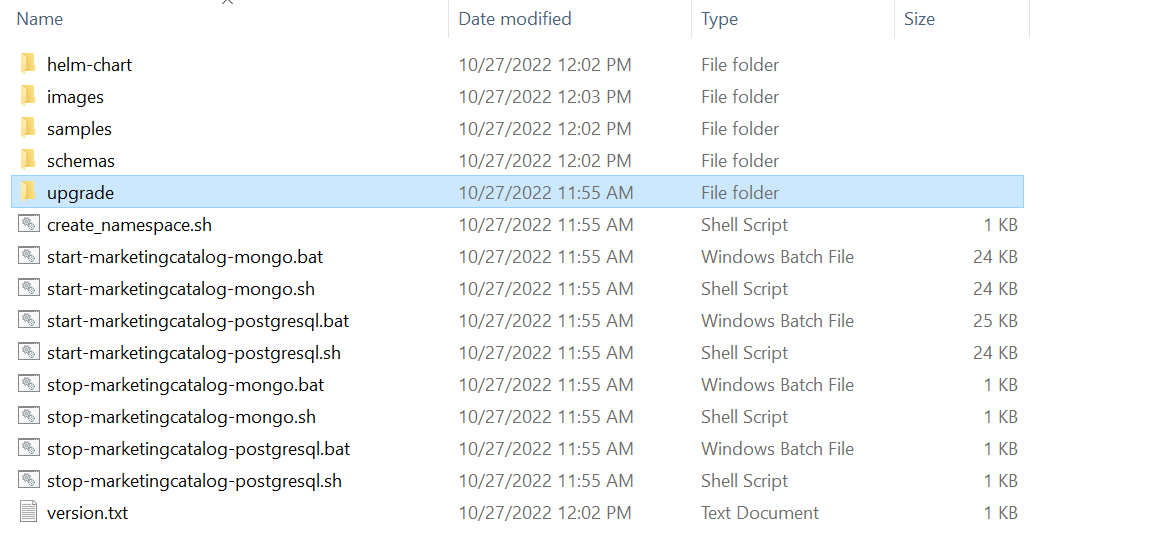
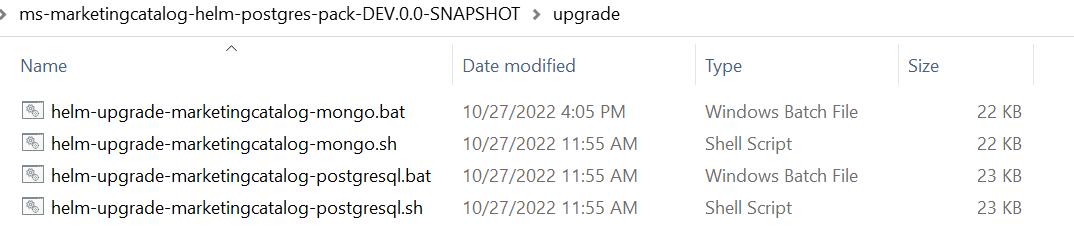
- Helm upgrade batch and shell scripts are available under the upgrade folder mcms\ms-marketingcatalog-package\ms-marketingcatalog-package-docker\target\ms-marketingcatalog-helm-postgres-pack-DEV.0.0-SNAPSHOT\upgrade
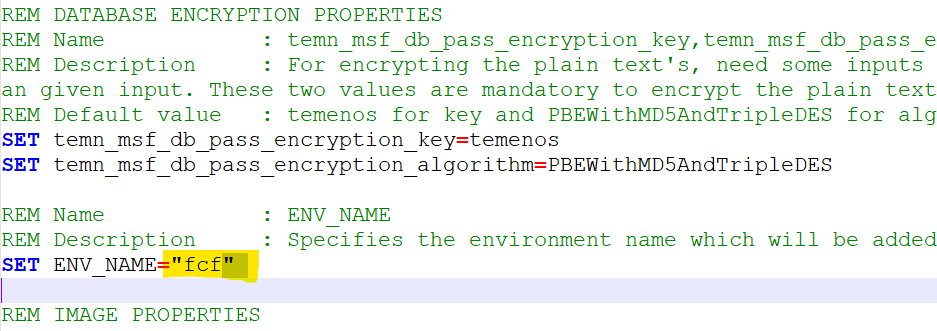
- Make the necessary changes in the helm upgrade script and save it. For example, the ENV-NAME can be updated.
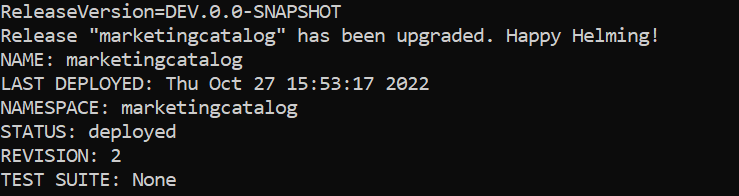
- Run the helm-upgrade script, now the deployment is updated with the new configuration change with zero downtime.
In this topic