K8 Stack
APP Init Feature:
App Init Feature is implemented in the respective microservices and the developer must configure based on the auto generated files from the framework. APP Init feature is developed mainly for K8 helm package and will get executed first at the starting time of microservices. The following steps must be followed to enable the APP Init feature in the K8 stack.
- Before addition of new appinit feature in nosql based microservices, remove the existing implemented dbinit feature from the microservices. Since dbinit feature is not database agnostic, replace dbinit feature with APP Init feature.
- APP Init file must be added inside the docker package.
Directory:
marketingcatalog\ms-marketingcatalog-package\ms-marketingcatalog-package-docker.

- Once this file is added and the build is completed, a folder called APP Init displays inside the app folder inside the target directory.
Directory :
ms-marketingcatalog-package-docker\target\ms-marketingcatalog-Docker\app
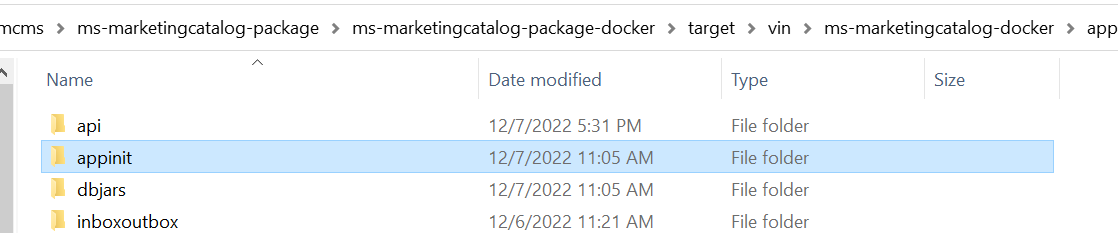
-
APP Init folder contains a folder called database and a Docker File. This database folder contains the installation and migration scripts.

- We can also see db-appinit-build.yml file getting packed inside the final package which will be used for generation of APP Init image during the execution time.
Directory:
\ms-marketingcatalog-package-docker\target\ms-marketingcatalog-Docker\ db-appinit-build.yml

- Inside the k8/on-premise directory called APP Init, it contains helm-chart, values.yml and config file for the execution of APP Init service will get packed automatically during the build time.
Directory:
\ms-marketingcatalog-package-docker\target\ms-marketingcatalog-Docker\ k8\on-premise\appint
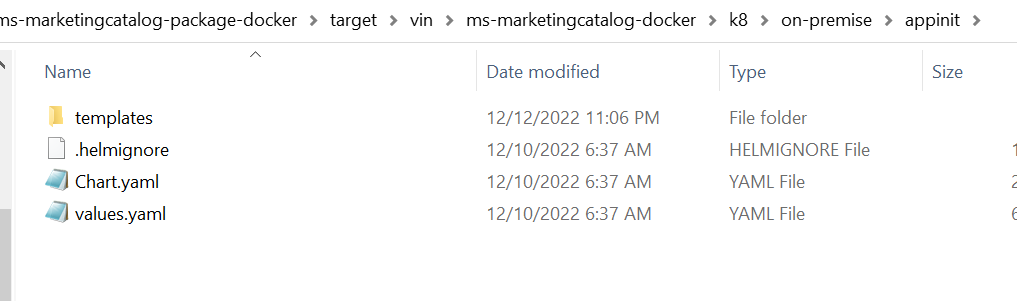
- Developer must add an entry for APP INIT_BASE_IMAGE variable in the K8.env file inside the config directory.
Directory:
\ms-marketingcatalog-package-docker\target\ms-marketingcatalog-Docker\config\K8.env

- In the build.bat file developer needs to call this generated db-appinit-build.yml file for the generation of the APP Init image for the application. Set the value for this variable APP INIT_SCRIPT_IMAGE in the bat file for APP Init image name.

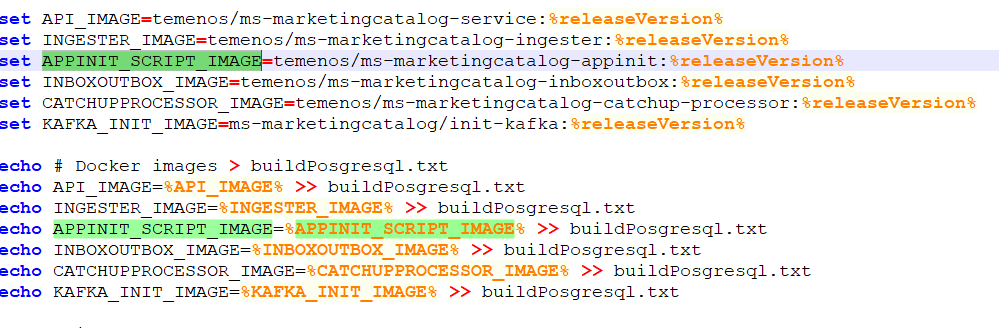
This appinit feature can be executed as an integrated pack and a standalone helm pack.
For execution of APP Init service developer needs to create a namespace and needs to pass environment variables as follows.
Mongo Execution :

database_key => mongo
database_Name => database name
db_Username => database username
db_Password => database password
tag => tag details for the image
APP_INIT_IMAGE => name of the appinit image
appinit.dbautoupgrade => It is an explicit upgrade parameter which needs to be passed as N if the execution is an fresh installation, and this needs to be passed as Y for migration time installation.
PostgreSQL Execution:

database_key => postgresql
database_Name => database name
db_Username => database username
db_Password => database password
tag => tag details for the image
db_Connection_Url => database cluster url as below.
After this service is executed, we can verify the database objects getting created in the database and also an entry in the schema_history table for the version.
In this topic