Multi-Deployment Support for K8 Deployment
The Multi-Deployment support allows the multiple deployments of K8 instances, which otherwise could have blocked the performance of some of the existing instances running. In other words, multi-deployment support in K8 enables the execution of multiple API and Database Pods independently.
To achieve this, prefix the environment name variable to the existing pod names in the appropriate name space. Using the environment variable set, the pods initialize and execute with the modified name.
Following are the steps to use the Multi-Deployment feature:
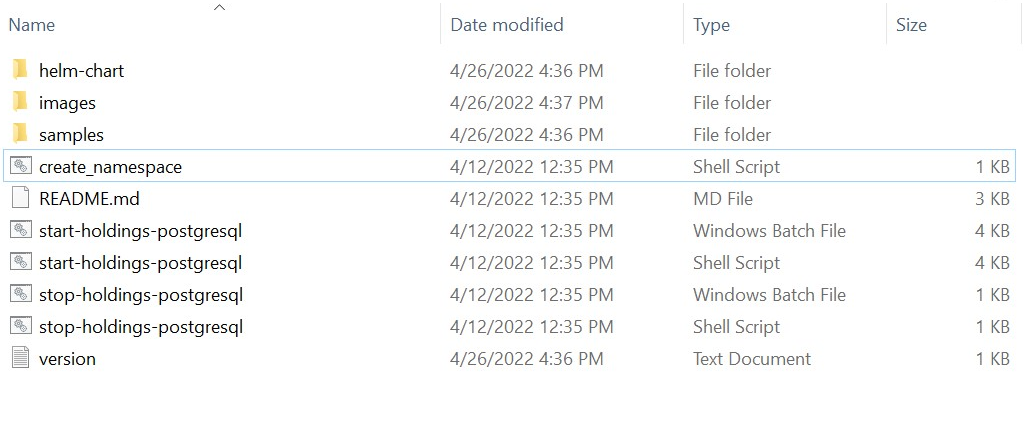
- Navigate to the Holdings Helm Package folder.
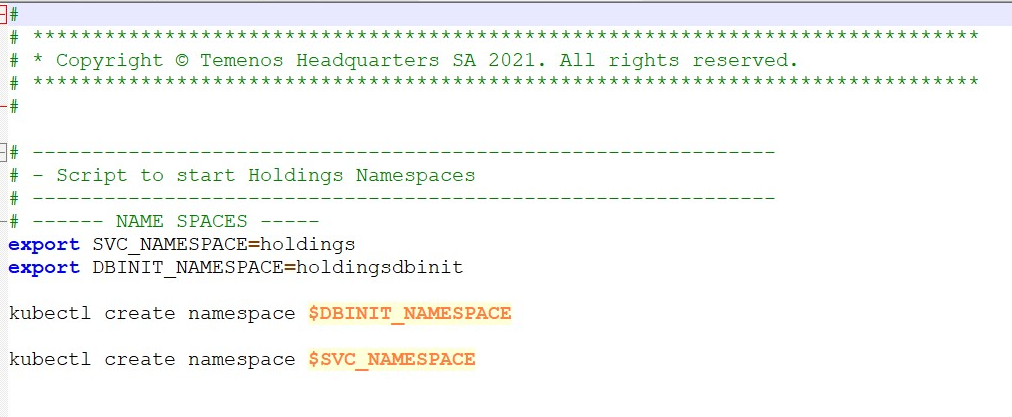
- Open the create_namespace.sh script and specify the name spaces used during K8 deployment.
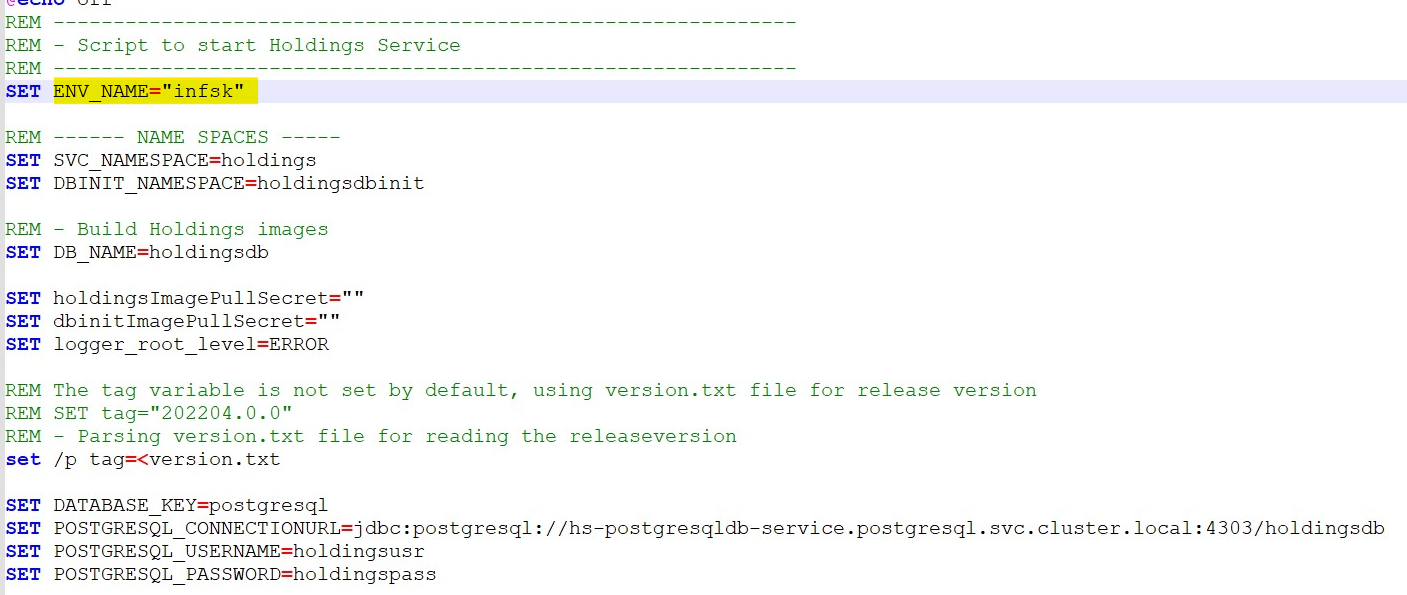
- Open the required start-up script for deployment and set the ENV_NAME property as the environment name for multi-deployment.
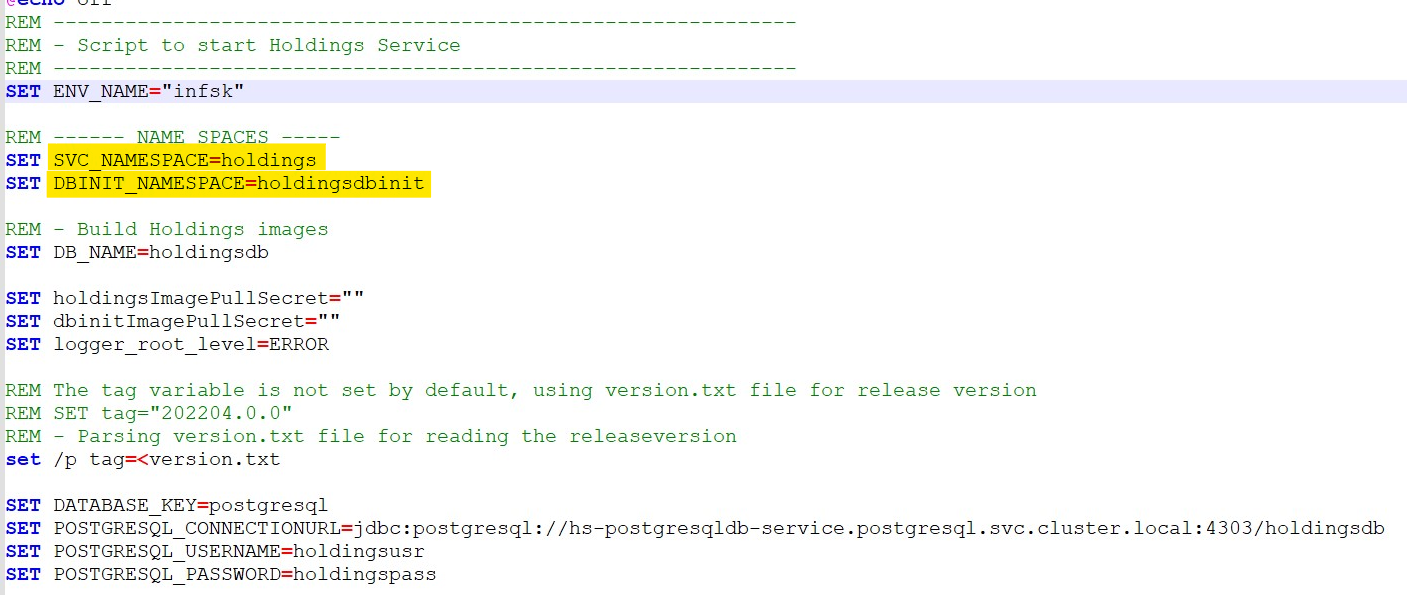
- Similarly, edit the name space names in the start-up script.
- Execute the start-up script to start the deployment activity.
- After the deployment, to view the name space changes, execute the command kubectl get all -n <namespace> to list down all the resources present in the name space.

In the above screenshot, its confirm that the environment name "infsk" is added to the pods and services name. Hence, the APIs can be triggered and evaluated.Following is the structure of API's URL,
Base Path: ttp://<IP_ADDRESS>:<PORT>/<context-root>/api/<version>/
For Example: http://localhost:8304/ms-consent-api/api/v1.0.0/
The resource path of the endpoint can be found in the swagger document.
In this topic