Azure Kubernetes Service
The Azure Kubernetes Service (AKS) enables speedy cluster deployment and management.
Prerequisites
The following applications are pre-installed in the system.
- Active Azure account. The Azure subscription includes the following resources: storage, compute, networking, and container service.
- Cygwin, Helm, and Azure CLI.
- The Kubernetes command-line tool kubectl.
Deployment Artefacts
Holdings Microservices for Azure Kubernetes Service(AKS) deployment is available as a single release bundle (For example, ms-holdings-helm-postgres-pack-XXX.zip). 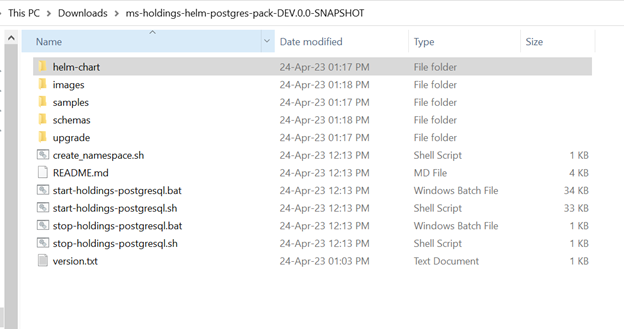
The images are available in the path ms-holdings-helm-postgres-pack-XXX\images.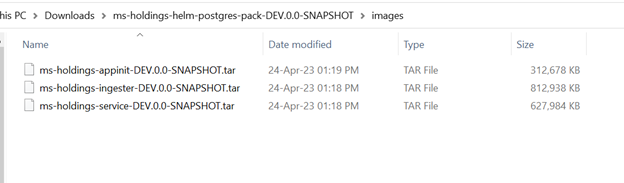
The AKS scripts to run and build images are available in the path ms-holdings-helm-postgres-pack-XXX\helm-chart.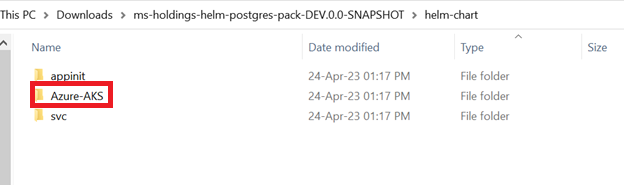
Use the script AKS-helm-install.sh/AKS-helm-postgres-install.sh to deploy the AKS. Use the script AKS-helm-uninstall.sh/AKS-helm-postgres-uninstall.sh to stop and remove the setup for AKS.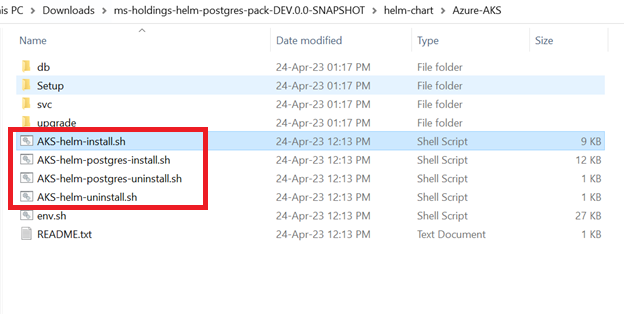
The setup folder contains all the necessary files that help in the creation of Resource Group AKS Cluster, ACR, Storage account, storage secret, event hub, and event hub topics.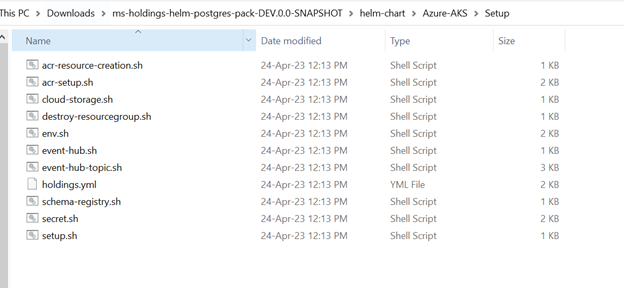
Usage of Setup files
The following is the usage of each file inside the setup folder(ms-holdings-helm-postgres-pack-XXX\helm-chart\Azure-AKS\Setup).
| S. No | File Name | Uses |
|---|---|---|
| 1 | acr-resource-creation.sh |
|
| 2 | secret.sh |
|
| 3 | acr-setup.sh | This pulls the images from local and pull them to the Azure container registry. |
| 4 | event-hub.sh (Optional) | This helps to create an event hub namespace for Kafka. |
| 5 | event-hub-topic.sh (Optional) |
|
| 6 | schema-registry.sh (Optional) | The Azure Schema Registry is a feature of Event Hubs, which provides a central repository for schema documents for event-driven and messaging-centric applications. |
| 7 | Cloud-storage.sh(Optional) |
|
| 8 | destroy-resourcegroup.sh | This destroys the resource group created. |
| 9 | setup.sh | This calls all the shell scripts created in the .sh folder helm pack. |
| 10 | env.sh | This file will contain all the variable references which are used in the above files. |
Usage of yml files
These yaml helps us to run pods and services for Holdings MS. The configurations is in the path helm-chart\svc\templates\svc.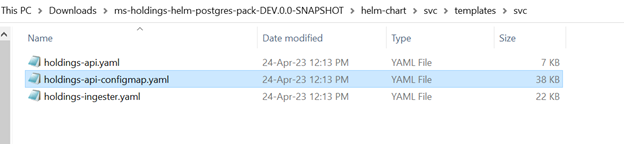
In this topic