Database Upgradability
The Database Upgrade transforms an existing database schema to an updated version. The Database upgrade supports the following operations:
- Adding new collections
- Adding new fields to the existing collection
- Adding indexes to fields of collection
The database upgrade feature is executed in the Microservice framework in diverse ways based on the user requirements. This is implemented in all the stacks K8 , Azure, and AWS.
The APPINIT component is introduced by MSF to support database upgradability. If the MS is a new installation for the client, the APPINIT component helps in creating the tables in the database.
The Following are the versions from which the upgrade is supported to 202301 and higher versions.
- 202110-202301
- 202204-202301
- 202207-202301
- 202210-202301
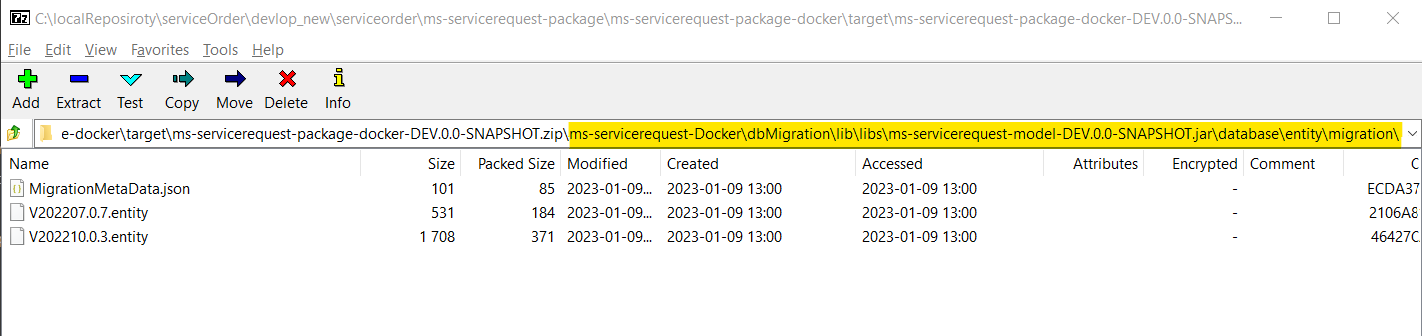
The client can upgrade from 202110, 202204, 202207, and 202210 to 202301 and higher versions. All the scripts which help in database upgrades are committed to the source and will be available as part of the package under the database/ scripts/ migration folder.
Azure
A new function app is introduced for APPINIT. Following URL is invoked to run the API in the function app and this upgrades the database.
https://${APPINIT_NAME}.azurewebsites.net/api/v1.0.0/dbmigration?code=${MASTER_KEY}
The following properties are mandatory properties that are to be set for the function app.
 PostgreSQL DB
--settings POSTGRESQL_CONNECTIONURL="${DATABASE_CONNECTIONURL}" POSTGRESQL_USERNAME="${DATABASE_USERNAME_WITH_HOST}" POSTGRESQL_PASSWORD="${DATABASE_PASSWORD}" DATABASE_KEY="${DATABASE_KEY}" temn_msf_name="${MSF_NAME}" temn_msf_exec_env="${EXECUTION_ENVIRONMENT}" DATABASE_NAME="${DB_NAME}" class_package_name="${DATAPROTECTION_CLASS_PACKAGE_NAME}" tem_msf_disableInbox="${TEM_APPINIT_DISABLEINBOX}" temn_msf_security_authz_enabled="${APPINIT_AUTHZ_ENABLED}" temn_msf_database_auto_upgrade="${DB_AUTO_UPGRADE}"
Mongo DB
--settings MONGODB_DBNAME="${MONGODB_DBNAME}" MONGODB_CONNECTIONSTR="${MONGODB_CONNECTIONSTR}" DATABASE_KEY="${DATABASE_KEY}" temn_msf_name="${MSF_NAME}" temn_msf_exec_env="${EXECUTION_ENVIRONMENT}" DATABASE_NAME="${MONGODB_DBNAME}" class_package_name="${DATAPROTECTION_CLASS_PACKAGE_NAME}" tem_msf_disableInbox="${TEM_APPINIT_DISABLEINBOX}" temn_msf_security_authz_enabled="${APPINIT_AUTHZ_ENABLED}" temn_msf_database_auto_upgrade="${DB_AUTO_UPGRADE}"
AWS
Lambda function and API Gateway for srms-appinit-initiate and srms-appinit-getstatus are created for APPINIT. The following API is invoked to upgrade database
https://${restAPIId}.execute-api.$AWS_REGION.amazonaws.com/ms-servicerequest-api/v1.0.0/migration -H "x-api-key: ${API_KEY}"
The following properties are to be set for the Lamda functions.
PostgreSQL DB
--environment Variables=\{ temn_msf_name=${MSF_NAME},DATABASE_KEY=postgresql,POSTGRESQL_CONNECTIONURL=jdbc:postgresql://${host}:${port}/${dbname},POSTGRESQL_USERNAME=${username},POSTGRESQL_PASSWORD=${DB_PASSWORD},class_inbox_dao=com.temenos.microservice.framework.core.inbox.InboxDaoImpl,class_outbox_dao=com.temenos.microservice.framework.core.outbox.OutboxDaoImpl,temn_msf_security_authz_enabled=false,temn_msf_stream_vendor=${STREAM_VENDOR},temn_entitlement_service_enabled=false,tem_msf_disableInbox=true,temn_msf_database_auto_upgrade=N,className_initiateDbMigration=com.temenos.microservice.framework.dbmigration.core.InitiateDbMigrationImpl\}
Dynamo DB
--environment Variables=\{temn_msf_name=${MSF_NAME},DATABASE_KEY=dynamodb,class_inbox_dao=com.temenos.microservice.framework.core.inbox.InboxDaoImpl,class_outbox_dao=com.temenos.microservice.framework.core.outbox.OutboxDaoImpl,temn_msf_security_authz_enabled=false,temn_msf_stream_vendor=${STREAM_VENDOR},temn_entitlement_service_enabled=false,tem_msf_disableInbox=true,temn_msf_database_auto_upgrade=N,className_initiateDbMigration=com.temenos.microservice.framework.dbmigration.core.InitiateDbMigrationImpl\}
K8
In the K8 Deployment Scripts, the APPINIT component is to be installed. To install the component, the following properties need to be configured in the helm job.
Configure Properties in Helm Job
env:
  - name: database. Key
    value: {{ .Values.env.appinit.databaseKey }}
  - name: database.name
    value: {{ .Values.env.appinit.databaseName }}
  - name: db.connection.url
    value: {{ .Values.env.appinit.dbConnectionUrl }}
  - name: db.auto.upgrade
    value: {{ .Values.env.appinit.dbautoupgrade | quote }}
  - name: temn.msf.logger.exportType
    value: {{ .Values.env.appinit.exportType }}
  - name: temn.msf.logger.socketHost
    value: {{ .Values.env.appinit.socketHost | quote }}
  - name: temn.msf.logger.socketPort
    value: {{ .Values.env.appinit.socketPort | quote }}
{{- if and (eq .Values.env.dbcred "Y") (eq .Values.env.appinit.databaseKey "postgresql") }}
  - name: db.username
    valueFrom:
      secretKeyRef:
        name: appinitsecret
        key: POSTGRES_USER_NAME
  - name: db.password
    valueFrom:
      secretKeyRef:
        name: appinitsecret
        key: POSTGRES_PASSWORD
{{- else if and (eq .Values.env.dbcred "Y") (eq .Values.env.appinit.databaseKey "mongodb") }}
  - name: db.username
    valueFrom:
      secretKeyRef:
        name: appinitsecret
        key: MONGO_USER_NAME
  - name: db.password
    valueFrom:
      secretKeyRef:
        name: appinitsecret
        key: MONGO_PASSWORD
{{ else }}
  - name: db.username
    value: {{ .Values.env.appinit.dbUserName }}
  - name: db.password
    value: {{ .Values.env.appinit.dbPassword }}
{{- end }}
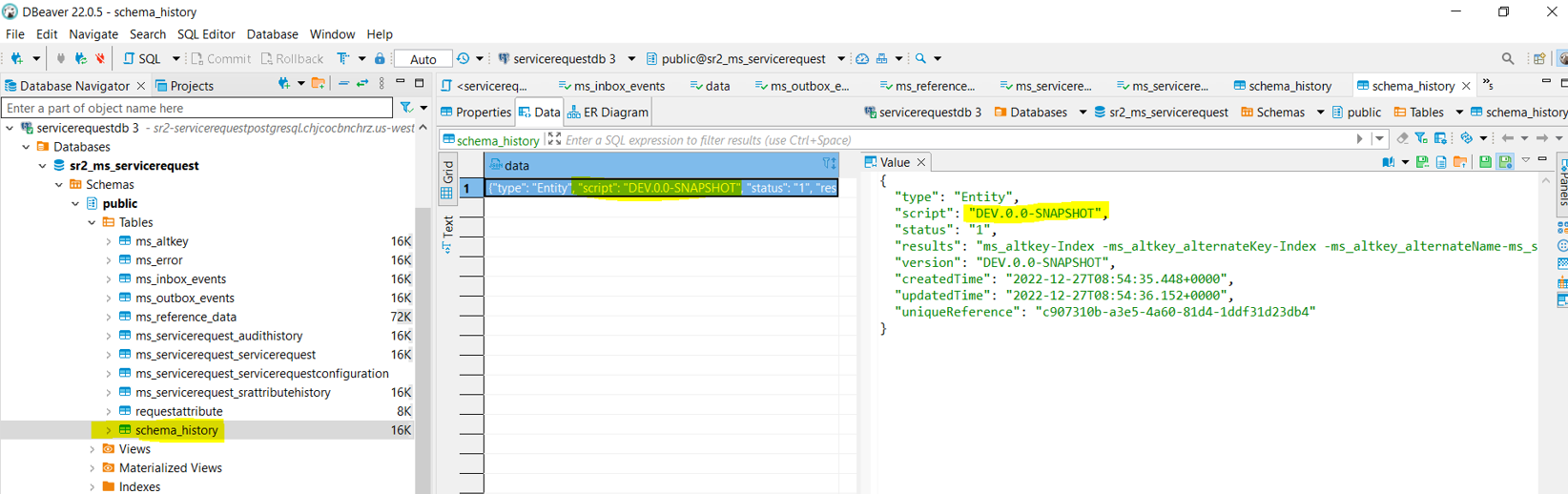
- For new installation temn_msf_database_auto_upgrade should be N in the install scripts. After successful execution of install scripts, one entry for install script execution is visible in schema_history table.
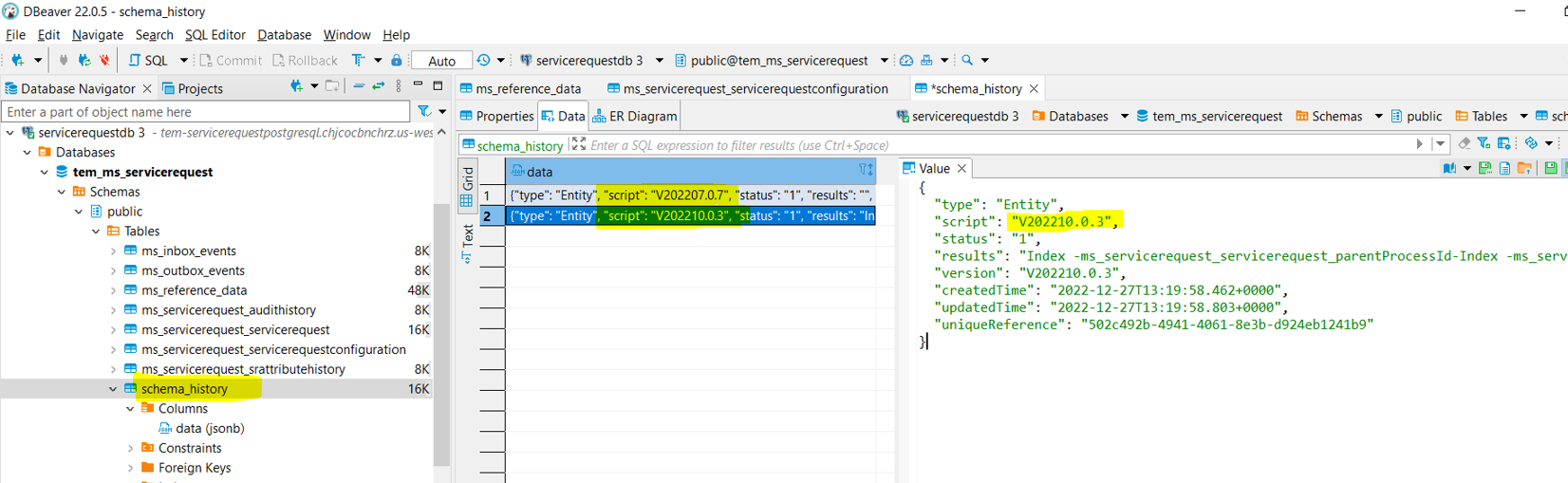
- To upgrade the database temn_msf_database_auto_upgrade should be Y in the install scripts. After successful execution of install scripts, migration scripts execution entry is visible in schema_history table.
In this topic