Admin Approval Flow
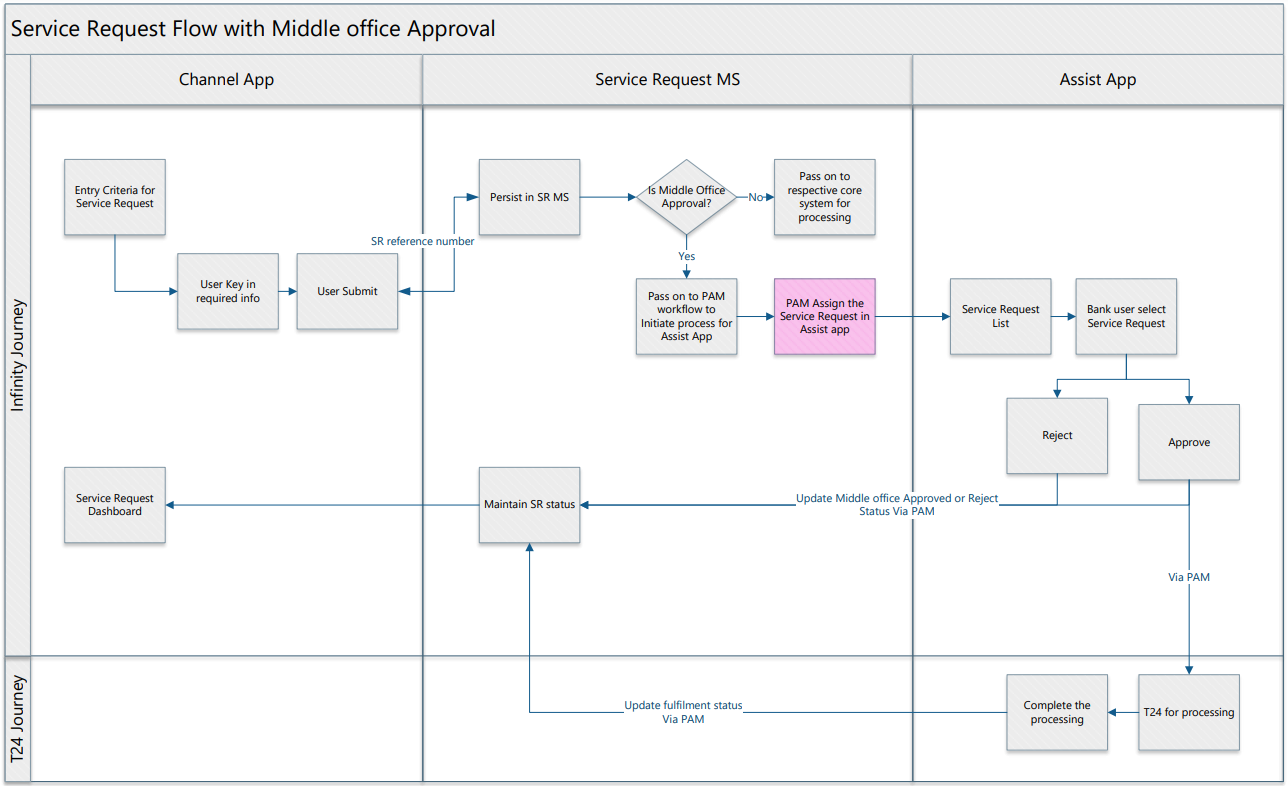
Service Request Microservice offers middle office approval flow. The admin approval flow allows you to create a service request, which needs to be approved by the bank users before it gets processed. Only on approval the service request is processed. It also facilitates you to withdraw or reject the service request if required.
Execution Flow
To execute the admin approval flow, we need to:
- Create a Service Request for the Admin Approval Flow.
Enable the adminApprovalRequired check-box in the Service Request Configuration to allow the Admin Approval Flow for a Service Request.
- In the Service Request Configuration, if the endPointCommandName is blank, then the SRMS status “Request Captured” gets stored in SRMS DB, which is the end of the life cycle for a particular Service Request.
- If the endPointCommandName contains the value, then the SRMS gets stored as “Admin Approval Pending” and emits an event from the ms-servicerequest-outbox.
- Based on "ChangeRepaymentAccount" configuration ID, a Service request is created.
- On creation, the event gets stored in the ms-servicerequest-outbox.
- The inboxOutboxProcessor selects the events from the ms-servicerequest-outbox and gets stored in the ms-eventstore-inbox-topic.
- The Eventstore MS selects the event from ms-eventstore-inbox-topic and pushes an event in ms-servicerequest-event-topic. The Adapter MS hits the endpoint (configured in Generic Config MS) to initiate the PAM workflow.
- In Infinity Assist, the SRMS can either approve or reject the API's.
- After the Final Approval (“signatoryApproved”: “true”), a backendEndpoint fetches the data and the response gets stored in the backend, and the status gets updated in the SRMS database.
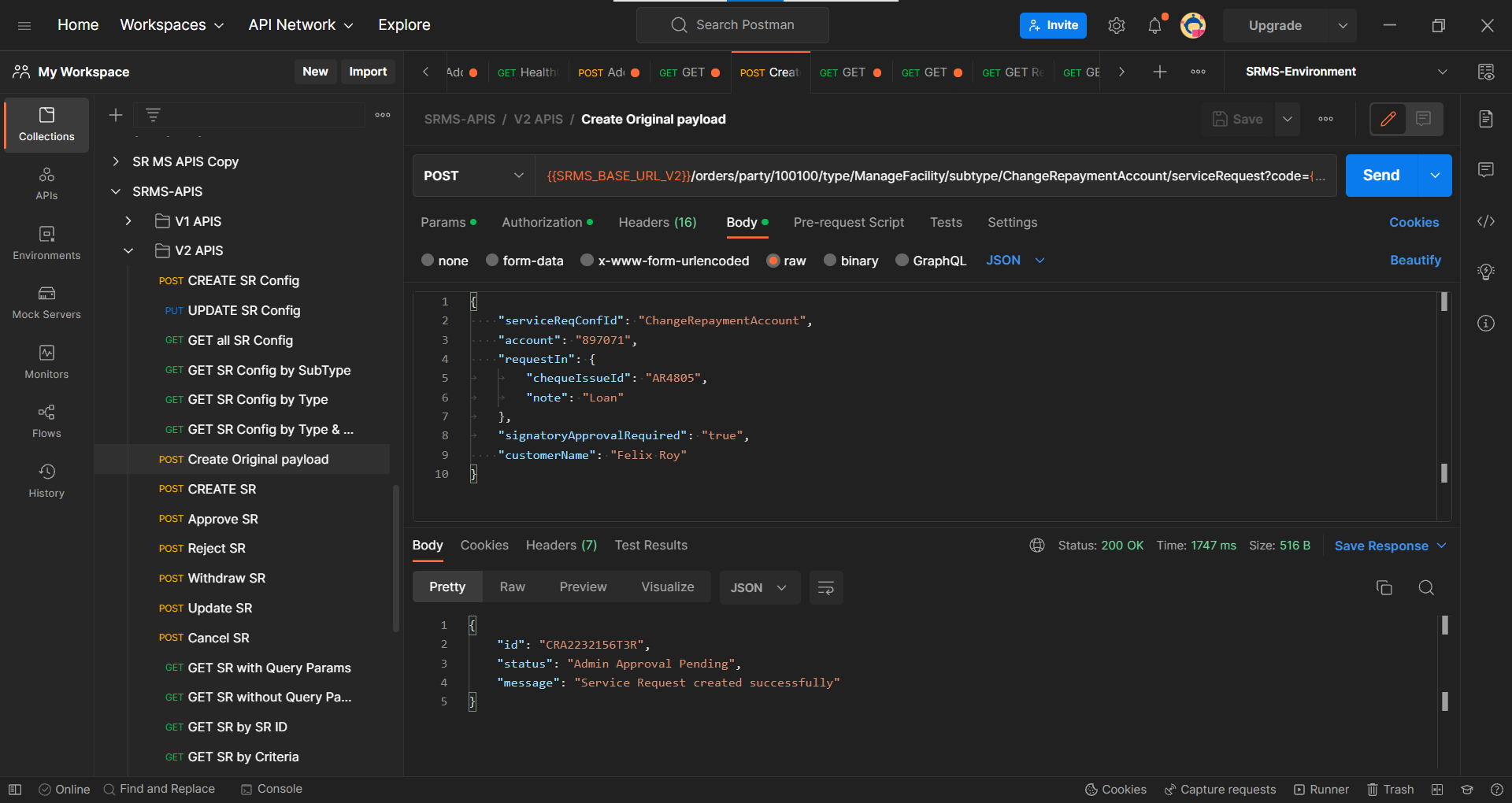
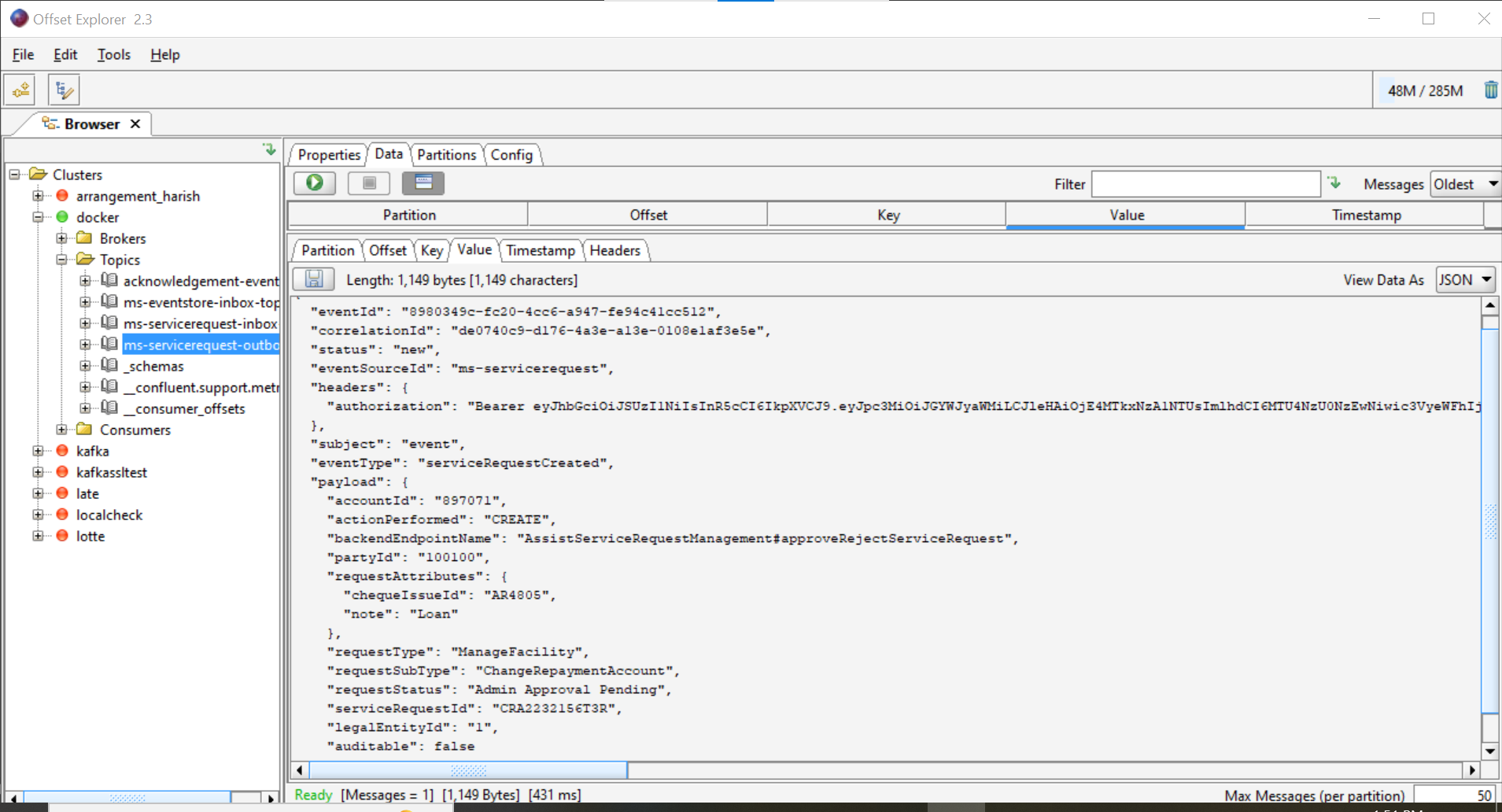
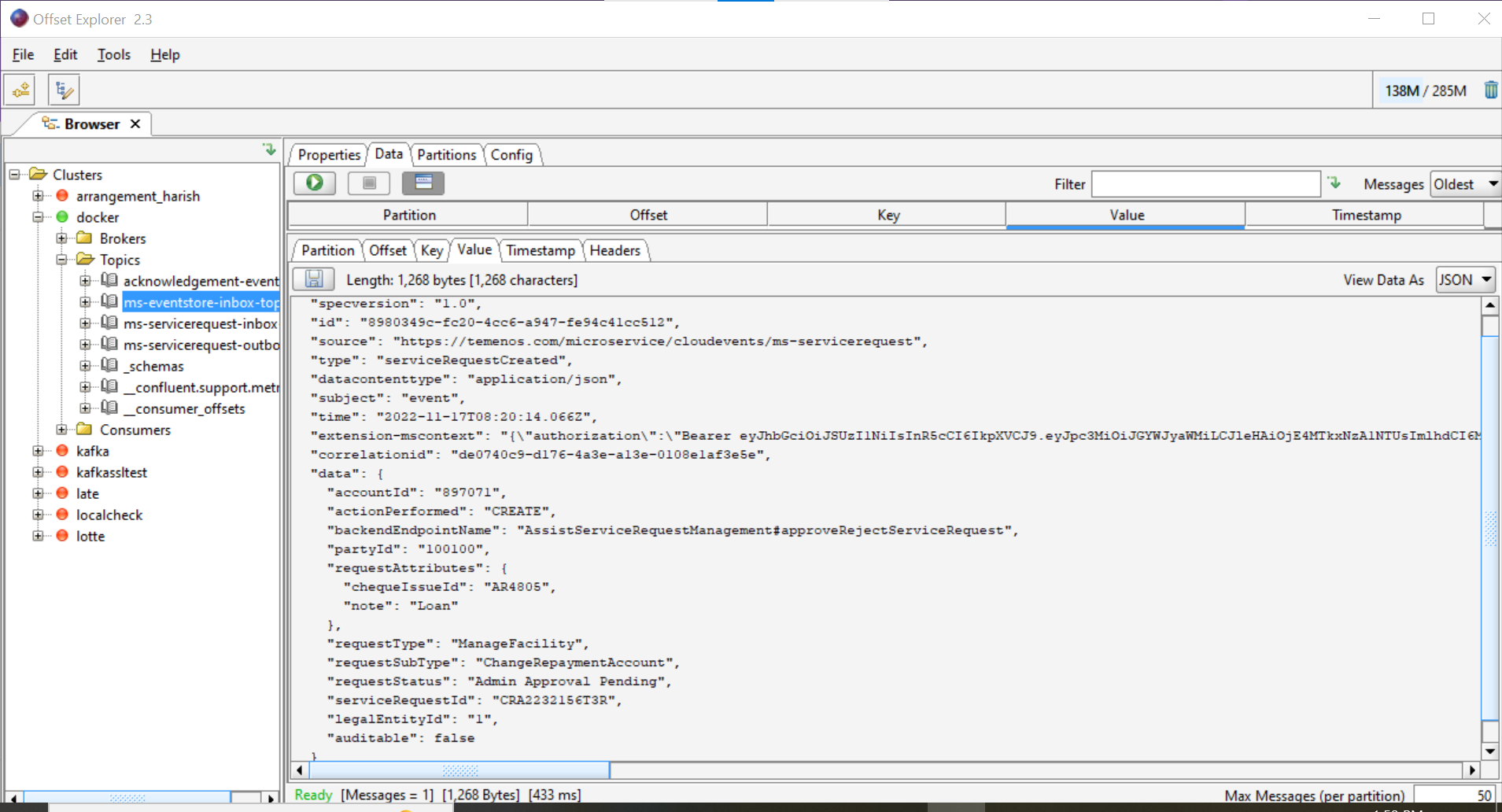
Flow Diagram
Audit History
The audit history below facilitates the persistence of the Admin actions for the Service Request for Admin Approval.
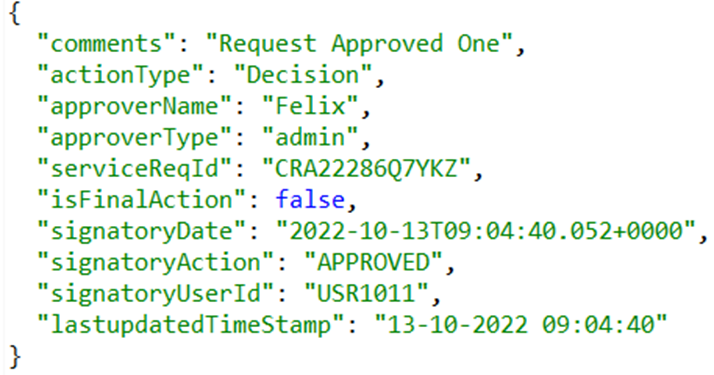
- Below is the sample audit history to approve the Service Request.
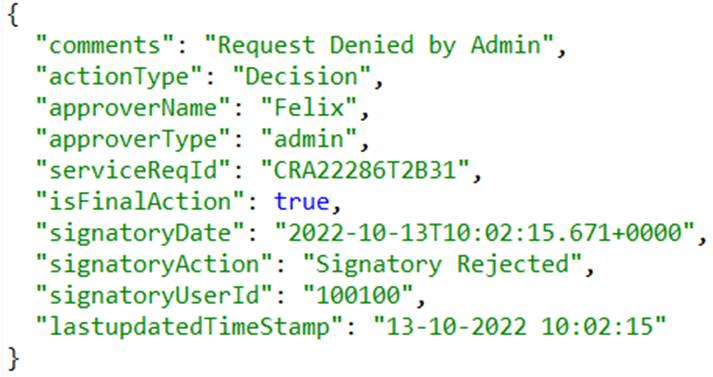
- Below is the sample audit history to reject the Service Request.
In this topic