Installing Arrangement Microservice in Azure
This section helps you to install the Arrangement Microservice in Azure.
Prerequisites
- Azure CLI, Python, Maven are pre-requisites to deploy this in azure.
- If you are running the sh scripts, a Linux box, WSL, or Mac OS is required. GitBash is not supported for Azure CLI currently.
Procedure:
- Copy the generated zip file (from target folder) in the installation directory.
- Extract the zip file.
- In command prompt, navigate to the installation directory. Ensure that the folder name inside target/azure-functions is same as functionApp name you have provided in the script.
- Modify the resourcegroup, location, database details and so on in the install.sh or install.bat script specific to the installation. Ensure any property name is carefully changed, if it is used in multiple areas across the script, by finding and replacing the values.
- In case of a multiple instance deployment, provide a unique value to
DEPLOYMENT_ENVIRONMENTproperty ininstall-mongo.bat/install-mongo.shfile, which creates a unique Resource Group and an app name.
If theDEPLOYMENT_ENVIRONMENTproperty is not provided with any value, the default value of the Resource Group and the app name will be considered. - This script expects an event hub connection for transact (t24), account aggregation, and event processor (follow the pre-requisite).
- Execute install.sh or install.bat.
Once the installation is done, the functions are created in Azure. - Log in to the Azure portal and check the resourcegroup and functionsapps are created.
Navigate from the command prompt to the directory where the .bat and .sh files are available and execute the below command:
- For Windows: install.bat
- For Linux: bash install.sh
Once the installation is done, you will get the Base URL for testing API. The master key token can also be retrieved from Azure portal, navigating as highlighted:
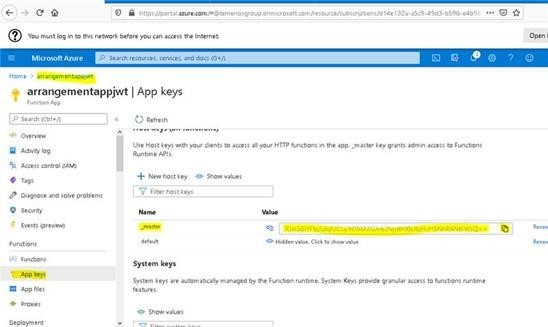
The master key token can also be retrieved from the Azure portal, navigating as highlighted.
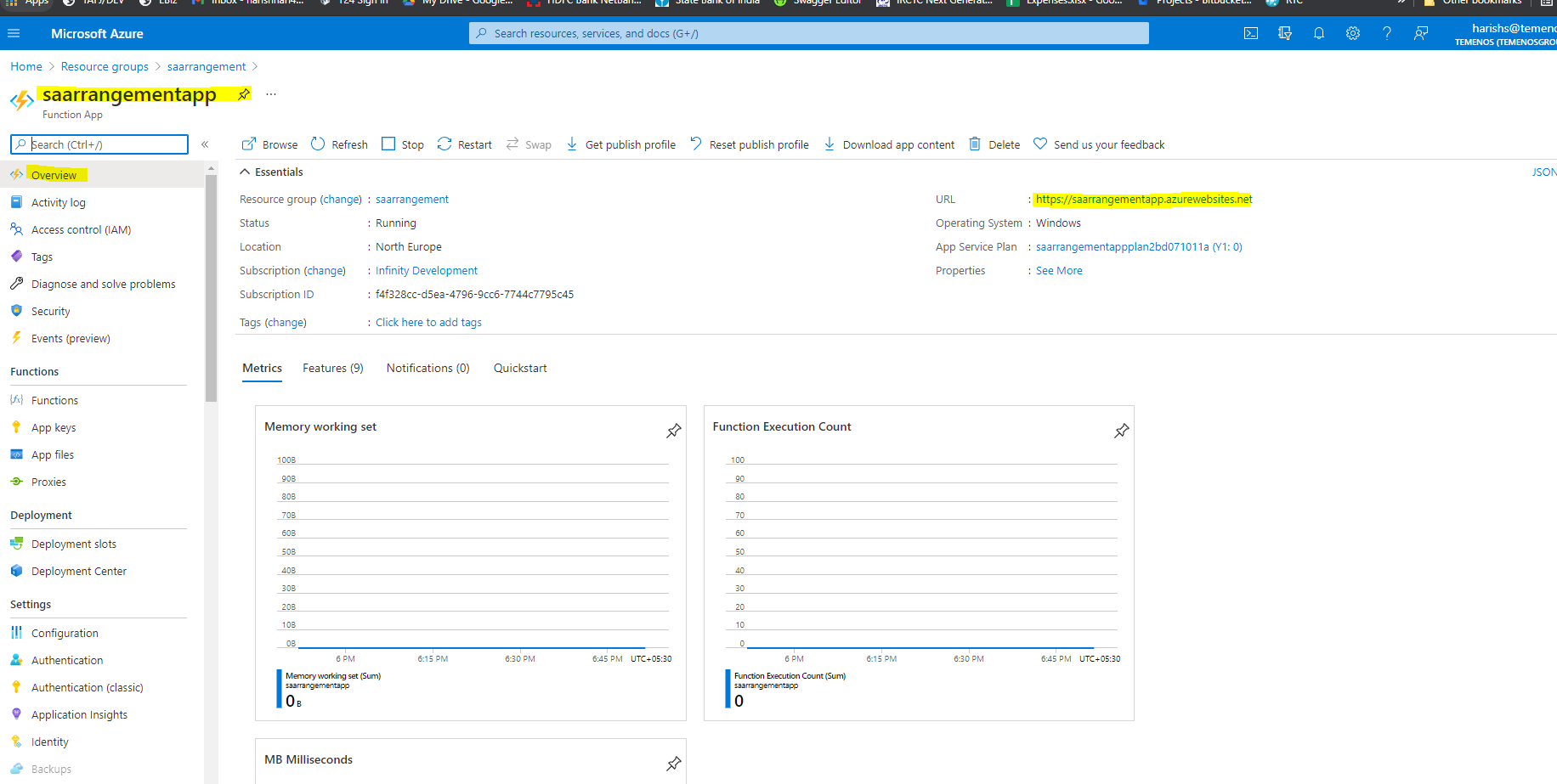
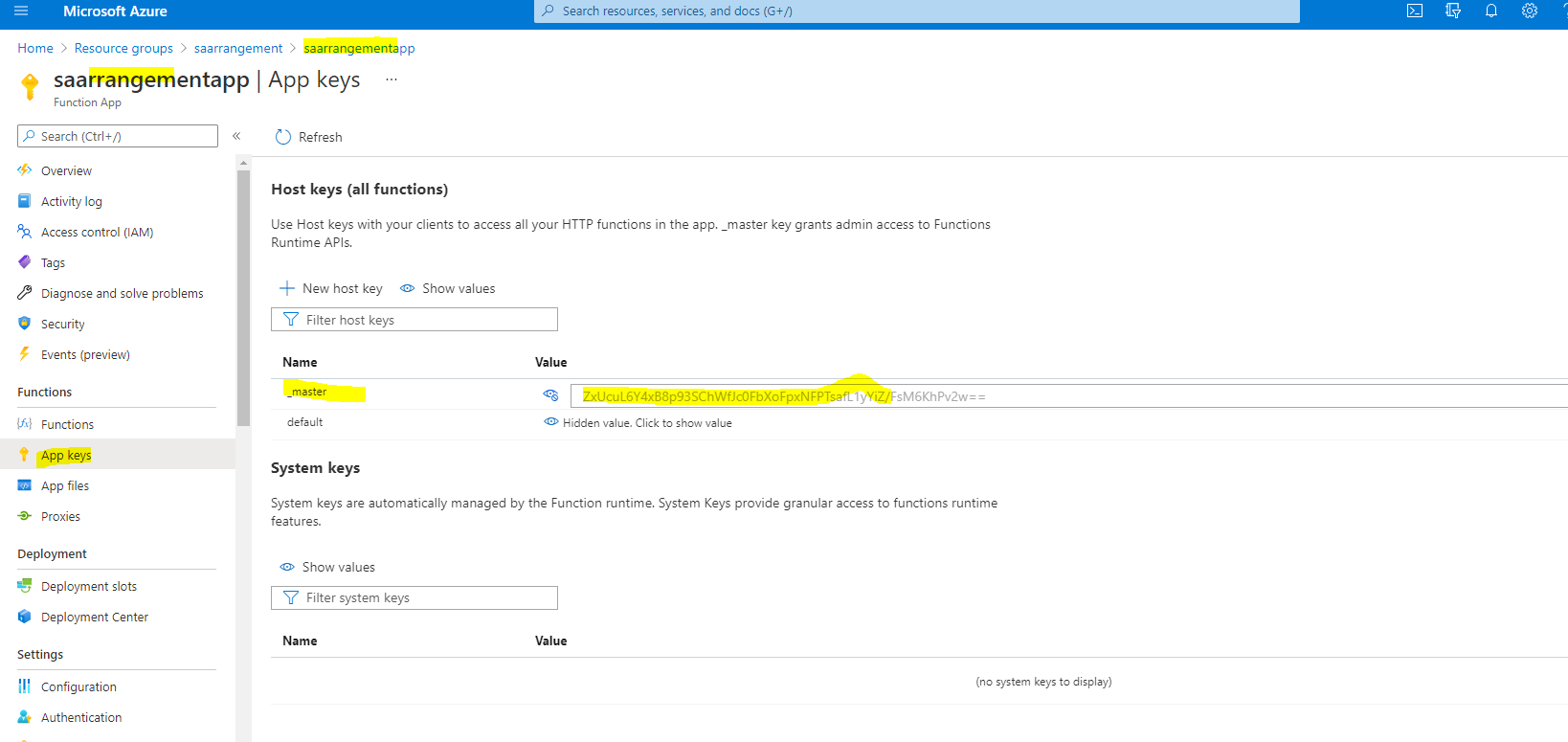
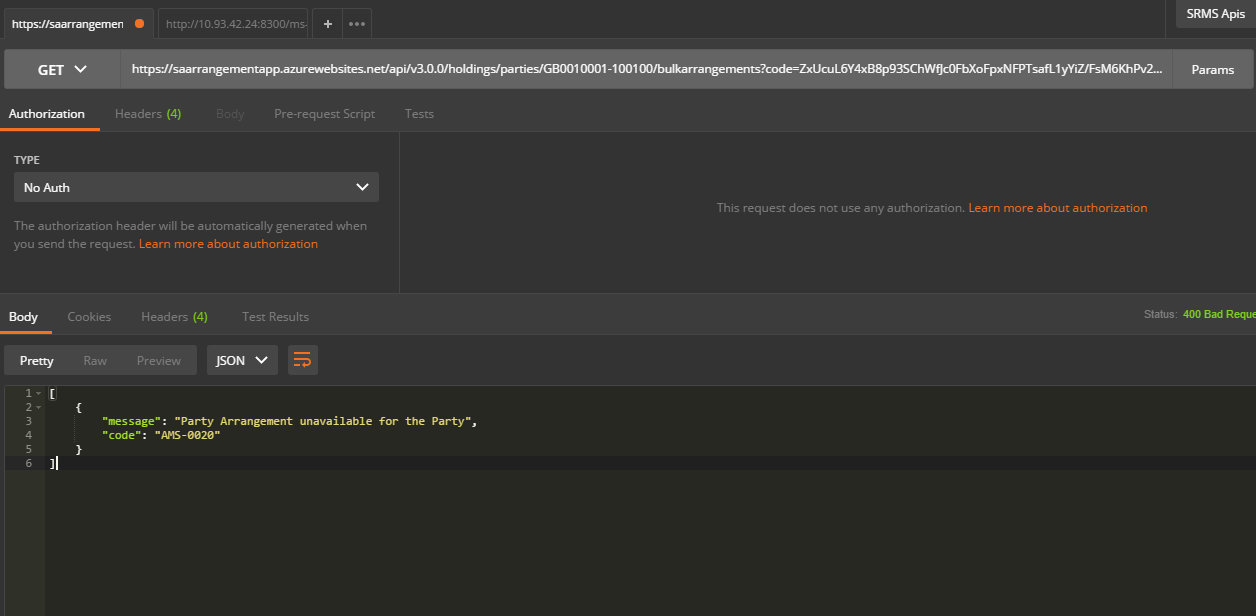
Furthermore, it can be hit from Postman also.
In this topic