Personal Information
The Personal Information section contains the details of the applicant such as first name, last name, date of birth, email address, country code and phone number details.
UX Overview
This section provides an overview of the Personal Information screen.
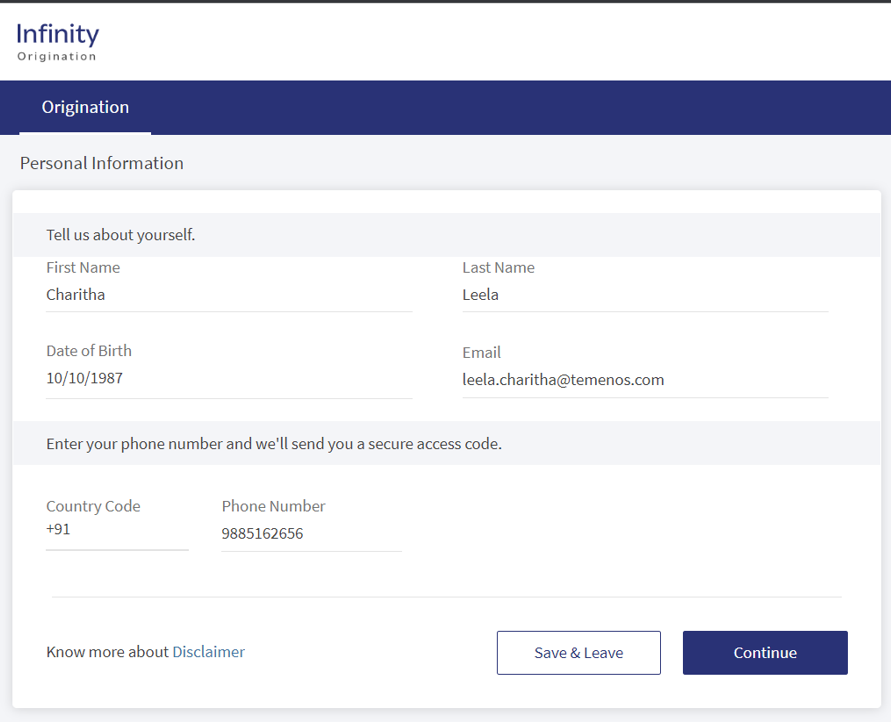
After check marking all the consents displayed in the Consent screen, the control navigates to the Personal Information screen.
For Prospect Customer: For prospect customer, all the details in the Personal Information screen will be auto-filled. On click of Continue button, the control navigates to Address and Identification screen. Click Continue button to navigate to the further screens and submit the application.
For Existing Customer: For existing customer, all the details will auto-populate in Personal information, Address and Identification, and Financial Information screens. The applicant can review/update the auto-filled details and proceed with capturing other information and submit the application.
The Personal Information screen has the following details:
- First Name and Last Name.
- Date of Birth: Enter your date of birth in the MM/DD/YYYY format.
As an applicant, you must be atleast 18 years old.
- Email Address: Type the email address that you want to link to your account.
- Country Code: Select the country-code.
- Phone Number: Enter the phone number.
For the invited co-applicant, In the Personal Information screen, there is no back button, hence you cannot go back to Acknowledgment screen.
To know more about the Consent page, click here.
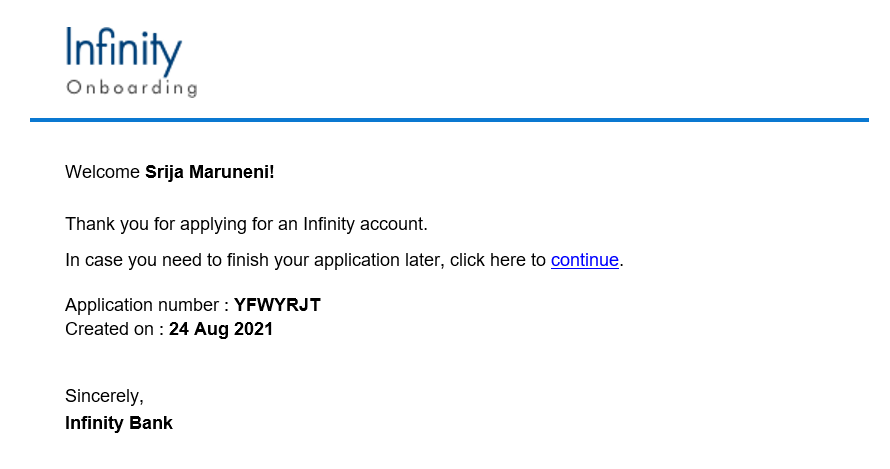
After providing the mentioned details, click Continue. Based on configurations set in Spotlight, the Address and Identification Details section appears. On click of Continue button, in the backend, a prospect is created in the Lead entity in Origination Data Storage Microservice. After the application is submitted and approved, the prospect entry from ODMS is removed and a customer id is created in the Party Microservice. Furthermore, you will receive a welcome email. The welcome email contains a link to resume the application later, if required, and the Application number.
Components
The Personal Information section contains the following list of components:
| Component Name | Instance Name |
|---|---|
| com.dbx.YesNoOptionChoser | CoApplicantYesNo |
| com.nuo.Roadmap | Roadmap |
| com.nuo.UserInformation | UserInformation |
| com.dbx.bannerError | bannerError |
| com.dbx.popup | closePopUp |
| com.dbx.customHeaderNUOV2 | customHeaderNUOV2 |
| com.dbx.customfooter | customfooterNUO |
| com.nuo.customheader | customheader |
| com.dbx.popup | flxCreateUserAndLoginFailPopup |
| com.nuo.loading | loading |
| com.dbx.navButtons | navButtons |
| com.dbx.popup | popup |
| com.nuo.procedureForNUO | procedureForNUO |
APIs
The following APIs are shipped as a part of this feature:
Experience APIs
| API | Description |
|---|---|
| getDetails | This API retrieves the personal information. |
| createProspectProfile | This API creates a prospect for an applicant and updates the prospect's personal information in Origination Data Microservice (ODMS). |
| updateProspectProfile | This API updates the personal information of the prospect in the Origination Data Microservice (ODMS). |
| createInfinityProspect | Creates a new Infinity prospect in the DBX DB. |
| createInfinityProspectAndLogin | Creates a new Infinity prospect in the DBX Database and performs a silent login for the applicant. |
Infinity Services
| API | Description |
|---|---|
| createUser | This API creates a user in the DBX DB. |
| getUser | This API retrieves a user from the DBX DB. |
| updateUser | This API updates a user in the DBX DB. |
| updateParty | This API updates or changes the existing records of a party. |
Configurations
The system administrator will have the capability to configure this module from the Spotlight app. For more information about configuring the Personal Information section, click here.
Extensibility
By using the Extensibility feature, you can customize the modules based on your requirements. For more information, refer to Extensibility.
In this topic